Withdata DBCopier — a Access to SQL Server converter and exporter that can convert, export, copy, migrate or sync tables and query results. Secure, fast and cross-platform (Windows, Linux, macOS).
Select multiple Access source tables and map to SQL Server target tables with one click 📷. Support Replace, Append, Upsert, and Schema-only import modes for bulk table migration 📷.
Combine multiple structurally similar Access tables into a single SQL Server table 📷 with automatic field mapping, date format customization, and NULL value handling 📷.
Import custom Access query results directly to SQL Server tables with precise field mapping 📷 - no intermediate tables required for filtered data migration.
Streamlined single-table data migration with automatic schema creation, intelligent data type mapping, and SQL Server index generation for fast synchronization. 📷
Complete migration from Access schema and data to SQL Server indexes - one-stop solution for full database/selected table migration with zero manual adaptation. 📷
Support Full Sync (Replace) and Incremental Sync (Upsert) modes to keep Access and SQL Server data consistent in real-time or on schedule. 📷
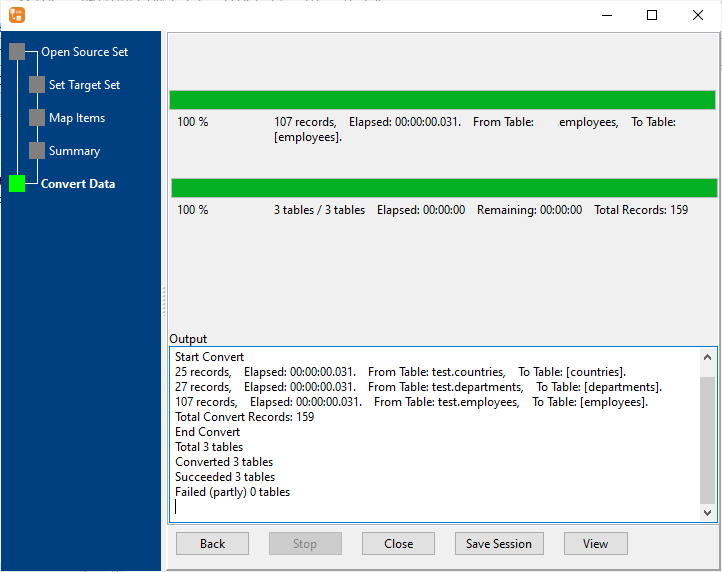
Core data format and schema conversion with custom field mapping, UTF-8 encoding 📷, and full process logging for accurate data transformation.
Save operations as scripts (.bat for Windows, .sh for Linux/macOS) and automate with Task Scheduler, Crontab or launchd for hands-free recurring data transfers. 📷
| Access | SQL Server | What to watch |
|---|---|---|
Long Integer | int | a 32-bit int is wide enough everywhere except source-side unsigned ranges |
Long Integer | bigint | values above 2^53 are rounded by JavaScript consumers if exported as numbers |
Decimal | decimal(p,s) | precision beyond the target declaration is rounded, not rejected |
Double | float | binary floating point: 0.1 + 0.2 comes out as 0.30000000000000004 |
Text(n) | nvarchar(n) | fixed-width padding survives unless the target column is VARCHAR |
Long Text | nvarchar(max) | length limits differ per target; a longer value is truncated or rejected |
Date/Time | date | a zero or out-of-range date (0000-00-00) has no equivalent in most targets |
Date/Time | datetime2 | time zones: a timestamp renders in the session zone of whoever reads it |
OLE Object | varbinary(max) | binary has no text form, and some targets cap the column size |
Yes/No | bit | some targets store 1/0, others true/false; NULL is a third state |
Long Text | nvarchar(max) | key order and duplicate keys are not preserved by binary JSON types |
Get the full version Withdata DBCopier for your operating system and start seamless Access to SQL Server data transfer
$129 one-time · volume discounts to $99 · 30-day money-back · pricing & licence terms · SQL Server to Access →