4 Simple Steps to Export MySQL to Excel
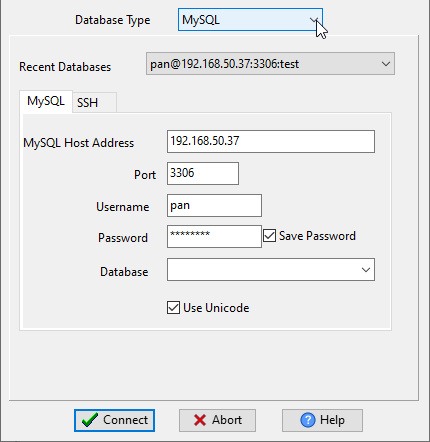
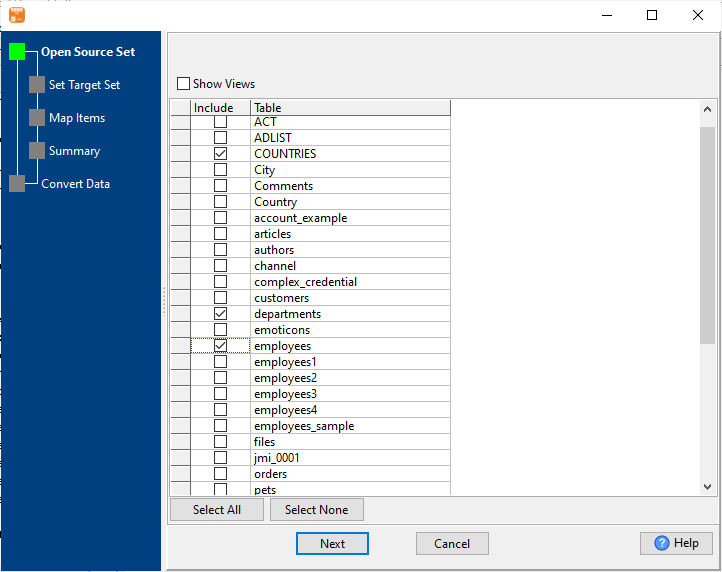
Connect to MySQL Database
Configure your MySQL connection details (host:port, username, password, database) - supports local/remote MySQL servers, MySQL 5.x/8.x, and MariaDB.
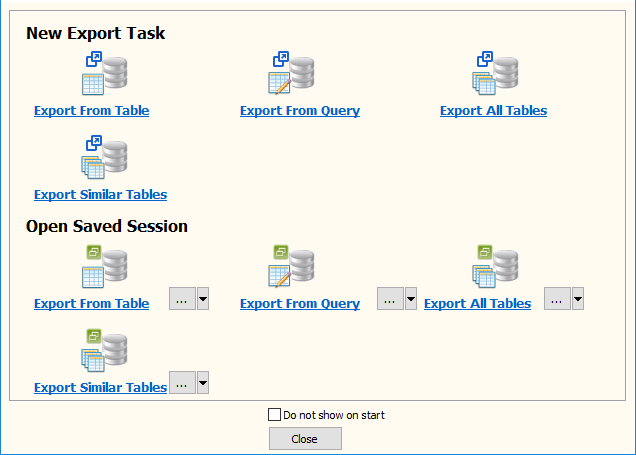
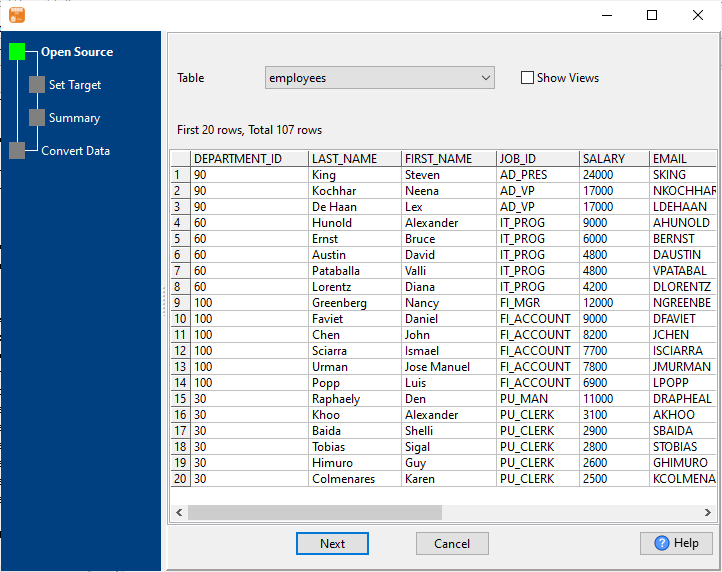
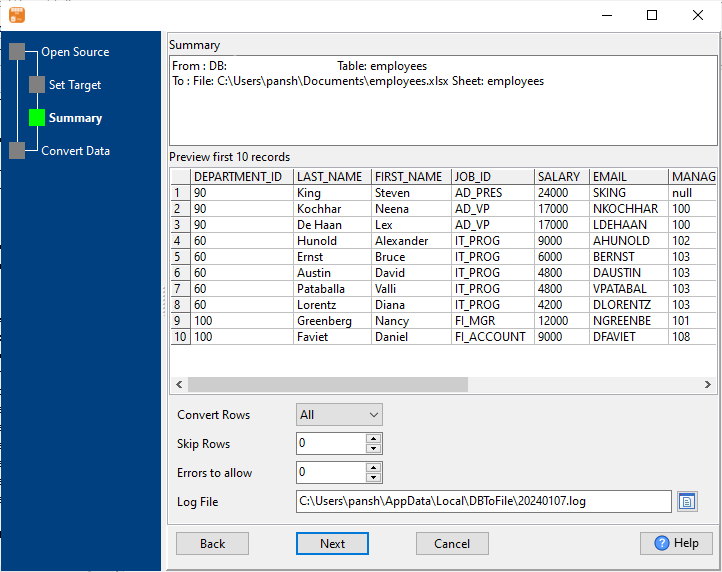
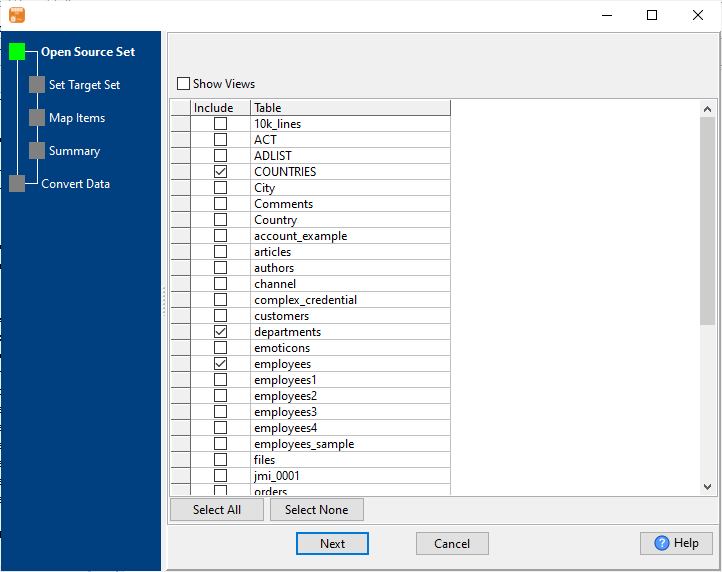
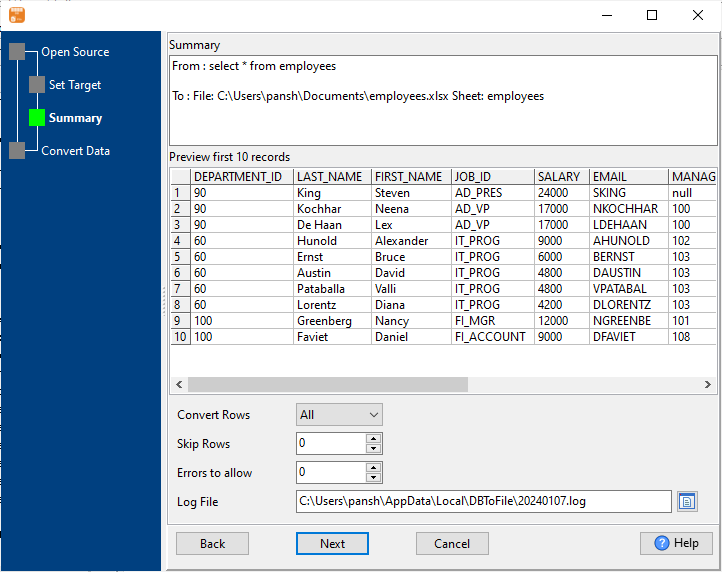
Select Export Source MySQL
Choose what to export: single table, multiple tables, or custom SQL query results. Preview data before export to ensure accuracy.
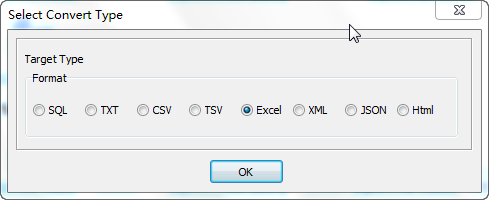
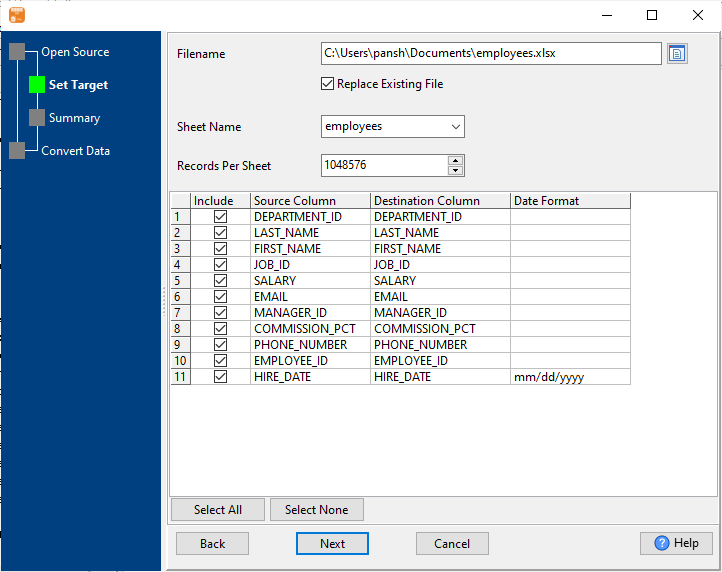
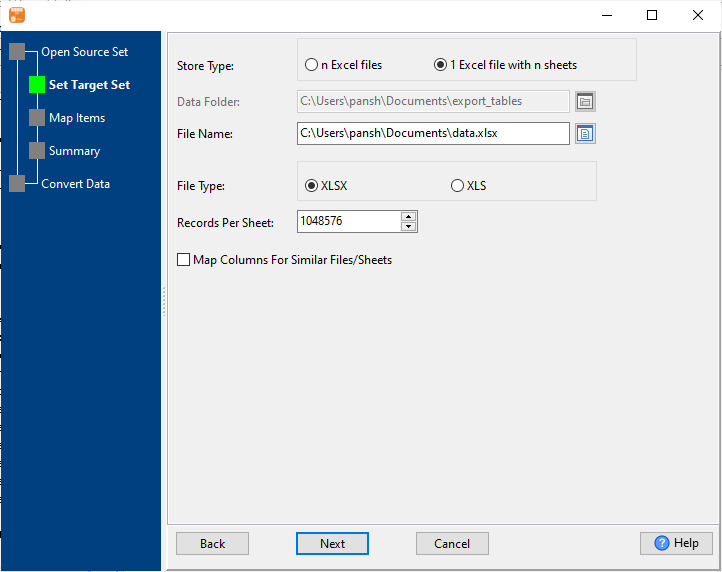
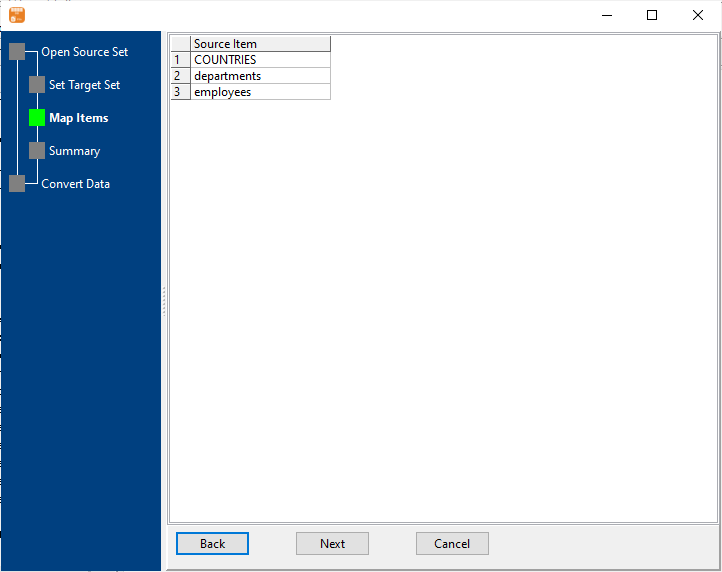
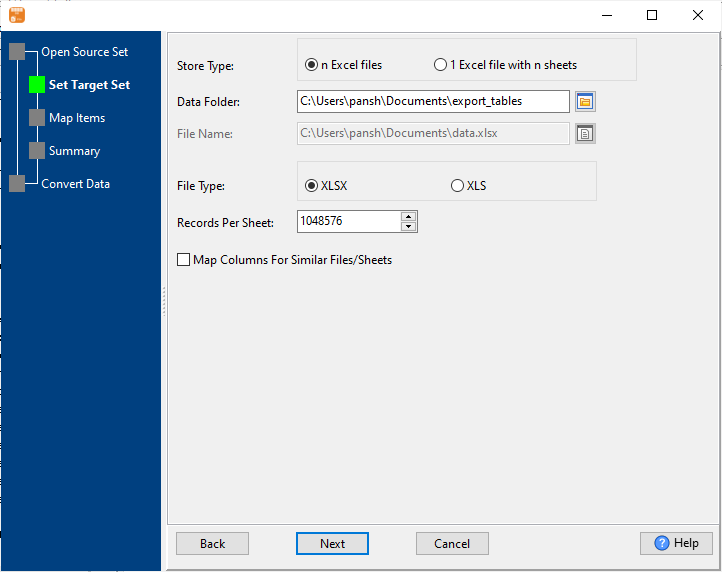
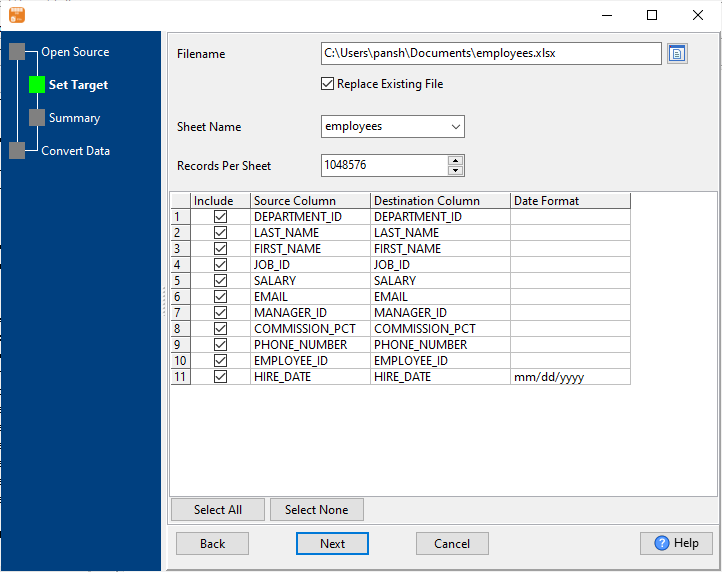
Configure Excel Settings
Set export parameters: Excel format (.xlsx/.xls), sheet naming, field mapping, data type conversion, and output file location.
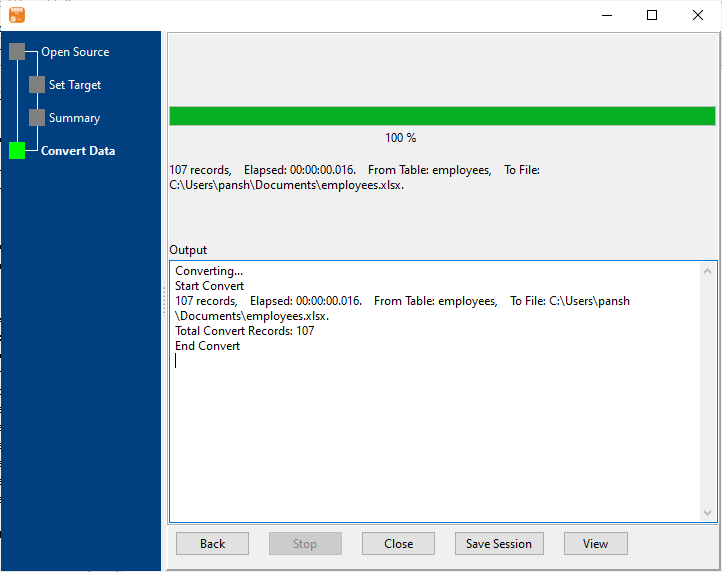
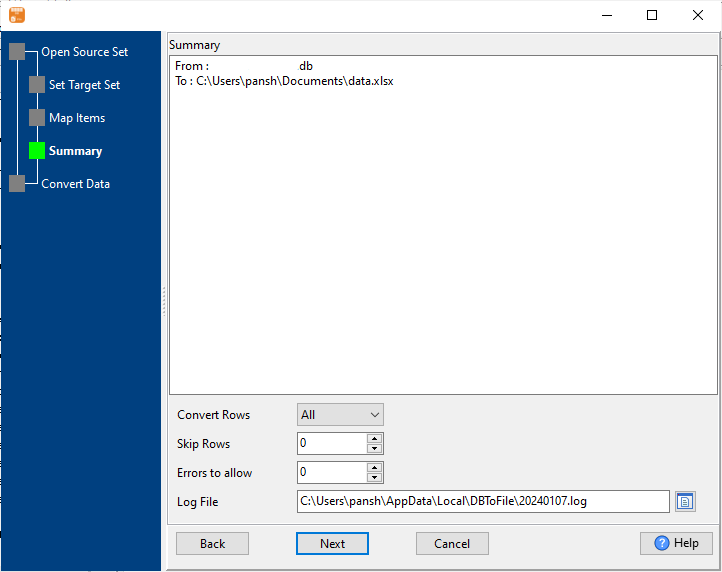
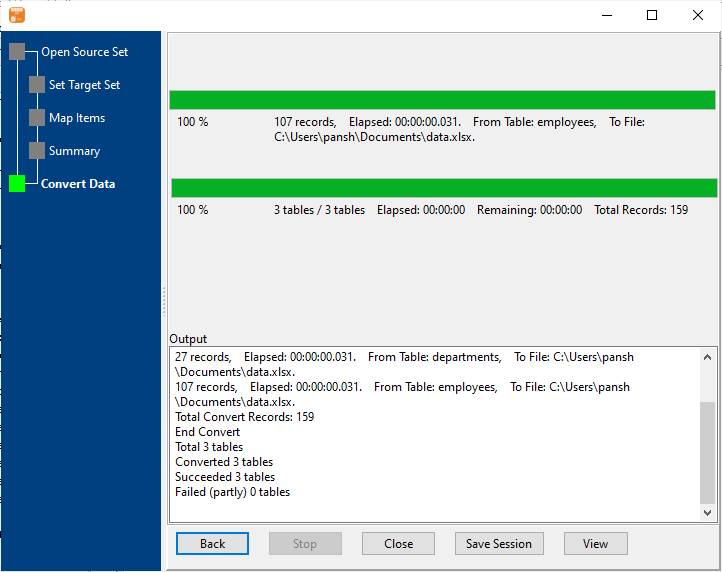
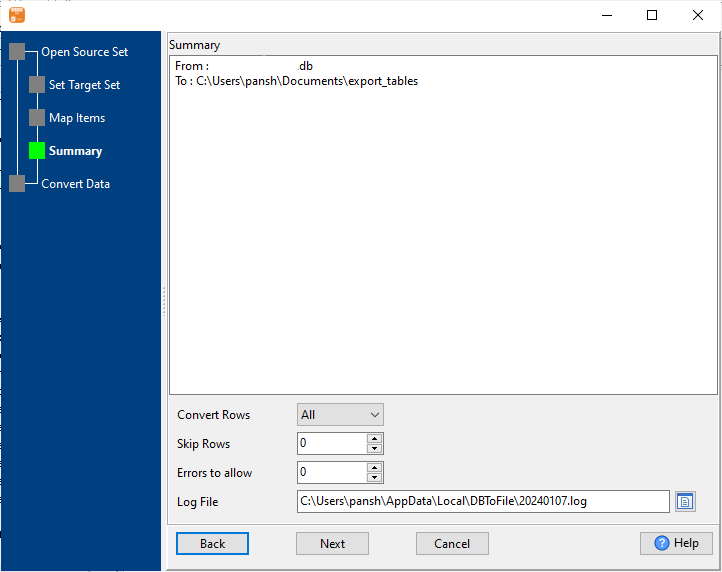
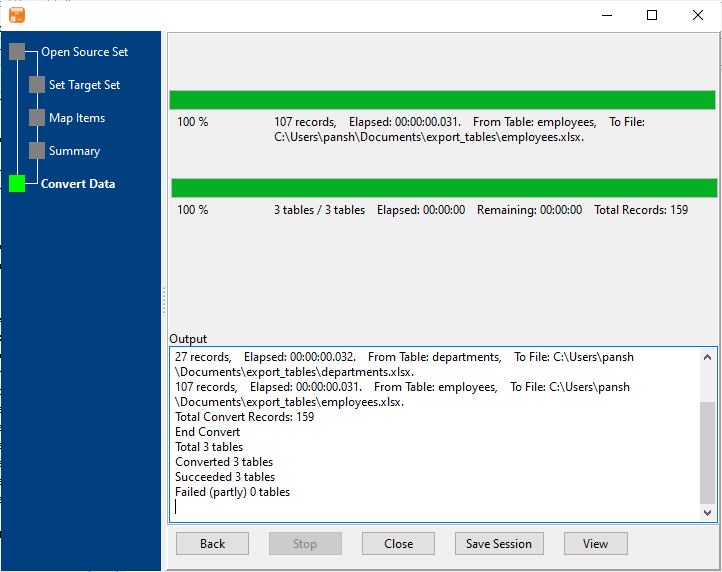
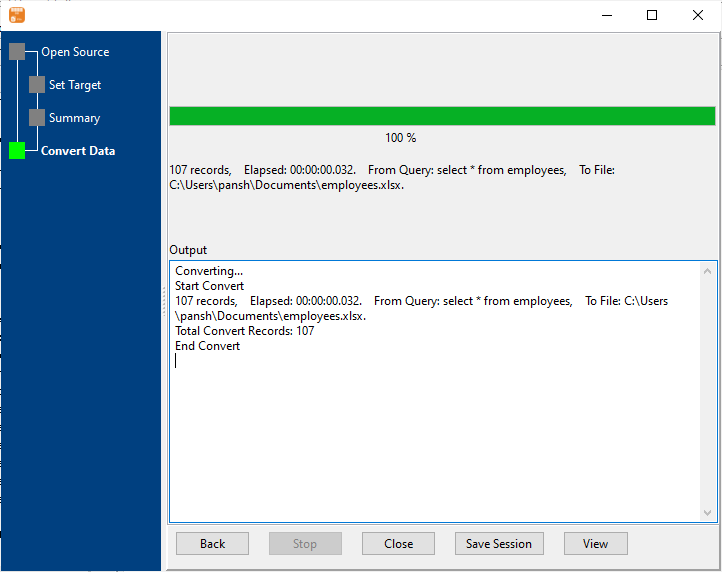
Start Export & Verify
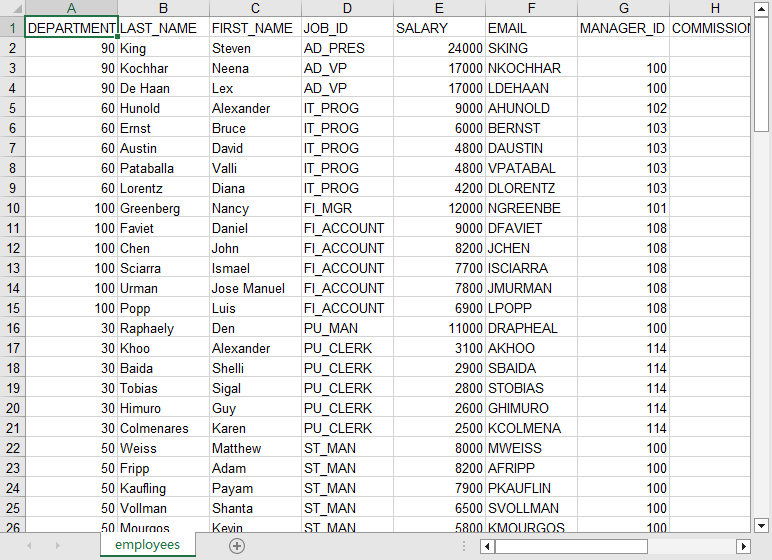
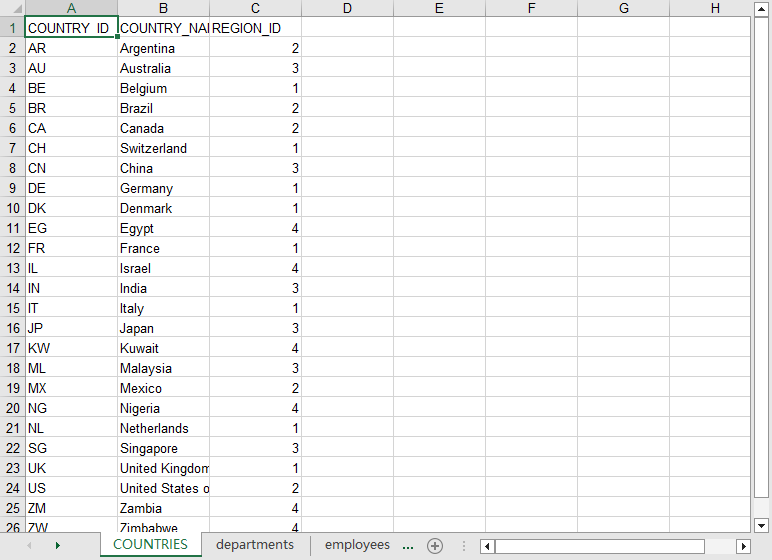
Monitor real-time export progress with success/failure metrics. Verify exported Excel file with accurate data type conversion and formatting.
4 Flexible MySQL to Excel Export Types
Single MySQL Table to Excel File
Export one MySQL table to a single Excel file (one sheet) - perfect for quick table backups, single dataset reporting, or sharing specific table data with non-technical teams.
Example:
MySQL Table: customers → Excel File: customers_2024.xlsx
✅ Ideal for daily/weekly single-table reporting
Multiple MySQL Tables to Multiple Excel Files
Batch export multiple MySQL tables to separate Excel files (one table = one file) - great for full database backups or distributing different datasets to different teams.
Example:
Tables: products, orders → Files: products.xlsx, orders.xlsx
✅ Auto-naming by table name + date for easy organization
Multiple MySQL Tables to Single Excel (Multi-Sheet)
Export multiple MySQL tables to a single Excel file with multiple sheets (one table = one sheet) - ideal for consolidated reporting and comparative analysis.
Example:
Tables: sales_jan, sales_feb → Excel: sales_2024.xlsx (2 sheets)
✅ Easy cross-table analysis in a single Excel file
MySQL Query Results to Excel File
Execute custom SELECT queries (including JOINs, WHERE clauses) and export only filtered results to Excel - perfect for targeted data analysis and custom reporting.
✅ Export only the data you need - no manual Excel filtering
Key Features of MySQL to Excel Exporter
High Performance Export
- 1 million+ rows per minute export speed for large datasets
- Stream processing for 10GB+ MySQL tables (no memory overflow)
- Parallel export for multiple tables (50% faster batch exports)
- Progress tracking with real-time row count and error reporting
Complete Format Compatibility
- Dual Excel format support: .xlsx (2007+) and .xls (97-2003)
- No Microsoft Excel installation required (standalone application)
- Accurate data type conversion: MySQL → Excel (INT→Number, DATETIME→Date)
- Support for special characters and non-English data (UTF-8 encoding)
Cross-Platform Support
- Windows (10/11/Server 2016+), macOS (10.15+), Linux (Ubuntu/CentOS)
- Dual interface: GUI (for non-technical users) + CLI (for automation)
- Compatible with MySQL 5.0-8.4, MariaDB 10.x, Percona Server
- Support for remote MySQL (SSH tunnel) and local MySQL instances
Automation & Scheduling
- CLI mode for scripted/automated exports (bash/powershell)
- Save export configurations for repeat use
- Schedule automated exports (Windows Task Scheduler/Linux Crontab)
- Generate .bat/.sh scripts from saved configurations
Security & Compliance
- 100% local processing - no data sent to third-party servers
- GDPR/HIPAA compliant data handling
- Password-protected export configurations
- Option to anonymize sensitive data during export
Advanced Customization
- Custom Excel sheet naming (static or dynamic with date/timestamp)
- Field mapping (rename, exclude, reorder columns)
- Custom date/number formatting for Excel output
- Empty value handling (custom default values)
Common Use Cases for MySQL to Excel Export
Business Reporting & Analytics
Export MySQL sales, customer, or operational data to Excel for creating visual reports, pivot tables, and dashboards - no SQL expertise required for end users.
Database Backup & Archiving
Schedule automated exports of critical MySQL tables to Excel format for long-term data archiving, compliance requirements, or disaster recovery.
Development & Testing Data
Export production MySQL data (with sensitive information anonymized) to Excel for creating realistic test datasets for application development.
Cross-Team Data Sharing
Export filtered MySQL data to Excel for sharing with non-technical teams (marketing, finance, operations) who prefer Excel for their workflows.
Data Migration & Integration
Export MySQL data to Excel as an intermediate format for migrating to other systems or integrating with Excel-based business processes.
Trusted by Thousands of Teams Worldwide
Frequently Asked Questions
No! DBToFile works as a standalone application with its own Excel file generation engine. You don't need Excel installed on your system - the exported .xlsx/.xls files can be opened with Excel, WPS, LibreOffice, or any Excel-compatible software on any device.
Absolutely! You can input any valid SELECT query (including JOINs, WHERE clauses, GROUP BY, ORDER BY) and export only the matching results to Excel. This is perfect for creating custom reports with filtered data without exporting entire tables.
Yes! DBToFile fully supports MySQL 5.0 through 8.4, as well as all versions of MariaDB and Percona Server. It's regularly updated to maintain compatibility with the latest MySQL releases and security patches.
Use the CLI mode: Save your export configuration in the GUI, then generate a .sh script. You can schedule this script to run automatically using Linux Crontab (e.g., daily at midnight for daily backups). The CLI supports all the same features as the GUI, including batch exports and custom queries.
Yes! DBToFile uses stream processing to read and export large tables in chunks, avoiding memory overflow. It can handle tables with millions of rows efficiently (up to 1 million rows per minute) on standard hardware, with real-time progress tracking and error recovery.
100% secure. All processing happens locally on your machine - no MySQL credentials or data are ever sent to our servers or any third party. You can also enable data anonymization for sensitive fields (e.g., replace email addresses, phone numbers) during export for compliance.
Yes! Save your export configuration, then generate a script (.bat for Windows, .sh for Linux/macOS) that you can schedule using Windows Task Scheduler, Linux Crontab, or macOS Automator. Perfect for daily/weekly/monthly automated backups or reporting.
Ready to Export MySQL to Excel Effortlessly?
Download DBToFile MySQL to Excel Exporter and streamline your data export, reporting, and backup workflows with high performance, security, and flexibility.