Want to split large TXT file in Windows?
Try Withdata Big Text File Splitter, Split large TXT file in Windows, East and Fast.
- Can run in GUI mode, just a few mouse clicks.
- Can run in Command line, for Scheduled Tasks and Streams.
- Split TXT file locally and privately, Avoid uploading LARGE TXT file(s) to online services.
- Support Windows, Linux, macOS.
Download Withdata BigTextFileSplitter 
Split large TXT file in Windows
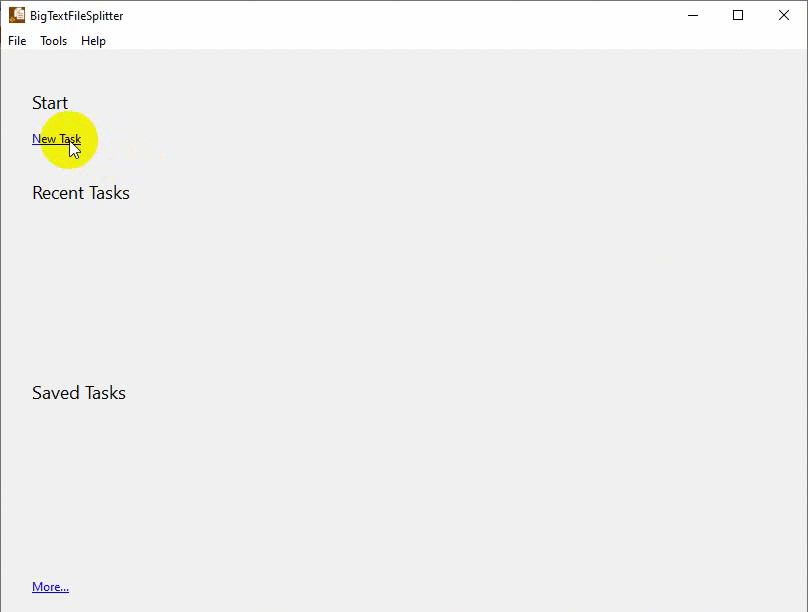
Click “New Task” at “Start”.
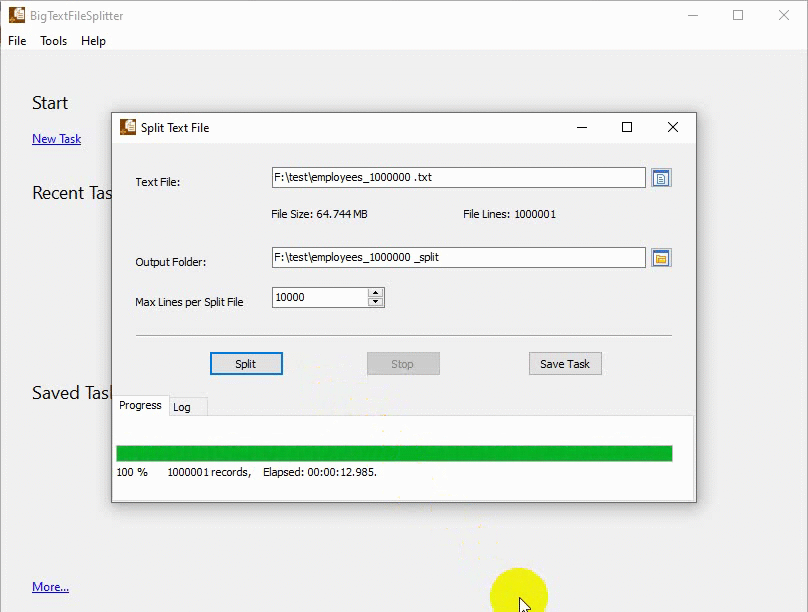
then show the splitting form, choose the file to split.
Split large TXT file in command line in Windows
- Split TXT in Windows command line.
- Split TXT in Linux command line.
- Split TXT in macOS command line.
Set scheduled tasks for splitting large TXT file in command line in Windows
You can schedule and automate this “Split TXT” task by:
- Save session and create .bat (Windows) or .sh (Linux/macOS) file for “Split TXT” conversion.
- Set scheduled task for “TXT” conversion.
More about Withdata BigTextFileSplitter – TXT Splitter
Download Withdata BigTextFileSplitter
See Video: Split big TXT file in Windows
Big Text File Splitter without the manual work
For batch jobs, large files and scheduling use the Big Text File Splitter converter — an offline desktop app for Windows, Linux and macOS. Free trial.


