OraLobEditor - Edit Oracle LOB (BLOB, CLOB) data »
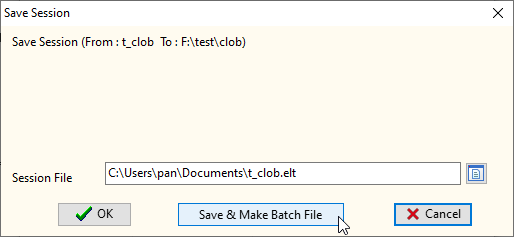
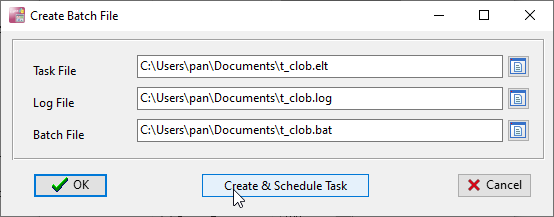
We can run from command line or create a batch file(replace the "username", "password", "database" and "mode" with your own database user info. The lines wrap in this page, but in the file is 1 line):
"C:\Program files\OraLobEditor\OraLobEditor" username=hr password=hr database=xe mode=normal task="E:\testcase\t_file.ilt" logfile="E:\testcase\t_file.log"

username: Your Oracle username. password: Your Oracle password. database: Your Oracle database name (SID). mode: normal, sysdba, sysoper. task: The task file name, to create a task file, please see this page: Save/Load task. logfile: The log file name.
You may need to run a batch file at a specific time and/or at a certain time every day. Below is additional information about how to do this.
With the introduction of Microsoft Windows 98, Microsoft has included Scheduled Tasks, a software program designed to run any program, including batch files, at any time or any schedule you desire. To run Scheduled Tasks, follow the below steps.
- Click Start
- Click Programs
- Click Accessories, System Tools, and then Scheduled Tasks.
Once open, you'll be able to create your own custom task by clicking Add Scheduled Task, which will start you through the wizard, prompting you with what program you wish to execute, how often you wish to run it (daily, weekly, monthly, one time only, when my computer starts, and when I log on), the time you wish to run, and how often each day to run.
OraLobEditor is a database tool that helps DBA and Database Programmer edit Oracle LOB (BLOB, CLOB) data directly.
30-day free trial
US$75.00