BigTextFileSplitter » Use cases » Split a huge log file
Download BigTextFileSplitter Free Trial » Buy BigTextFileSplitter Now »
The situation
An application log has been running for months without rotation, or the rotation failed, and now it is 20 GB. Notepad, VS Code and most log viewers either refuse it or become unusable. Searching for the incident is the actual job, and the file is in the way.
The same thing happens when only a slice matters: the problem happened on the 17th, and the file covers a year. Opening a year to read a day is wasted effort.
What you do
- Let BigTextFileSplitter take the log file - it reads it where it is, and there is no size limit beyond disk space.
- Choose how to divide it:
- By file size - for example 200 MB per part, so each part opens instantly in any editor.
- By a keyword or separator - such as a date marker that starts each day, so the parts follow the log's own structure.
- Into N files - evenly by size or by lines, when you want a fixed number of parts.
- Split and open the part you need.
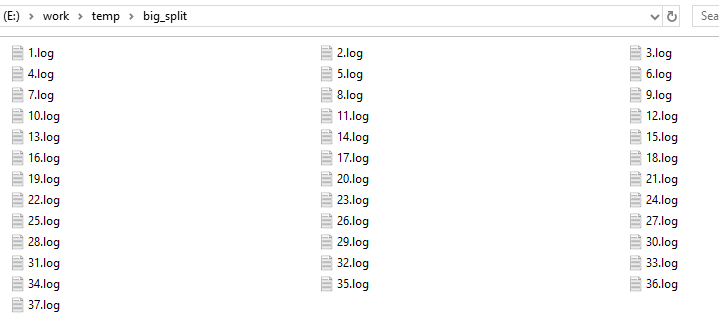
Line breaks and the original encoding are preserved, so a log entry is never cut in the middle of a line of text and the parts read exactly like the source.
Why not an online splitter
Logs are the worst files to upload. They contain IP addresses, user names, request paths, tokens and whatever else the application decided to write - all of it business or customer data. BigTextFileSplitter is a desktop application for Windows, Linux and macOS: the log never leaves the machine, and there is no upload cap to run into.
What it will not do
- It does not parse timestamps. Splitting by a keyword matches the text you give it; it does not know what a date is. Pick a marker that is consistent in your log.
- It does not sort or de-duplicate. If you split a log into parts and later merge them, entries stay in the order they were in - use a log tool for time-ordered work.
- It is a splitter, not a viewer. If you would rather open the huge log as it is, use BigTextFileViewer, which is built for exactly that.
Related
Opening a very large log without splitting: BigTextFileViewer. Splitting in the browser: split LOG. How-to article: splitting a large log file. Other formats: split TXT, split CSV, split JSON, split XML.