Want to split large XML file into multiple files by object count without programming?
Try Withdata Data File Splitter, a desktop XML splitter for Windows, MacOS, and Linux, Split big XML file into multiple files, Easy and Fast.
- Can run in GUI mode, Step by Step, just a few mouse clicks.
- Can run in Command line, for Scheduled Tasks and Streams.
- Split XML file locally, Avoid uploading LARGE XML file(s) to online services.
- Support Windows, Linux, and macOS.
Download Withdata DataFileSplitter 
Split large XML file into multiple files
Choose source XML file -> Set splitting XML options -> Split XML
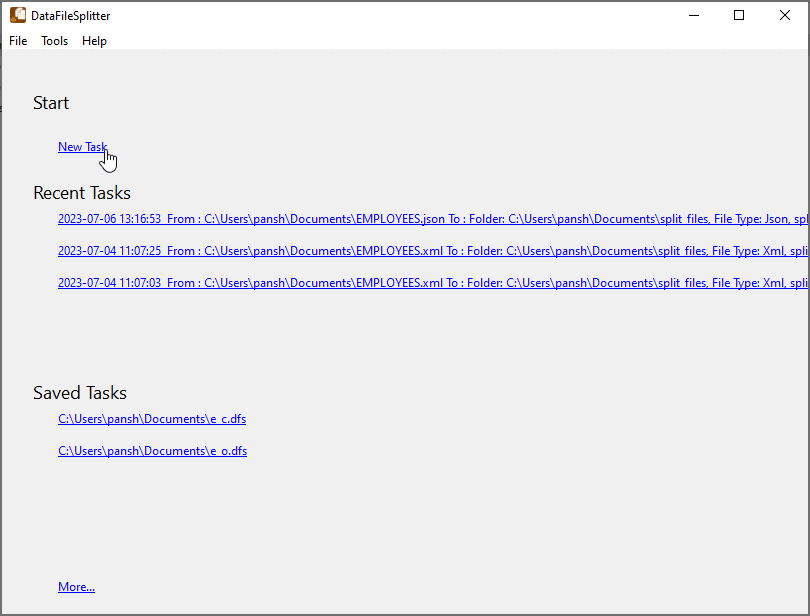
Click “New Task” at “Start”.
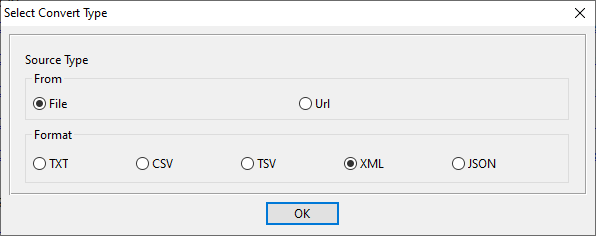
Choose “XML” file type.
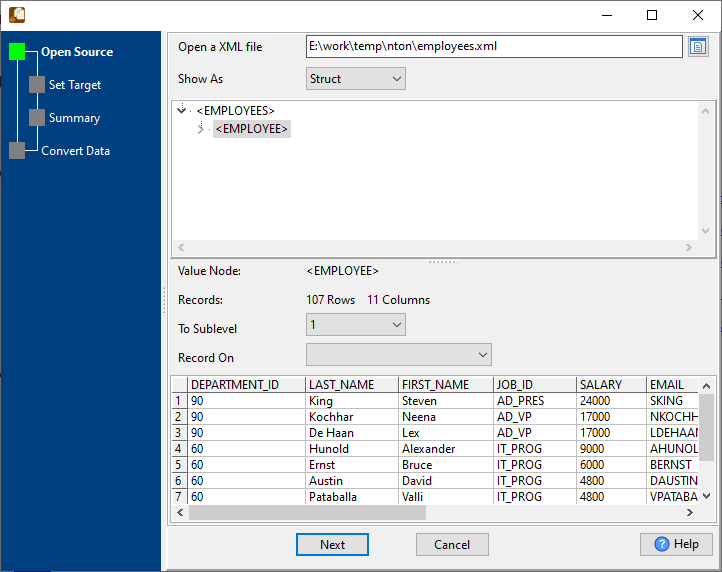
1. Open XML file as source.
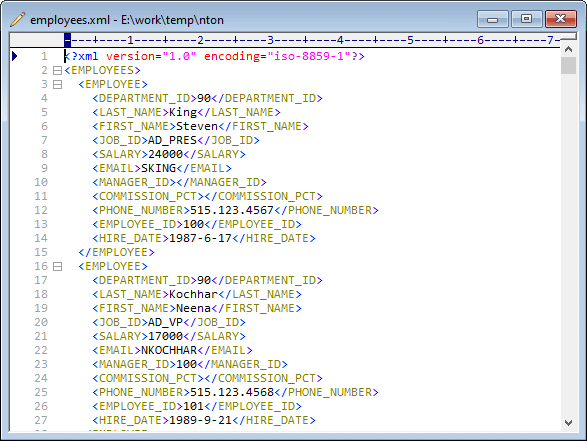
The XML file like this:
2. Config XML file splitting options, split by object count.
If you want to split by column value, see this: Split XML by column value.
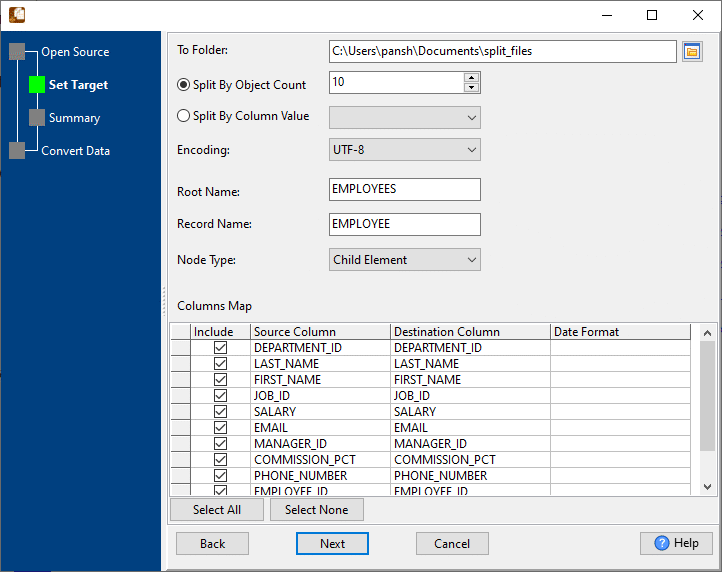
3. Summary.

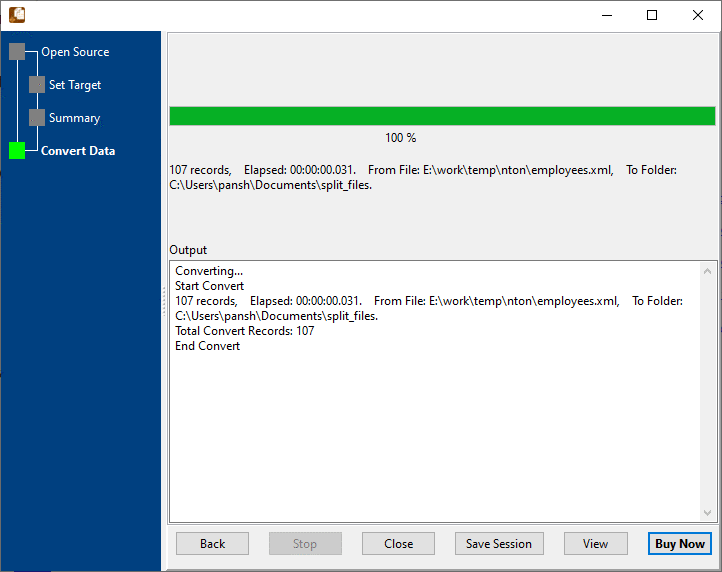
4. Split XML file into multiple files.
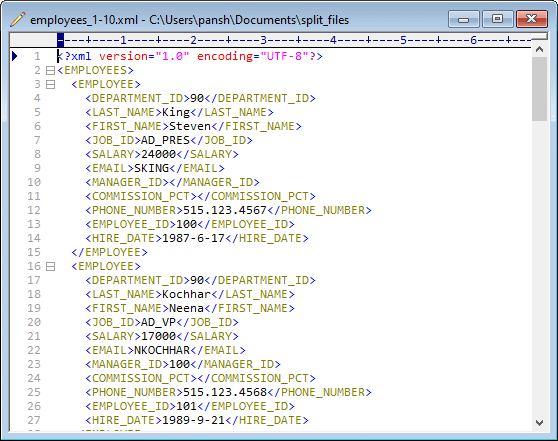
View a result XML file.
More about XML Splitter
Download Withdata DataFileSplitter
See Video: Split big XML file into smaller XML files by record count without coding
Data File Splitter without the manual work
For batch jobs, large files and scheduling use the Data File Splitter converter — an offline desktop app for Windows, Linux and macOS. Free trial.


