Want to convert HTML table to Excel file?
Try Withdata Data File Converter, a desktop HTML to Excel converter for Windows, MacOS, and Linux, Convert HTML table to Excel, Easy and Fast.
- Can run in GUI mode, Step by Step, just a few mouse clicks.
- Can run in Command line, for Scheduled Tasks and Streams.
- Convert files locally and privately, avoid uploading large HTML file(s) to online services.
- Support Windows, Linux, and macOS.
Download Withdata DataFileConverter 
Convert HTML table to Excel
Choose HTML file -> Set Excel file -> Convert HTML table to Excel
“Start a New Convert” for “HTML to Excel”.

Select From “File” “HTML” To “File” “Excel”.
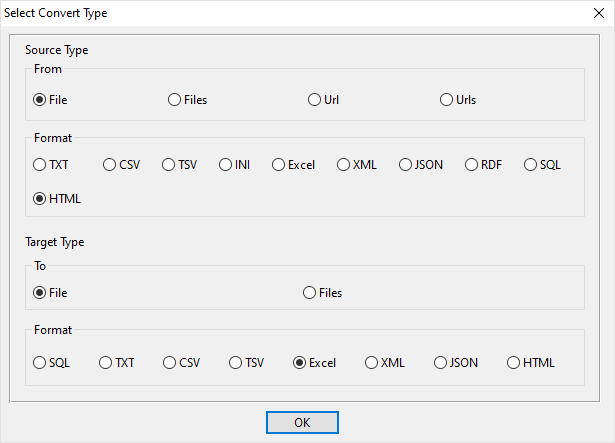
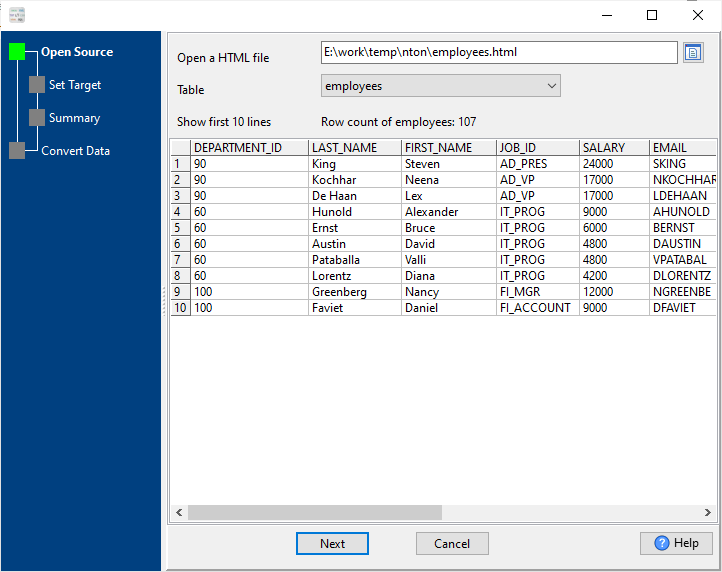
1. Open source HTML file.
Support large HTML file ( > 4GB ).
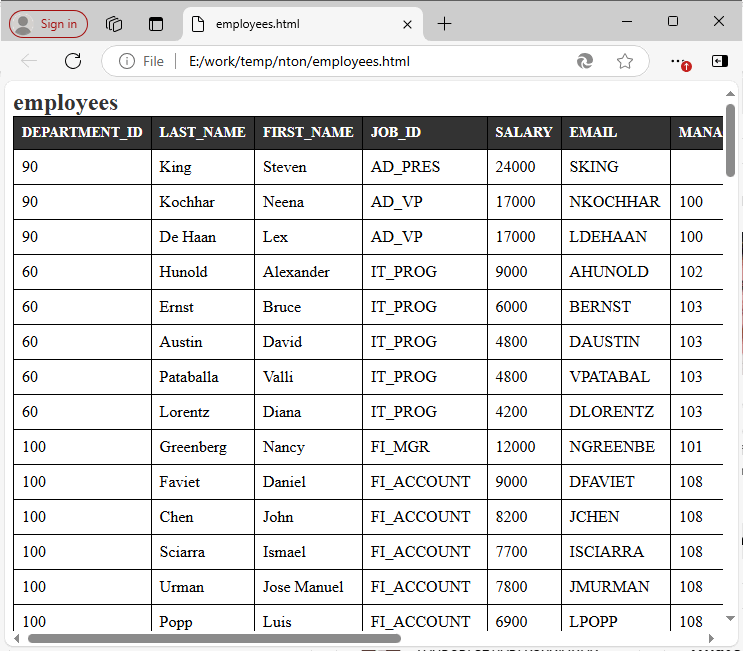
Source HTML file’s content is like this:
2. Config target Excel file.
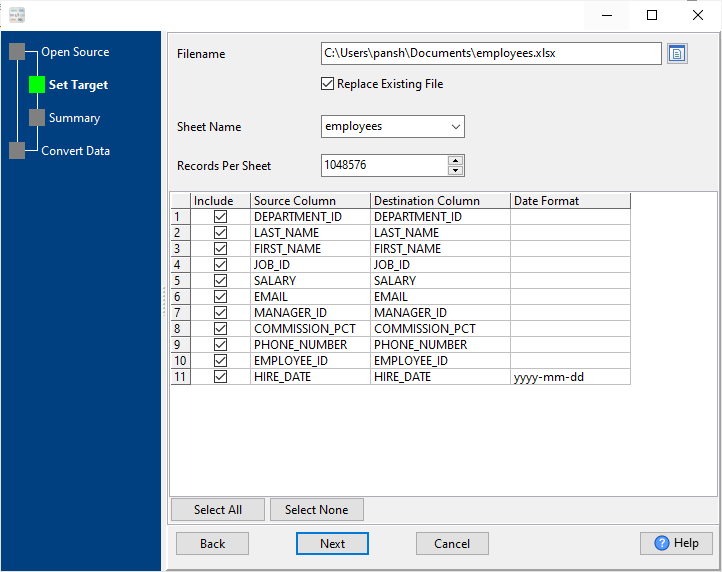
3. Set rows options.
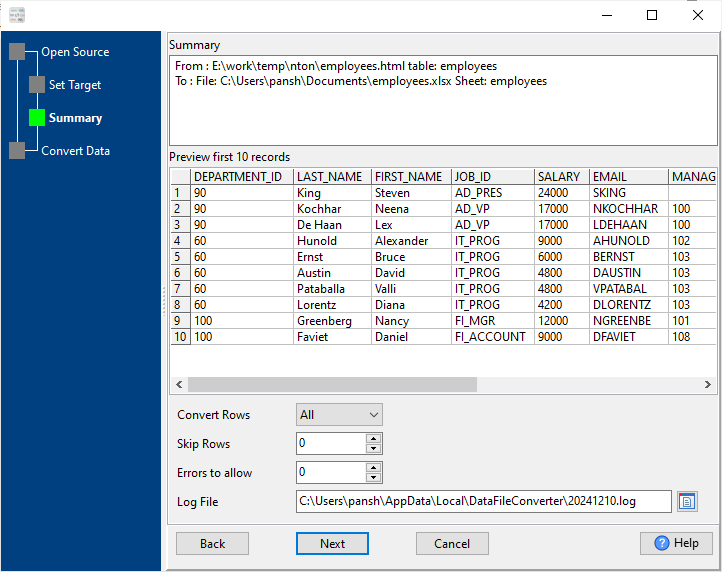
4. Convert HTML table to Excel.
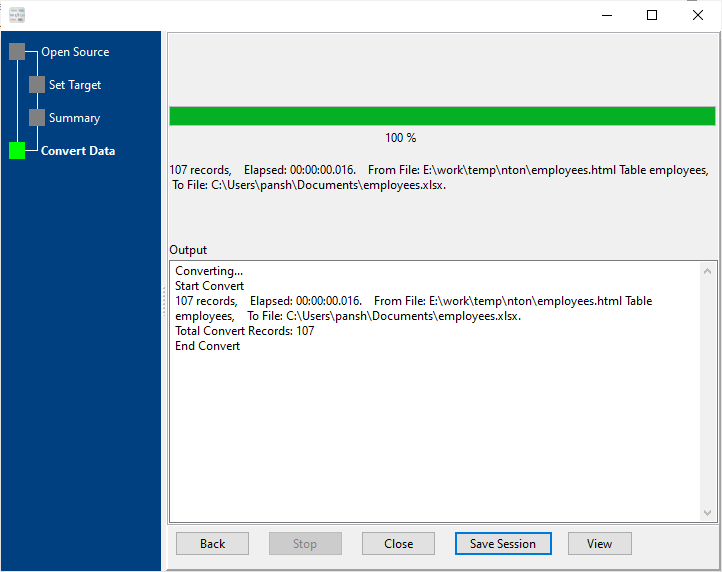
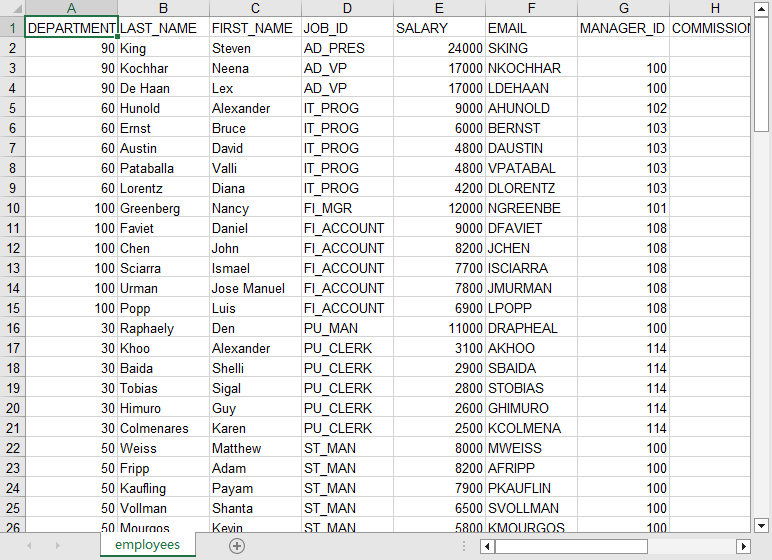
After converting, you can view the output Excel file.
More about HTML to Excel converter
Download Withdata DataFileConverter
See Video: Convert html table to Excel file in a few clicks
See also:
HTML → EXCEL reference
Type mapping
| Value kind | in HTML | in EXCEL |
|---|---|---|
| Int | <td>1234</td> | 1234 (a real numeric cell) |
| Bigint | <td>9007199254740993</td> | 9007199254740993 (exact only while the cell stays text) |
| Decimal | <td>1234.56</td> | 1234.56 (numeric cell, format controls the displayed decimals) |
| Float | <td>1.234e+10</td> | 1.234E+10 (numeric cell) |
| Text | <td>text</td> | text cell; leading zeros survive only if the column is text |
| Long text | <td>multi-line text</td> (entities for & <) | text cell; wraps inside the cell rather than the row |
| Date | <td>2026-09-18</td> | a serial number plus a date cell format |
| Datetime | <td>2026-09-18 14:30:00</td> | a serial number plus a date-time cell format |
| Binary | not representable in a cell | not representable as data |
| Boolean | <td>true</td> | TRUE / FALSE (a real boolean cell) |
| JSON | <td>{"a":1}</td> (quotes escaped) | a text cell; the quotes are part of the value |
Dialect differences
Both HTML and EXCEL are file formats, so what differs below is how each one chooses to represent a value.
| Property | in HTML | in EXCEL |
|---|---|---|
| identifiers | Attribute values in quotes; entities for reserved characters | Not applicable; a cell holds exactly one value |
| dates | Whatever text was rendered | Stored as a serial number; only the cell format makes it lo... |
| binary | data: URIs inside src attributes | Only as text or an embedded object, not as a data column |
| separator | Tags, not delimiters | Cells, not delimiters |
| encoding | Declared in a meta charset tag or the HTTP header | UTF-8 internally, declared in the package |
| typing | None | Real cell types: text, number, date, boolean, error |
| shape | Free form; tables are row/column structures inside markup | Multiple sheets, each a flat grid |
| ceiling | No formal limit | 1,048,576 rows x 16,384 columns per sheet; 255 sheets per w... |
Convert HTML to Excel the easy way
Use the HTML to Excel converter — an offline desktop app for Windows, macOS and Linux. Nothing to upload, large files and batch runs supported (free trial).


