Want to batch insert Oracle BLOB data from files ?
Try Withdata DBBlobEditor, a Oracle BLOB editor, Bulk insert Oracle BLOB data from files, East and Fast.
- Can run in GUI mode, just a few mouse clicks.
- Can run in Command line, for Scheduled Tasks and Streams.
- Support Windows, Linux, and macOS.
Download Withdata DBBlobEditor 
Batch insert Oracle BLOB data from files
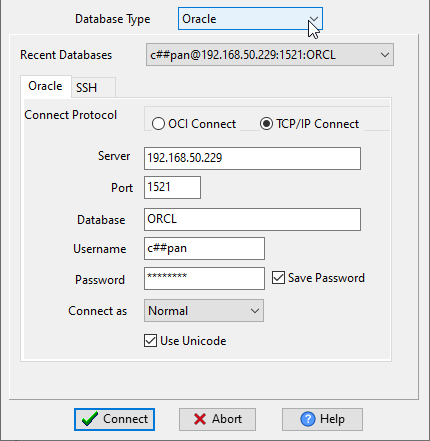
Run DBBlobEditor, login to Oracle.
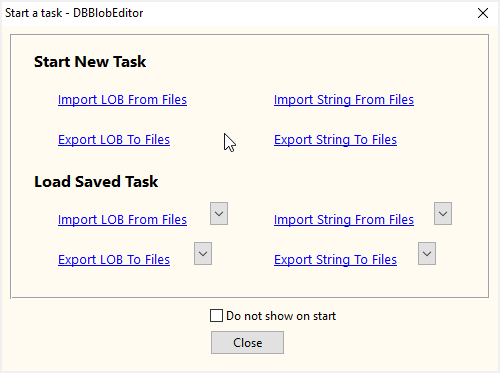
Click “Start New Task – Import LOB From Files” at task dialog.
Choose table, insert Oracle BLOB.
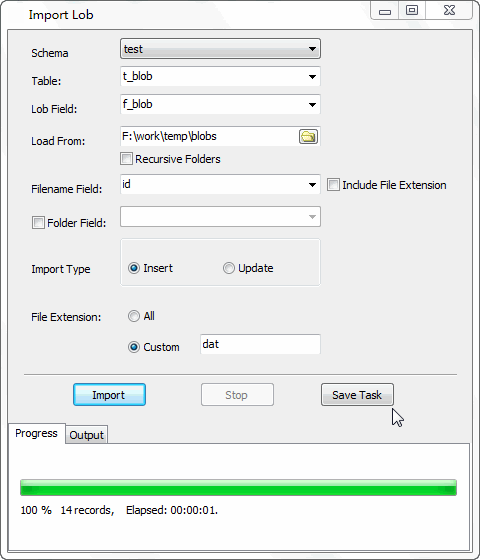
More about Oracle BLOB importer
Download Withdata DBBlobEditor
See Video: Batch import data from files to Oracle BLOB in a few clicks

