Want to batch insert Oracle CLOB data from files?
Try Withdata DBBlobEditor, a Oracle CLOB editor, Bulk insert Oracle CLOB data from files, East and Fast.
- Can run in GUI mode, just a few mouse clicks.
- Can run in Command line, for Scheduled Tasks and Streams.
- Support Windows, Linux, and macOS.
Download Withdata DBBlobEditor 
Batch insert Oracle CLOB data from files
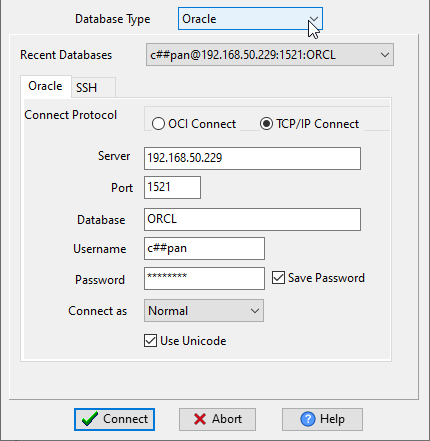
Run DBBlobEditor, login to Oracle.
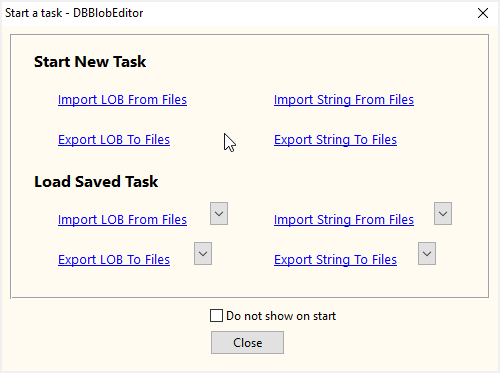
Click “Start New Task – Import LOB From Files” at task dialog.
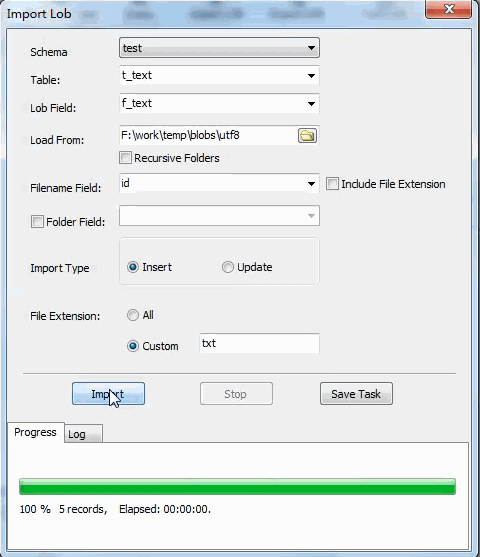
Choose table, insert Oracle CLOB.
More about Oracle CLOB importer
Download Withdata DBBlobEditor
Convert your data online, free
Free in-browser converters for CSV, Excel, JSON, XML and SQL: Withdata Online Data Conversion. Large files, batch conversion or scheduling? See the offline desktop apps, or browse all data conversion tools.


