Want to import data from TXT (“;” semicolon delimited text) file to Oracle?
Try Withdata FileToDB, a desktop TXT to Oracle converter for Windows, MacOS, and Linux, Convert TXT to Oracle, Easy and Fast.
- Can run in GUI mode, Step by Step, just a few mouse clicks.
- Can run in Command line, for Scheduled Tasks and Streams.
- Convert locally and privately, avoid uploading large or private TXT file(s) to online services.
- Support Windows, Linux, and macOS.

Import data from TXT (“;” semicolon delimited text) file to Oracle
Login to Oracle -> Choose TXT file -> Set Oracle table -> Import TXT to Oracle
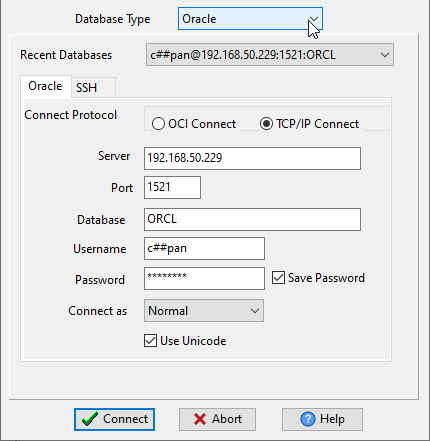
Choose Oracle and logon.
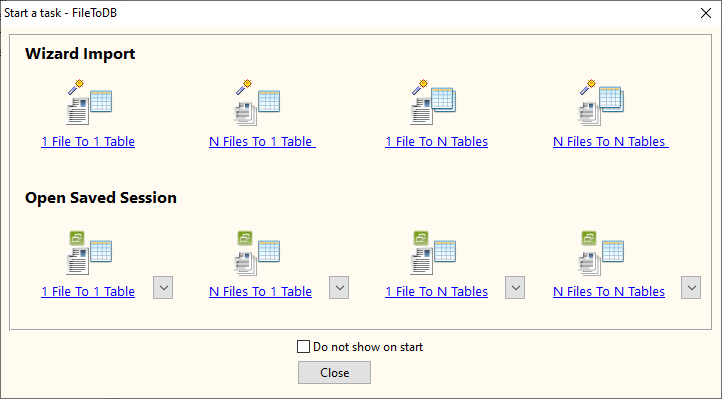
Click “Wizard – 1 File To 1 Table” at task dialog.
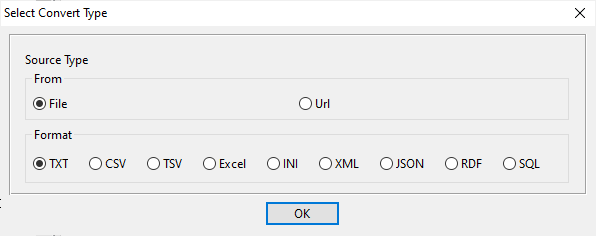
Select the “TXT” file type.
then show the wizard.
1. Open a TXT (“;” semicolon delimited text) file.
Support large ( > 4GB ) TXT file.
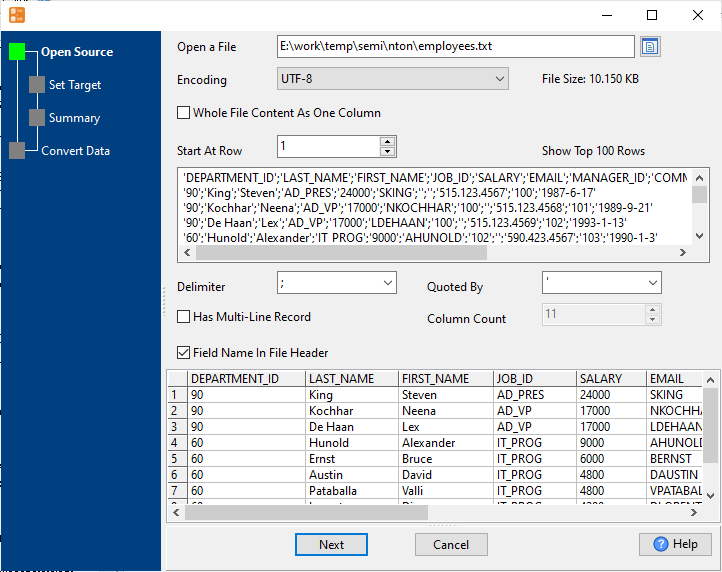
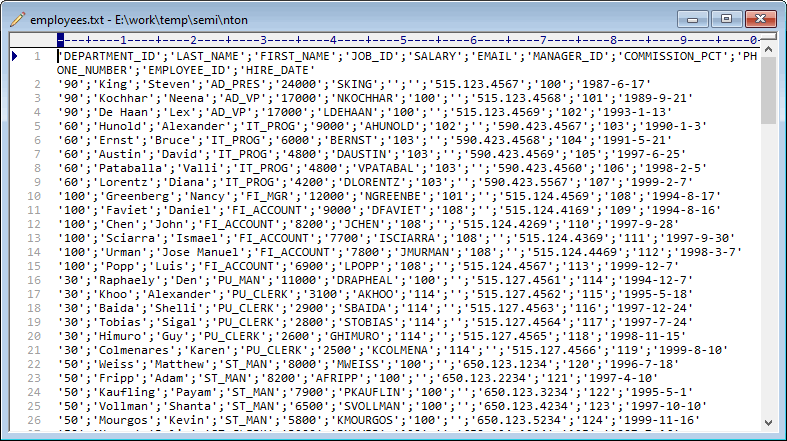
Here is the file’s content.
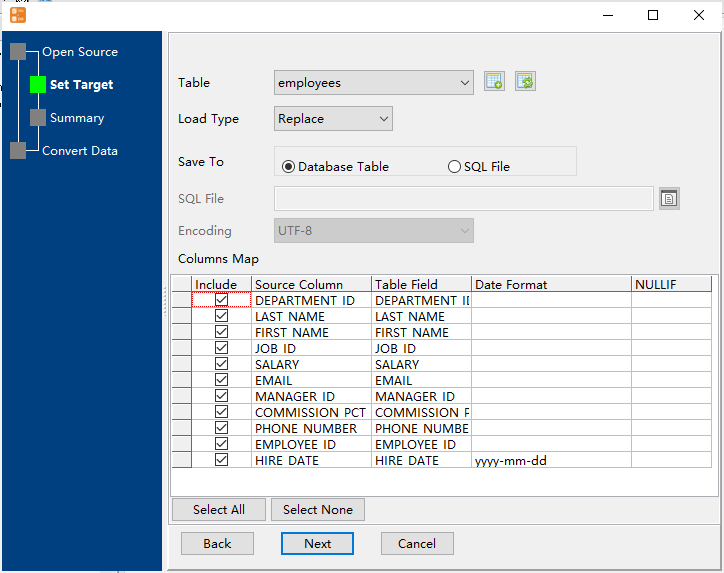
2. Select a Oracle table and config fields.
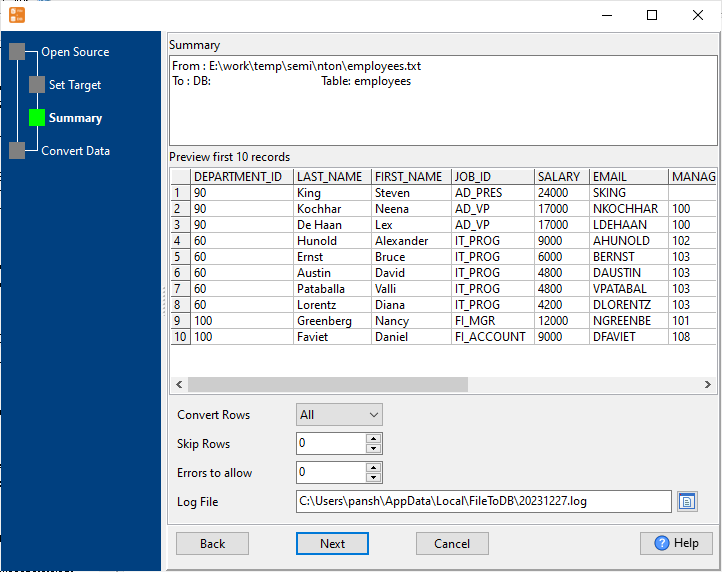
3. Preview data will be in Oracle table.
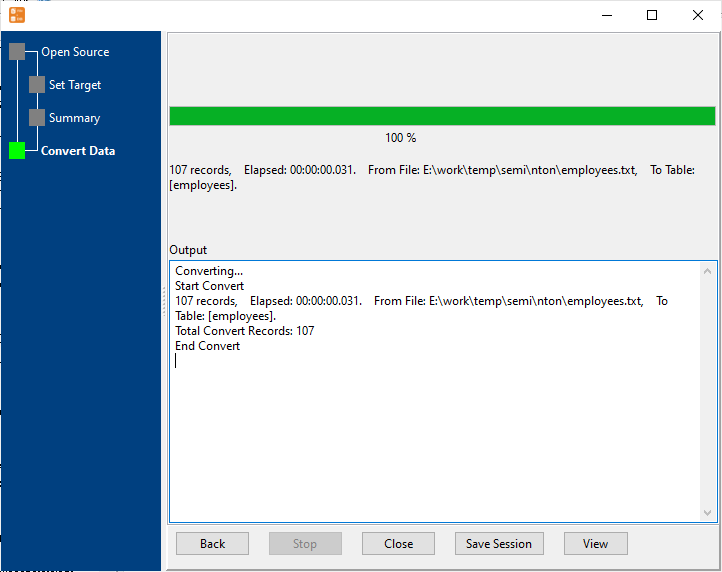
4. Import TXT data to Oracle.
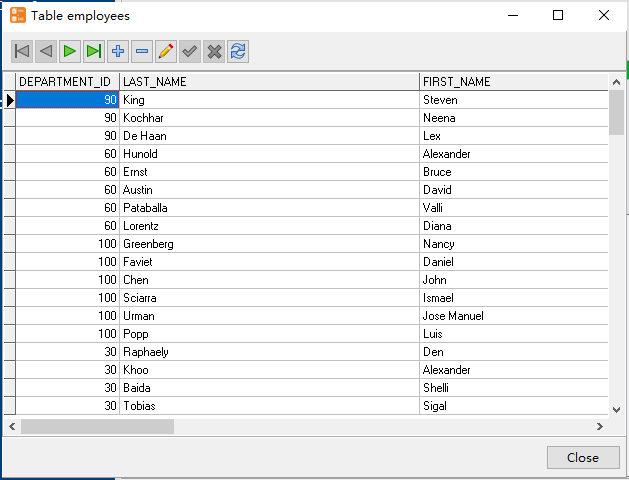
View imported data in Oracle table
Import TXT to Oracle in command line
Run “TXT to Oracle” from the command line and run it from the Windows, Linux or macOS command line.
Set scheduled tasks for importing TXT to Oracle
You can schedule and automate this “TXT to Oracle” conversion task by:
- Save session and create .bat (Windows) or .sh (Linux/macOS) file for “TXT to Oracle” conversion.
- Set scheduled task for “TXT to Oracle” conversion.
FAQ
What is Withdata FileToDB?
How long does it take to import TXT (“;” semicolon delimited text) data to Oracle?
Is it safe to import TXT (“;” semicolon delimited text) data to Oracle using FileToDB?
Can I import TXT (“;” semicolon delimited text) data to Oracle on Linux, Mac OS?
Can I import TXT (“;” semicolon delimited text) data to Oracle in command line?
More about Withdata FileToDB – TXT (“;” semicolon delimited text) to Oracle converter
Download Withdata FileToDB
See also:
Semicolon-delimited text → Oracle reference
Type mapping
| Value kind | in Semicolon-delimited text | in Oracle |
|---|---|---|
| Int | 1234 | NUMBER(10) |
| Bigint | 9007199254740993 | NUMBER(19) |
| Decimal | 1234.56 | NUMBER(p,s) |
| Float | 1.234e+10 | BINARY_DOUBLE |
| Text | quoted only when it contains a semicolon or a quote | VARCHAR2(n) |
| Long text | must be quoted; line breaks inside force multi-line records | CLOB |
| Date | 2026-09-18 | DATE |
| Datetime | 2026-09-18 14:30:00 | TIMESTAMP |
| Binary | not representable - base64 or hex string | BLOB |
| Boolean | TRUE / FALSE, or 1 / 0 depending on the writer | NUMBER(1) |
| JSON | the whole JSON value quoted, with internal quotes doubled | CLOB |
Dialect differences
Semicolon-delimited text is a file format and Oracle is a database server, so the target has to be told the types the file never carried – the rows below are where the two sides diverge.
| Property | in Semicolon-delimited text | in Oracle |
|---|---|---|
| port | — | 1521 |
| identifiers | Double quotes; a literal quote is doubled ("" ) | "double quotes" |
| row limit | — | FETCH FIRST n ROWS ONLY |
| dates | Dates often use D/M/Y or D.M.Y in European exports | DATE, TIMESTAMP |
| long text | — | CLOB, NCLOB |
| binary | Not supported | BLOB, BFILE |
| separator | Semicolon ";" | — |
| encoding | Often ANSI or Latin-1 in European exports; UTF-8 needs a BOM | — |
| typing | None - every field is text | — |
| shape | Flat table, optional header row | Tables of rows and columns |
| ceiling | No formal limit; row count bounded by memory | — |
Command line
| Side | Command |
|---|---|
| Oracle | exp / expdp |
| Oracle (load) | sqlldr (SQL*Loader) |
Convert TXT to Oracle online, free
No TXT to Oracle page yet — the TXT to SQL converter runs in your browser and writes INSERT statements you can run on Oracle (adjust the dialect as needed).