September 21, 2026 — Withdata Software announces MongoToFile 4.8, a cross-platform desktop tool that exports MongoDB collections and query results to files. This release adds fixed-width text and YAML as target formats, a collection filter in the object view, a more resilient pause/resume, and new options for the output window.
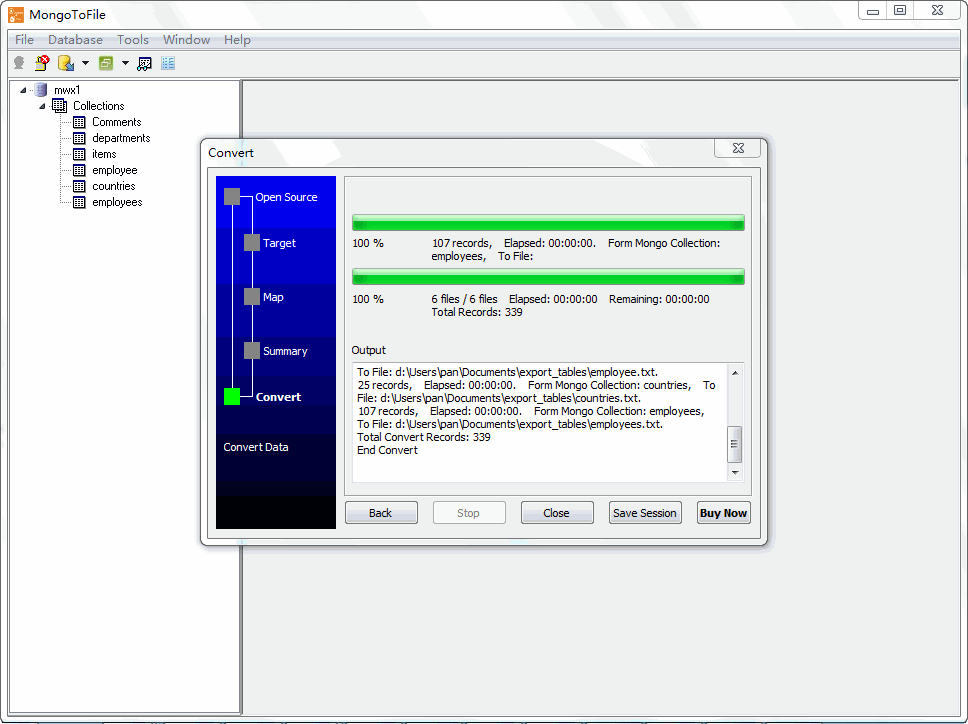
What’s New in MongoToFile 4.8
1. Export to Fixed-Width Text and YAML
MongoToFile already exports to CSV, Excel, JSON, XML and SQL. Version 4.8 adds two more target formats:
- Fixed-width text — each field is written into a fixed character width, the format still required by many legacy, banking and mainframe systems.
- YAML — export your documents as YAML, a natural fit for configuration-driven pipelines and for data that is easier to read in YAML than in JSON.
Both behave like any other target: choose the format, map the fields, and export one collection, many collections, or a query result.
2. Collection Filter in the Mongo Object View
A filter box now sits above the Mongo object view. Type a few characters and the tree narrows to the matching databases and collections instantly, so you no longer scroll through hundreds of collections to find the one you want to export.
3. Pause/Resume Keeps the Connection Alive
When you pause a long export, the connection is now kept alive instead of being dropped, so resuming continues from where it stopped without reconnecting. Transient errors encountered while paused are logged as warnings rather than aborting the export — a small change that matters on large jobs over unstable networks.
4. Log Filter, Finish Notification and Settings Persistence
The output window gains a log filter and a “notify me when finished” switch, and both — together with the rest of the output window settings — are saved and restored the next time you open MongoToFile.
5. Smoother Progress Bar
The progress bar has been smoothed so it advances steadily during long exports, giving a more accurate sense of how much is left.
About MongoToFile
MongoToFile exports MongoDB collections and query results to files — fast, locally, and without coding.
- Export a whole collection, or just a query result
- Formats: CSV, TSV, TXT, Excel, JSON, XML, SQL, HTML, fixed-width, YAML and more
- Documents with nested fields are flattened into rows automatically
- Custom export options, field mapping and encoding control
- Handles millions of rows with low memory usage
- Command-line interface and scheduled tasks for automation
- Save and load sessions
- Cross-platform: Windows, Linux, macOS
- Fully local processing; no data uploaded to cloud servers
Upgrade Today
MongoToFile 4.8 is ready for download: https://www.withdata.com/mongo-to-file/download.html. Existing users may update directly. New users can download a free trial to try fixed-width and YAML export, the collection filter and the improved output window.
Withdata Software continues improving MongoToFile based on real-world feedback from users exporting MongoDB data to files.
Convert your data online, free
Free in-browser converters for CSV, Excel, JSON, XML and SQL: Withdata Online Data Conversion. Large files, batch conversion or scheduling? See the offline desktop apps, or browse all data conversion tools.

