September 21, 2026 — Withdata Software announces DBToMongo 3.0, a cross-platform desktop tool that copies relational database tables and query results into MongoDB. This release adds a name filter, new output window options, and a smoother progress bar.
What’s New in DBToMongo 3.0
1. Filter Box for Tables, Views and Collections
A filter box lets you narrow the object lists by name. On the source side it filters tables and views, and on the target side it filters MongoDB collections — so on a database with hundreds of tables (or a MongoDB server with hundreds of collections) you can type a few characters and see only what matches. Much faster than scrolling to find the one you want to copy.
2. Log Filter and Finish Notification
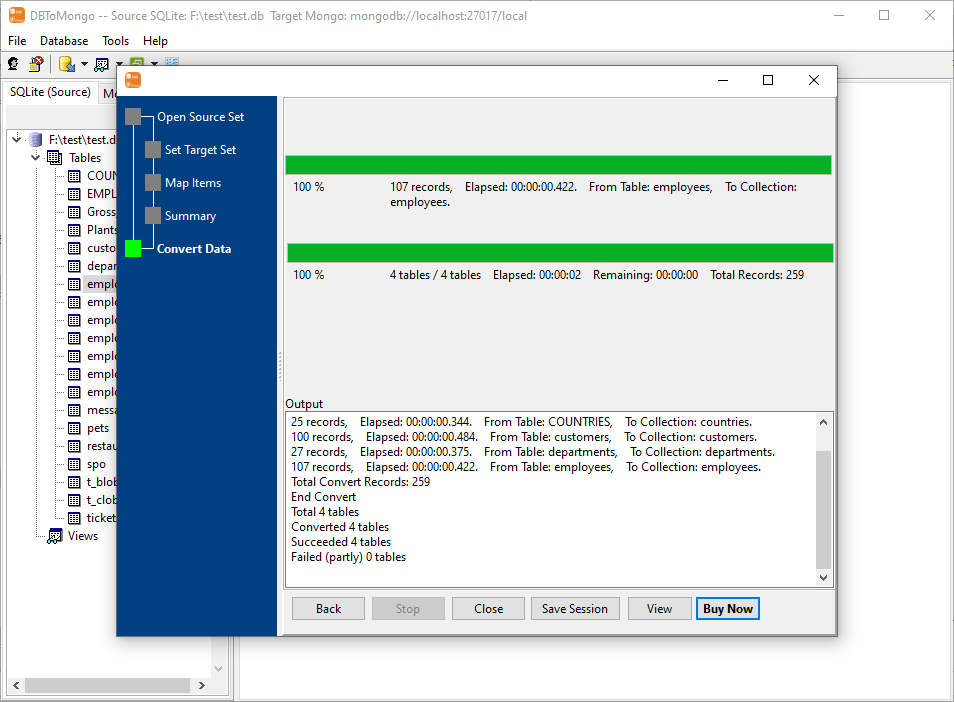
The output window gains a log filter, so you can narrow the log to just the entries you care about, and a “notify me when finished” switch for long copies that run unattended.
3. Output Window Settings Persistence
The output window settings — including the new log filter and finish notification — are saved and restored the next time you open DBToMongo.
4. Smoother Progress Bar
The progress bar has been smoothed so it advances steadily during large copies, giving a more accurate sense of how much is left.
About DBToMongo
DBToMongo copies relational database tables and query results into MongoDB — fast, locally, and without coding.
- Copy a table, several tables, or just a query result
- Source databases: MySQL, MariaDB, PostgreSQL, SQL Server, Oracle, SQLite, Access, DB2, Firebird and more
- Map into an existing collection, or create one automatically
- Insert, update or upsert, with batch/commit size control
- Handles millions of rows with low memory usage
- Command-line interface and scheduled tasks for automation
- Save and load sessions
- Cross-platform: Windows, Linux, macOS
- Fully local processing; no data uploaded to cloud servers
Upgrade Today
DBToMongo 3.0 is ready for download: https://www.withdata.com/db-to-mongo/download.html. Existing users may update directly. New users can download a free trial to try the new filter box and the improved output window.
Withdata Software continues improving DBToMongo based on real-world feedback from users moving relational data into MongoDB.
Convert your data online, free
Free in-browser converters for CSV, Excel, JSON, XML and SQL: Withdata Online Data Conversion. Large files, batch conversion or scheduling? See the offline desktop apps, or browse all data conversion tools.

