November 3, 2026 — Withdata Software announces DBCopier 3.1, a cross-platform desktop tool for copying data between databases. This release makes the copy itself a first-class command line job: one command describes the whole copy, a dry run shows the plan before anything is written, and a batch file or a scheduler can trust the exit code.
What’s New in DBCopier 3.1
1. A Complete Command Line for Copy Jobs
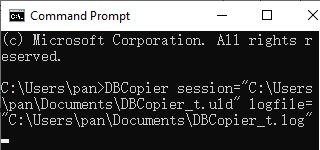
One command describes the copy — source, target, tables and the load type:
DBCopier copy --from="SQLite:shop.db" --from-table=customers --to="MySQL:user:pass@host:3306/shop" --to-table=customers --loadtype=upsert
- The table form (one table, several tables, or N tables into N tables), and the query form with
--from-sqlor--from-sql-file. --set=Section.Name=Valueoverrides any value of the session, and--var/--var-fileexpand${...}variables (dates, environment, secrets) inside it.- A dry run that prints the plan — the target table, the field map risks and the row count of every item — as
--dry-run,--jsonor--report=plan.json. - The whole contract in
--help:--version,schema,init,describe,schedule,capabilities,pipelineandmcp.
2. Exit Codes a Batch File Can Trust
A copy that wrote nothing, or only some of the rows, is not a successful run. DBCopier 3.1 exits non-zero in both cases, and the log says how many rows were written and how many failed — so a nightly job, a batch file or a scheduler can tell a clean copy from a broken one without reading the log first.
3. GTK3 Linux Packages and Dialog Polish
- The Linux builds use GTK3, with apt and rpm repositories, so DBCopier runs on current Linux desktops.
- The logon dialog is cleaner: Ok / Cancel on the right, and a connection error in a popup instead of a memo at the bottom.
- The start-a-task dialog shows saved sessions as speed buttons and no longer overlaps controls on GTK3.
- The page tabs show the source and destination type of the current task.
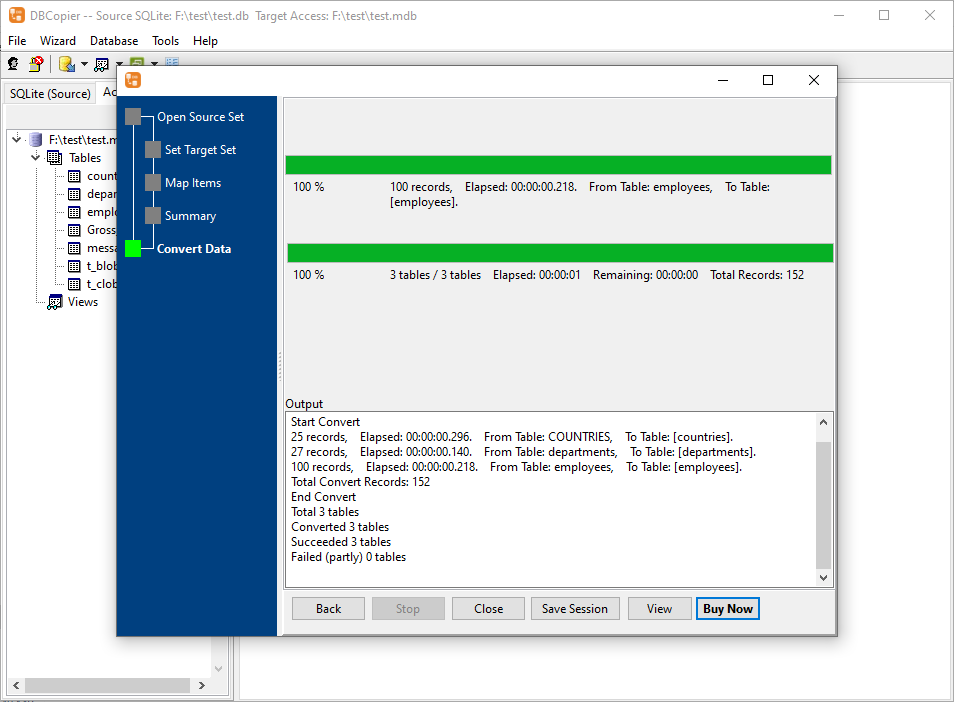
- On macOS, the wizard now loads its steps when it is started from the application’s main form, and Back no longer reloads the step.
4. Other Improvements
Some minor bug fixes and improvements.
About DBCopier
DBCopier copies data between databases, fast and locally, without coding.
- Copy a table, several tables, a query result, or a whole database between databases
- Over 20 supported databases: Access, MySQL, Oracle, PostgreSQL, SQL Server, SQLite, DB2, Redshift, Azure, DBF and more
- Direct copy, update and upsert; similar tables can be merged into one target table
- Field mapping with risk checks, preview plan, and saved sessions for repeated jobs
- Batch copy, command line, and scheduled tasks for automation
- Cross-platform: Windows, Linux, macOS
- Fully local offline processing; no data uploaded to cloud servers
Upgrade Today
DBCopier 3.1 is ready for download: https://www.withdata.com/db-copier/download.html. Existing users may update directly. New users can download a free trial to try the command line and the dry-run plan.
Withdata Software continues optimizing DBCopier for real-world database copy and migration scenarios based on user feedback.
Convert your data online, free
Free in-browser converters for CSV, Excel, JSON, XML and SQL: Withdata Online Data Conversion. Large files, batch conversion or scheduling? See the offline desktop apps, or browse all data conversion tools.