Want to batch import data from TSV files to SQL Server ?
Using FileToDB, a native GUI tool, you can batch import data from TSV files to SQL Server easily and fast, no need to program, just a few mouse clicks!
Support Windows, Linux, macOS.
Support large TSV files (big than 4GB).
Support multiple TSV file encodings: ANSI, UTF-8, UTF-8BOM, UCS-2LE (Unicode Little Endian), UCS-2BE (Unicode Big Endian), CP1250 (Central European), CP1251 (Cyrillic), CP1252 (Western European), CP1253 (Greek), CP1254 (Turkish ), CP1255 (Hebrew), CP1256 (Arabic), CP1257 (Baltic), CP1258 (Vietnamese), CP437 (United States), CP850 (Western European), CP852 (Central European), CP866 (Cyrillic), CP874 (Thai), CP932 (Japanese), CP936 (Chinese Simplified), CP949 (Korean), CP950 (Chinese Traditional), ISO-8859-1 (Western European), ISO-8859-2 (Central European), ISO-8859-15 (Latin 9), KOI-8 (Cyrillic), Macintosh (Western European).
Here you can download and install FileToDB.
Batch import data from TSV files to SQL Server
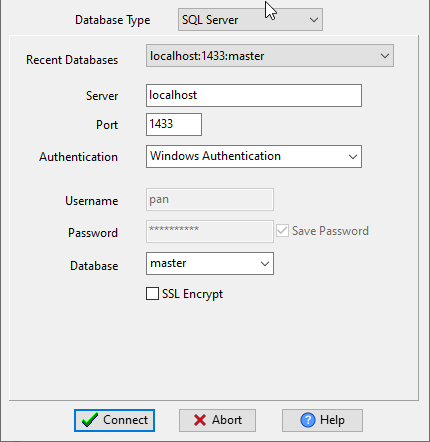
Choose SQL Server and logon.
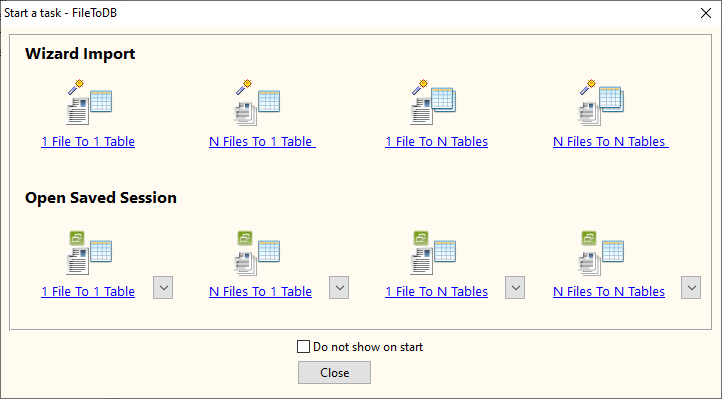
Click “Wizard – N Files To 1 Table” at task dialog.
Select the “TSV” file type.
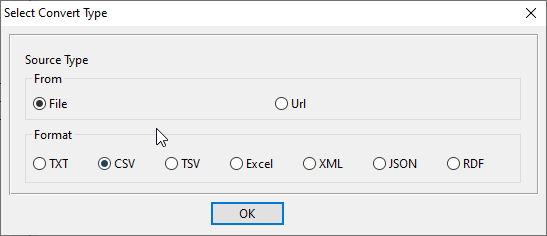
then show the wizard.
1. Select a folder that constains TSV files.

2. Config first TSV file importing options.

3. Select a SQL Server table and config fields.

4. Preview data.

5. Import.

View imported data

You can schedule and automate this converting task by:
1) Save session and create .bat file.
More about FileToDB – the tool to batch import data from TSV files to SQL Server
30-day free trial 
TSV → SQL reference
Type mapping
| Value kind | in TSV | in SQL |
|---|---|---|
| Int | 1234 | INT |
| Bigint | 9007199254740993 | BIGINT |
| Decimal | 1234.56 | DECIMAL(p,s) |
| Float | 1.234e+10 | DOUBLE PRECISION |
| Text | unquoted; a tab in the value splits the column | VARCHAR(n) |
| Long text | unquoted; newlines break the row | TEXT / CLOB |
| Date | 2026-09-18 | DATE |
| Datetime | 2026-09-18 14:30:00 | TIMESTAMP |
| Binary | not representable | BLOB / BYTEA |
| Boolean | TRUE / FALSE | BOOLEAN / SMALLINT |
| JSON | the whole JSON value as-is (its own quotes stay) | JSON / TEXT |
Dialect differences
Both TSV and SQL are file formats, so what differs below is how each one chooses to represent a value.
| Property | in TSV | in SQL |
|---|---|---|
| identifiers | Rarely used, which is exactly why tabs in data break it | Two competing conventions: single-quoted literals and diale... |
| dates | Conventional text: 2026-09-18 or 2026-09-18 14:30:00 | Depends on the dialect: DATE literals, TO_DATE(), or plain ... |
| binary | Not supported - must be encoded | Dialect-specific: X-quoted literal, 0x hex, or decode() |
| separator | Tab | Statement terminators (;) |
| encoding | No declaration - UTF-8 works only with a BOM | No declaration |
| typing | None - every field is text | Types belong to the target database, and they differ betwee... |
| shape | Flat table, optional header row | Statements; a dump usually means CREATE TABLE plus INSERT rows |
| ceiling | No formal limit | No formal limit, but a single INSERT statement has to fit i... |
Convert your data online, free
Free in-browser converters for CSV, Excel, JSON, XML and SQL: Withdata Online Data Conversion. Large files, batch conversion or scheduling? See the offline desktop apps, or browse all data conversion tools.
New to the format? Read what a TSV file is (and how it differs from CSV).