Want to batch transfer data from DB2 tables to SQL Server ?
Using Withdata software DBCopier, a DB2 to SQL Server converter, you can transfer data from DB2 tables to SQL Server in a batch, easily and fast.
- Can run in GUI mode, Step by Step, just a few mouse clicks.
- Can run in Command line, for Scheduled Tasks and Streams.
- Supports Windows 10, 11, 2003, 2008, 2012, 2016, 2019, 2022.

Batch transfer data from DB2 tables to SQL Server tables
Login to DB2 and SQL Server -> Select source DB2 tables -> Set target SQL Server tables -> Copy DB2 data to SQL Server
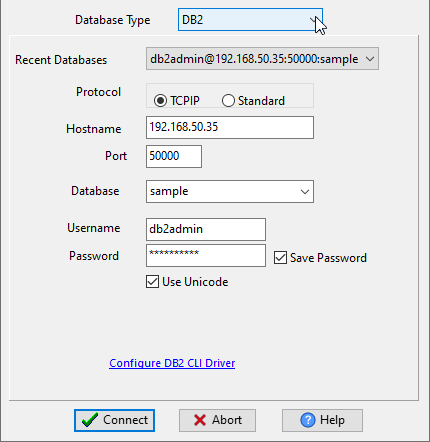
Choose source DB2 database and logon.
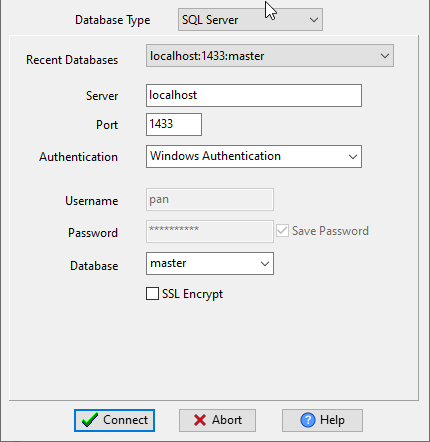
Choose target SQL Server database and logon.
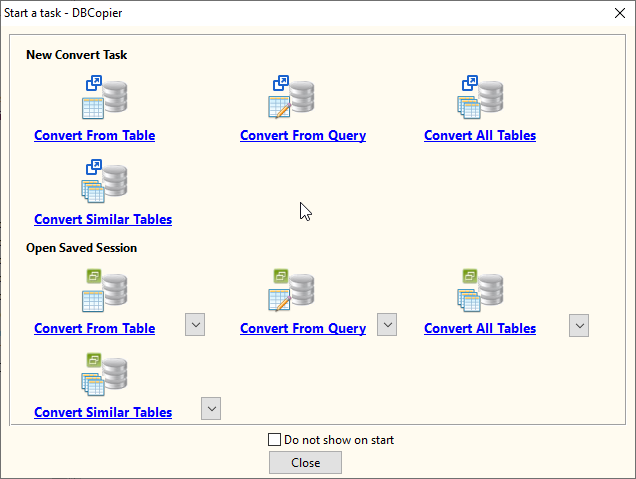
Click “Convert All Tables” at task dialog.
then show the wizard.
1. Select source DB2 tables.
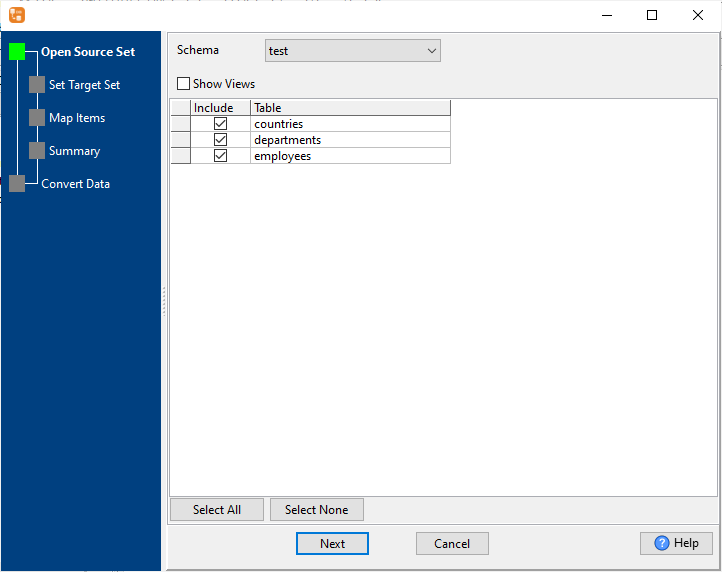
2. List target SQL Server tables.
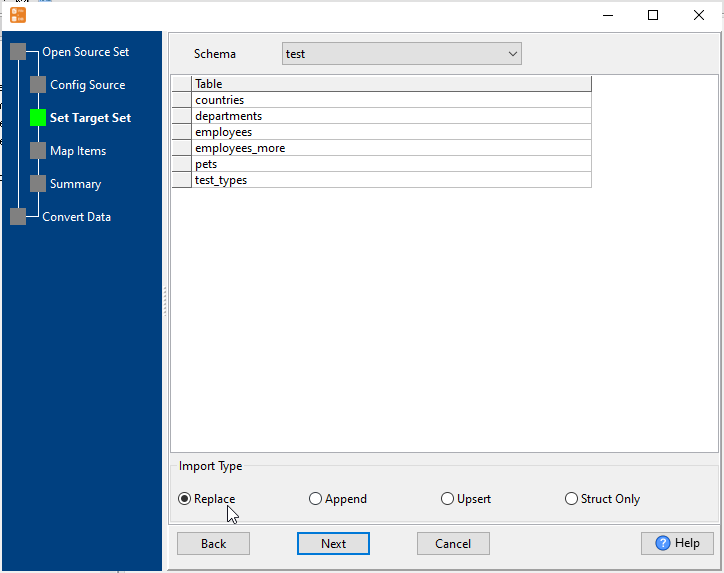
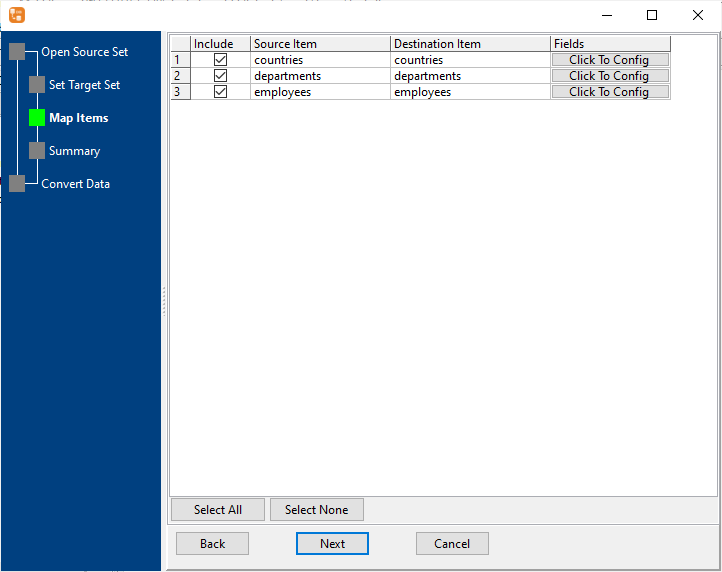
3. Select SQL Server tables to import.
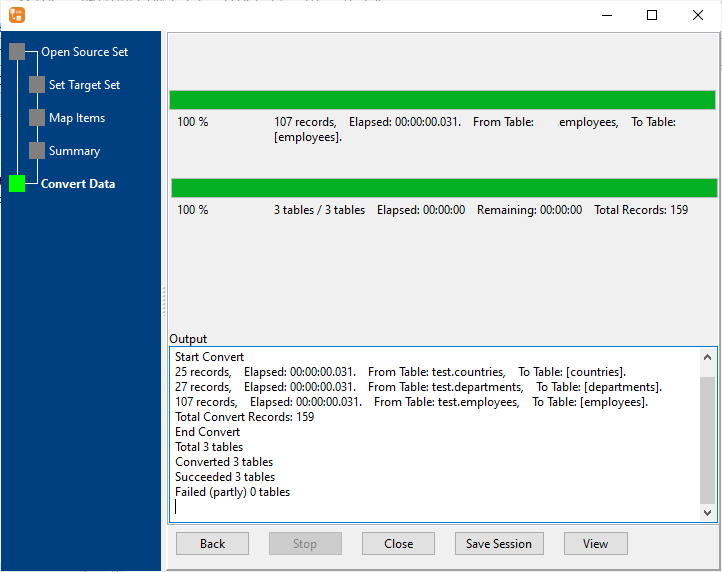
4. Transfer data from DB2 tables to SQL Server .
Batch transfer data from DB2 tables to SQL Server in command line
Save session, and then create .bat file for Windows command line, or .sh file for Linux / macOS.
Set scheduled tasks for coping data from DB2 tables to SQL Server
You can schedule and automate this “DB2 to SQL Server” conversion task by:
1) Save session and create .bat (Windows) or .sh (Linux/macOS) file.
More about DBCopier – DB2 to SQL Server Converter
Download DBCopier for 30-day free trial 
DB2 → SQL reference
Type mapping
| Value kind | in DB2 | in SQL |
|---|---|---|
| Int | INTEGER | INT |
| Float | DOUBLE | DOUBLE PRECISION |
| Long text | CLOB | TEXT / CLOB |
| Binary | BLOB | BLOB / BYTEA |
| Boolean | SMALLINT | BOOLEAN / SMALLINT |
| JSON | CLOB | JSON / TEXT |
Dialect differences
DB2 is a database server and SQL is a file format, so the gap is wider than a dialect difference – the rows below are where values and structure stop lining up.
| Property | in DB2 | in SQL |
|---|---|---|
| port | 50000 | — |
| identifiers | "double quotes" | Two competing conventions: single-quoted literals and diale... |
| row limit | FETCH FIRST n ROWS | — |
| dates | DATE, TIME, TIMESTAMP | Depends on the dialect: DATE literals, TO_DATE(), or plain ... |
| long text | CLOB | — |
| binary | BLOB | Dialect-specific: X-quoted literal, 0x hex, or decode() |
| separator | — | Statement terminators (;) |
| encoding | — | No declaration |
| typing | — | Types belong to the target database, and they differ betwee... |
| shape | Tables of rows and columns | Statements; a dump usually means CREATE TABLE plus INSERT rows |
| ceiling | — | No formal limit, but a single INSERT statement has to fit i... |
Command line
| Side | Command |
|---|---|
| DB2 | EXPORT TO out.csv OF DEL |
| DB2 (load) | db2 IMPORT FROM file OF DEL |
Convert your data online, free
Free in-browser converters for CSV, Excel, JSON, XML and SQL: Withdata Online Data Conversion. Large files, batch conversion or scheduling? See the offline desktop apps, or browse all data conversion tools.