Want to batch convert TXT (“;” semicolon delimited text) files to XML files?
Try Withdata Data File Converter, a desktop TXT to XML converter for Windows, MacOS, and Linux, Batch convert TXT to XML, Easy and Fast.
- Can run in GUI mode, Step by Step, just a few mouse clicks.
- Can run in Command line, for Scheduled Tasks and Streams.
- Convert files locally and privately, avoid uploading large TXT file(s) to online services.
- Support Windows, Linux, and macOS.

Batch convert TXT (“;” semicolon delimited text) files to XML files
Select source TXT files -> Set XML files -> Convert TXT (“;” semicolon delimited text) files to XML files
Click “Start a New Convert” at task dialog.

then show the wizard.
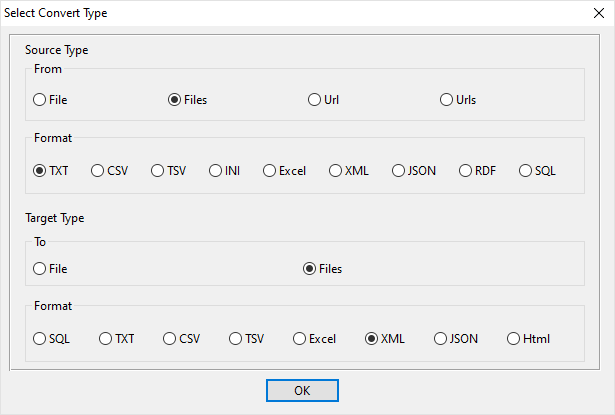
Select From “Files” “TXT” To “Files” “XML”.
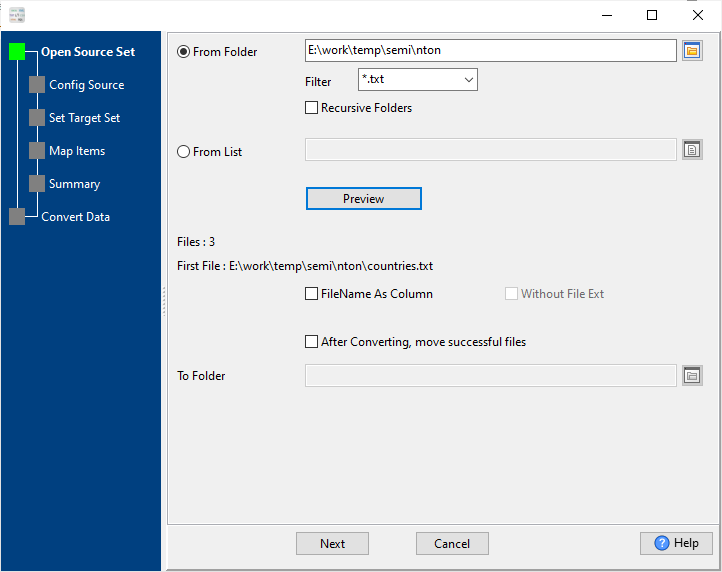
1. Select source TXT (“;” semicolon delimited text) files.
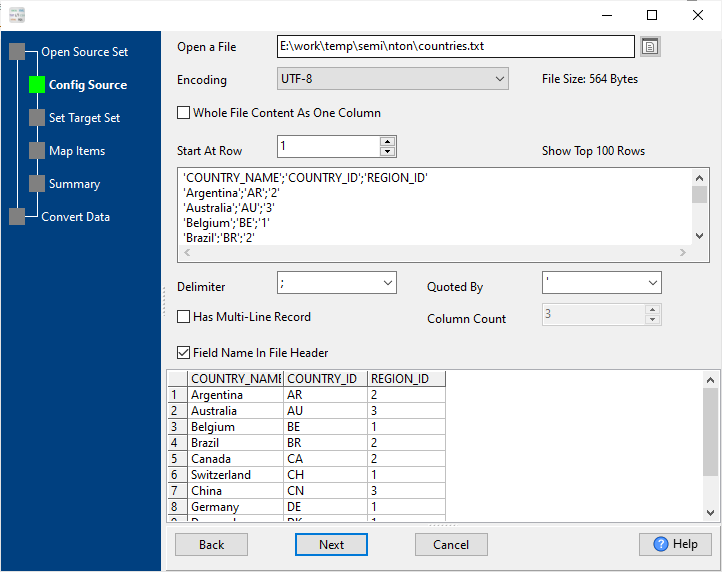
And config the first source TXT (“;” semicolon delimited text) file.
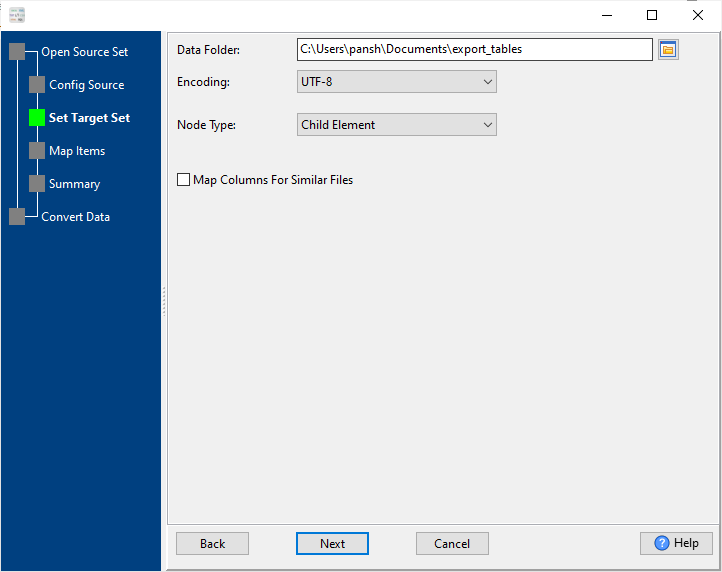
2. Config target XML files.
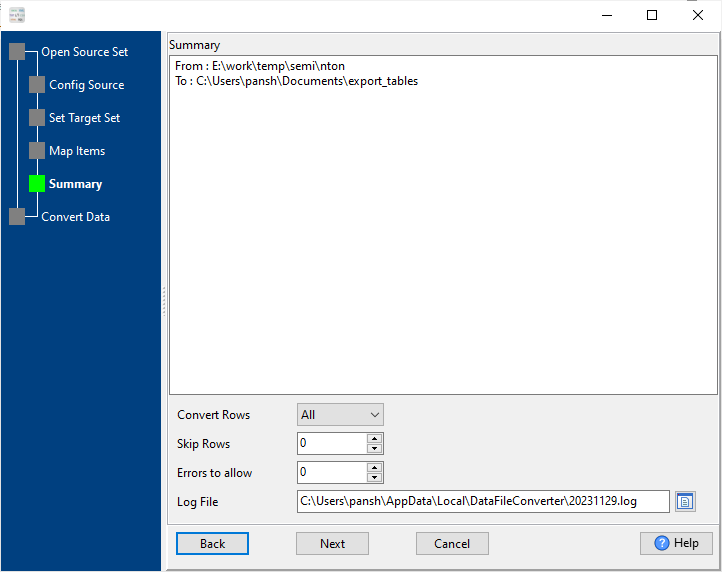
3. Summary.
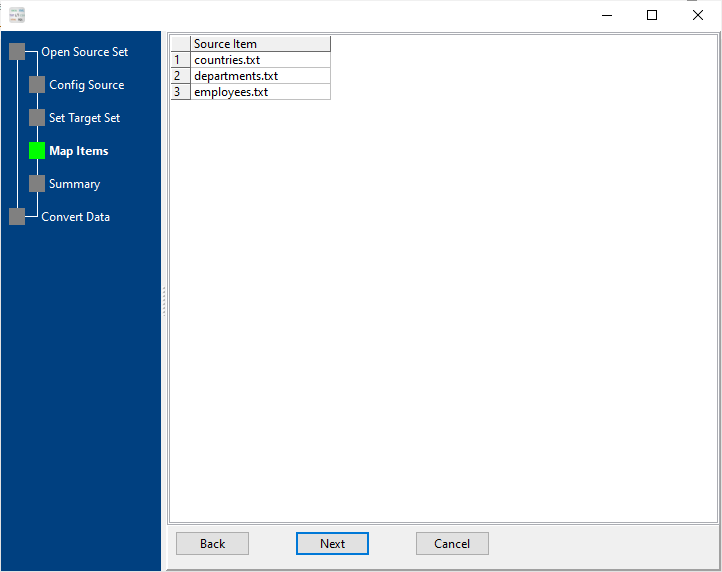
List source TXT (“;” semicolon delimited text) files.
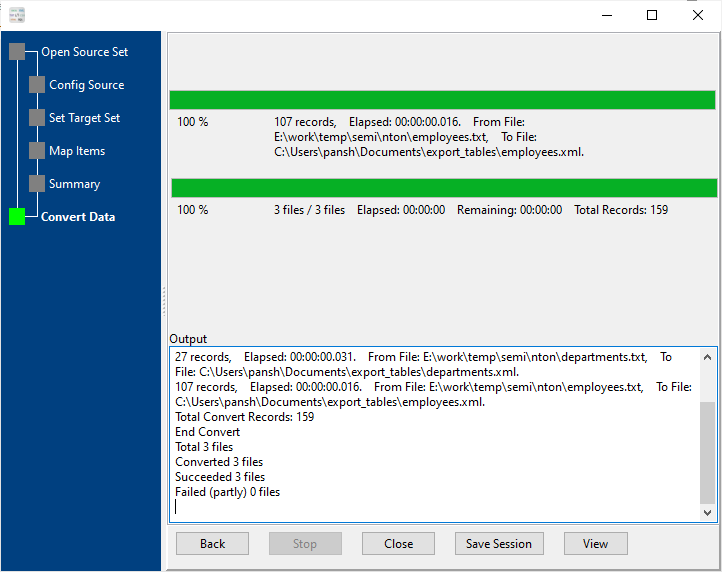
4. Convert TXT (“;” semicolon delimited text) files to XML files, 1 TXT to 1 XML.
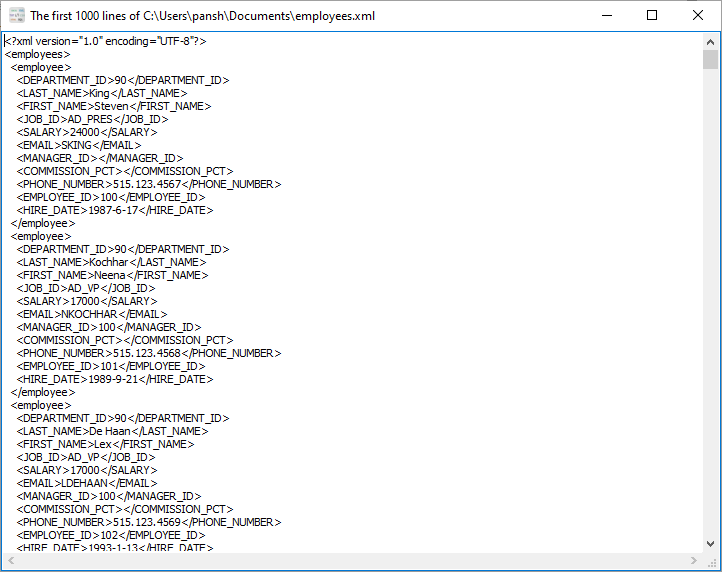
After converting, you can view output XML files.
More about TXT to XML converter
Download Withdata DataFileConverter
See Video: Bulk convert TXT (“;” semicolon delimited text) files to XML files in a few clicks
See also:
Semicolon-delimited → XML reference
What is a semicolon-delimited file?
A semicolon-delimited file is a plain-text file where each line is one record and a semicolon ; separates the fields. It is the usual CSV variant in locales where the decimal separator is a comma, so a comma inside a number would otherwise be ambiguous.
Name;Age;City
Alice;30;New York
Bob;41;San Francisco
To open it in Excel: Data → From Text/CSV, then set the delimiter to ;.
Type mapping
| Value kind | in Semicolon-delimited | in XML |
|---|---|---|
| Int | 1234 | <int>1234</int> |
| Bigint | 9007199254740993 | <bigint>9007199254740993</bigint> |
| Decimal | 1234.56 | <decimal>1234.56</decimal> |
| Float | 1.234e+10 | <float>1.234e10</float> |
| Text | quoted only when it contains a semicolon or a quote | <char>text</char> |
| Long text | must be quoted; line breaks inside force multi-line records | <text>multi-line text</text> (entities for & <) |
| Date | 2026-09-18 | <date>2026-09-18</date> (xs:date with an XSD) |
| Datetime | 2026-09-18 14:30:00 | <datetime>2026-09-18T14:30:00Z</datetime> (xs:dateTime) |
| Binary | not representable - base64 or hex string | <blob>base64...</blob> (xs:base64Binary) |
| Boolean | TRUE / FALSE, or 1 / 0 depending on the writer | <bool>true</bool> |
| JSON | the whole JSON value quoted, with internal quotes doubled | escaped inside an element, or its own sub-tree |
Dialect differences
Both Semicolon-delimited and XML are file formats, so what differs below is how each one chooses to represent a value.
| Property | in Semicolon-delimited | in XML |
|---|---|---|
| identifiers | Double quotes; a literal quote is doubled ("" ) | Attribute values in quotes; entities (& < >) for ... |
| dates | Dates often use D/M/Y or D.M.Y in European exports | Text (xs:date / xs:dateTime when an XSD is in play) |
| binary | Not supported | base64Binary / hexBinary inside text |
| separator | Semicolon ";" | Tags, not delimiters |
| encoding | Often ANSI or Latin-1 in European exports; UTF-8 needs a BOM | Declared in the XML declaration |
| typing | None - every field is text | None in the markup itself |
| shape | Flat table, optional header row | Arbitrary tree |
| ceiling | No formal limit; row count bounded by memory | Whole document is usually parsed into memory |
Data File Converter without the manual work
For batch jobs, large files and scheduling use the Data File Converter converter — an offline desktop app for Windows, Linux and macOS. Free trial.


