Want to convert JSON Lines (JSONL / NDJSON / LDJSON) to XML file?
Try Withdata Data File Converter, a JSON lines to XML converter for Windows, Mac, and Linux, Convert JSON Lines to XML, Easy and Fast.
- Can run in GUI mode, Step by Step, just a few mouse clicks.
- Can run in Command line, for Scheduled Tasks and Streams.
- Convert files locally and privately, avoid uploading large JSON file(s) to online services.
Download Withdata DataFileConverter 
JSON Lines text format (JSONL), also called Newline-delimited JSON (NDJSON), or Line-delimited JSON (LDJSON). JSON Lines files may be saved with the file extension .jsonl, *.ndjson, *.ldjson.
Convert JSON Lines (JSONL / NDJSON / LDJSON) to XML file
Choose JSON Lines (JSONL / NDJSON / LDJSON) file -> Set target XML file -> Convert JSON Lines (JSONL / NDJSON / LDJSON) to XML
Click “Start a New Convert” at task dialog.
then show the wizard.
Select source/target file type.

1. Open a JSON Lines (JSONL / NDJSON / LDJSON) file.
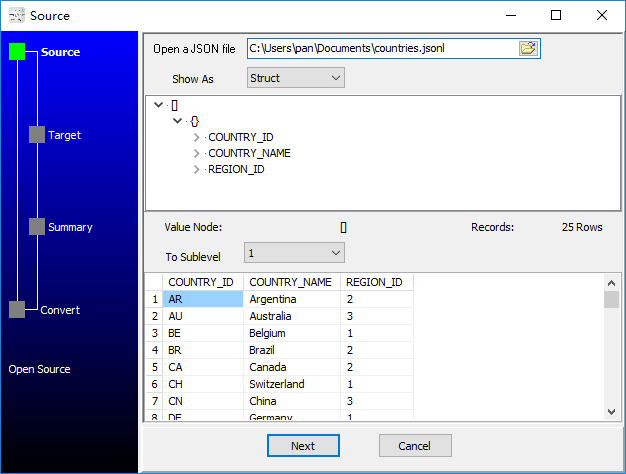
2. Config target XML file.

3. Set rows options.
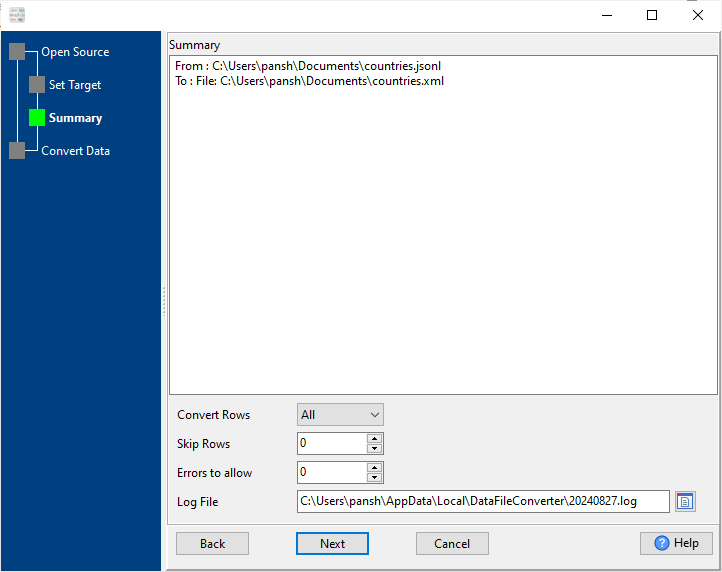
4. Convert JSON Lines (JSONL / NDJSON / LDJSON) to XML.

See XML file
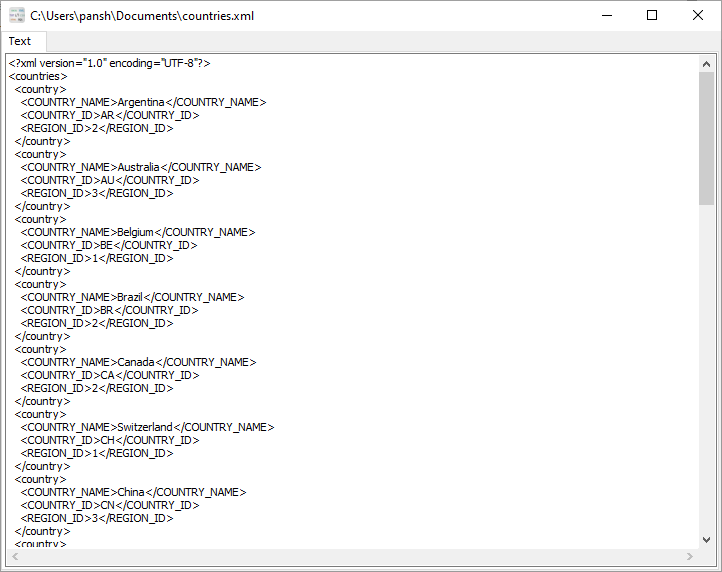
Convert JSON Lines (JSONL / NDJSON / LDJSON) to XML in command line
Save “JSON Lines (JSONL / NDJSON / LDJSON) to XML” session, then you can:
- Convert JSON Lines (JSONL / NDJSON / LDJSON) to XML in Windows command line.
- Convert JSON Lines (JSONL / NDJSON / LDJSON) to XML in Linux command line.
- Convert JSON Lines (JSONL / NDJSON / LDJSON) to XML in macOS command line.
Set scheduled tasks for converting JSON Lines (JSONL / NDJSON / LDJSON) to XML
You can schedule and automate this converting task by:
- Save session and create .bat (Windows) or .sh (Linux/macOS) file for “JSON Lines to XML” conversion.
- Set scheduled task for “JSON Lines to XML” conversion.
FAQ
More tools for JSONL / NDJSON / LDJSON.
Download Withdata DataFileConverter
JSON Lines → XML reference
Type mapping
| Value kind | in JSON Lines | in XML |
|---|---|---|
| Int | 1234 (number) | <int>1234</int> |
| Bigint | 9007199254740993 | <bigint>9007199254740993</bigint> |
| Decimal | 1234.56 (number) | <decimal>1234.56</decimal> |
| Float | 1.234e10 (number) | <float>1.234e10</float> |
| Text | "text" (string) | <char>text</char> |
| Long text | "multi-line\ntext" | <text>multi-line text</text> (entities for & <) |
| Date | "2026-09-18" (string) | <date>2026-09-18</date> (xs:date with an XSD) |
| Datetime | "2026-09-18T14:30:00Z" (string) | <datetime>2026-09-18T14:30:00Z</datetime> (xs:dateTime) |
| Binary | "base64:..." (string) | <blob>base64...</blob> (xs:base64Binary) |
| Boolean | true / false (boolean) | <bool>true</bool> |
| JSON | nested object on the same line | escaped inside an element, or its own sub-tree |
Dialect differences
Both JSON Lines and XML are file formats, so what differs below is how each one chooses to represent a value.
| Property | in JSON Lines | in XML |
|---|---|---|
| identifiers | Double quotes; backslash escapes (a newline inside a string... | Attribute values in quotes; entities (& < >) for ... |
| dates | No date type: dates arrive as strings | Text (xs:date / xs:dateTime when an XSD is in play) |
| binary | Not supported natively - base64 inside a string | base64Binary / hexBinary inside text |
| separator | Newline between records | Tags, not delimiters |
| encoding | UTF-8 by definition | Declared in the XML declaration |
| typing | Same as JSON, but records cannot nest across lines | None in the markup itself |
| shape | Flat stream | Arbitrary tree |
| ceiling | Streams, so it scales past what a single JSON document can ... | Whole document is usually parsed into memory |
Convert JSON to XML the easy way
Use the JSON to XML converter — an offline desktop app for Windows, macOS and Linux. Nothing to upload, large files and batch runs supported (free trial).


