HTML to CSV Converter - Withdata DataFileConverter

Fast, Local, Multi-Platform HTML Table to CSV Conversion Tool

Why Choose Withdata DataFileConverter for HTML to CSV?

100% Local Conversion

No file uploads to online servers—your data stays private and secure on your device.

Blazing Fast

Convert millions of rows in under a minute; supports large HTML files over 4GB with zero lag.

Multi-Platform Support

Works natively on Windows, Linux, and macOS—no emulators or virtual machines needed.

Dual Operation Modes

Intuitive GUI for casual users, powerful CLI for automation and scheduled tasks.

Flexible Conversion

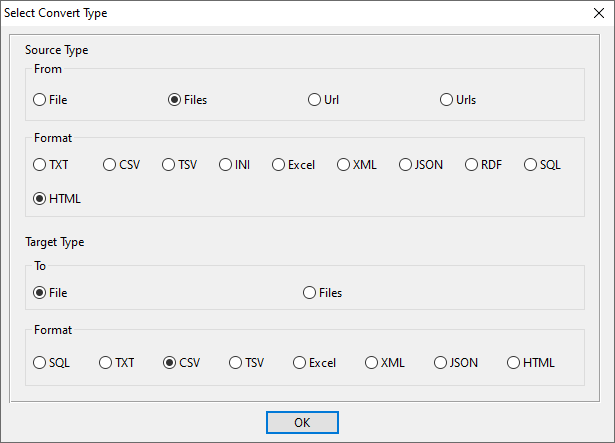
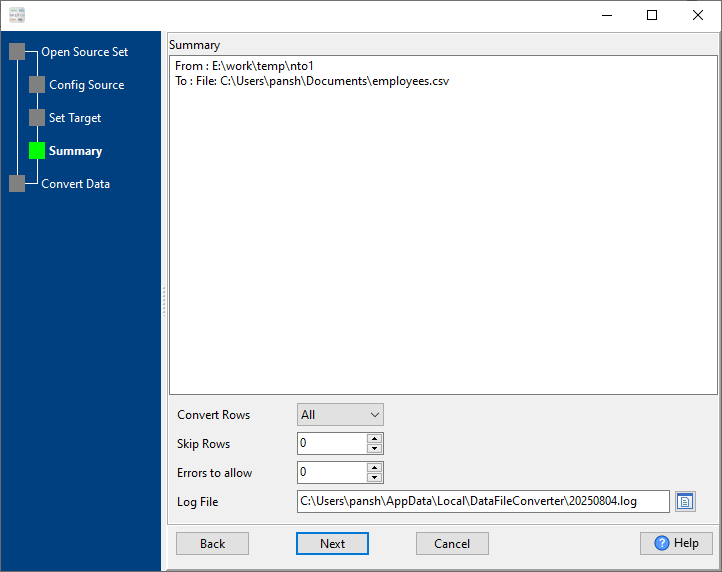
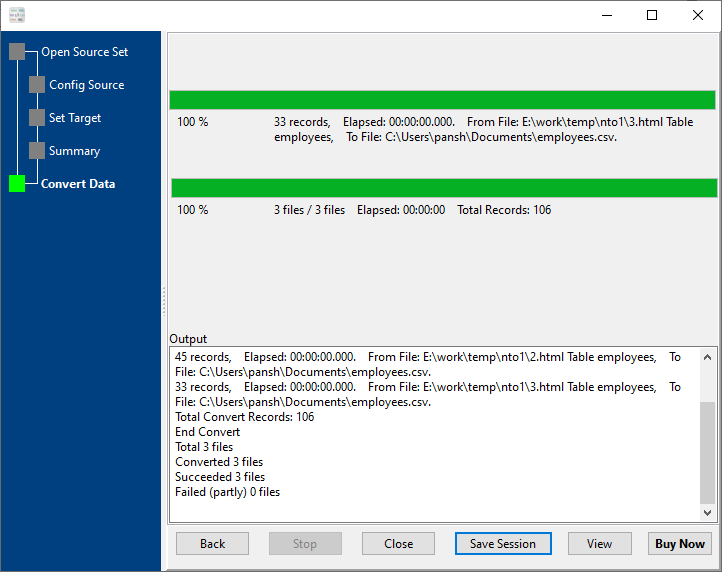
Single file, batch conversion, or merge multiple HTML files into one CSV—all in one tool.

Customizable Mapping

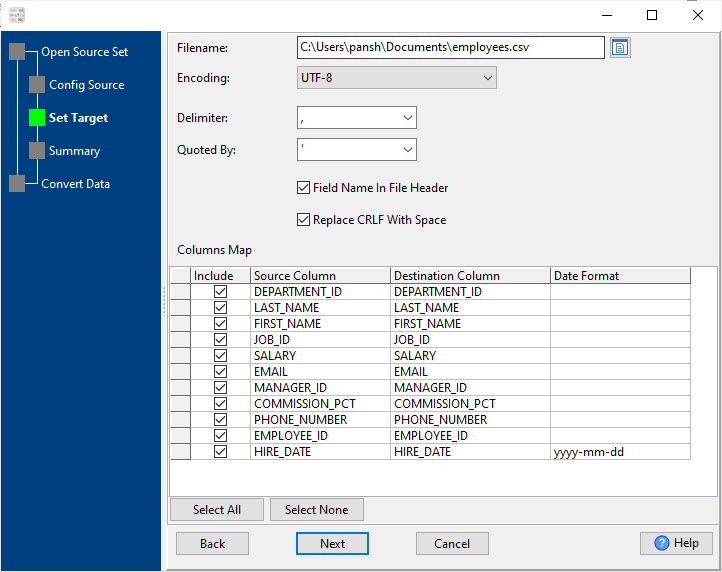
Full control over columns, date formats, delimiters for perfect CSV output.

Key Conversion Features

1. Convert Single HTML Table to CSV

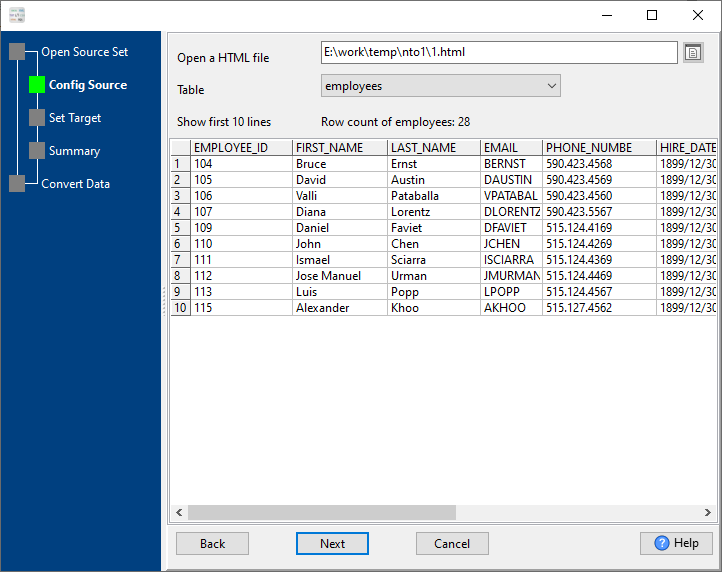
Easily transform any HTML table into a structured CSV file with precise column and data formatting. Ideal for individual HTML reports, datasets, or web-scraped tables.

Learn More →

2. Batch Convert HTML Files to CSV

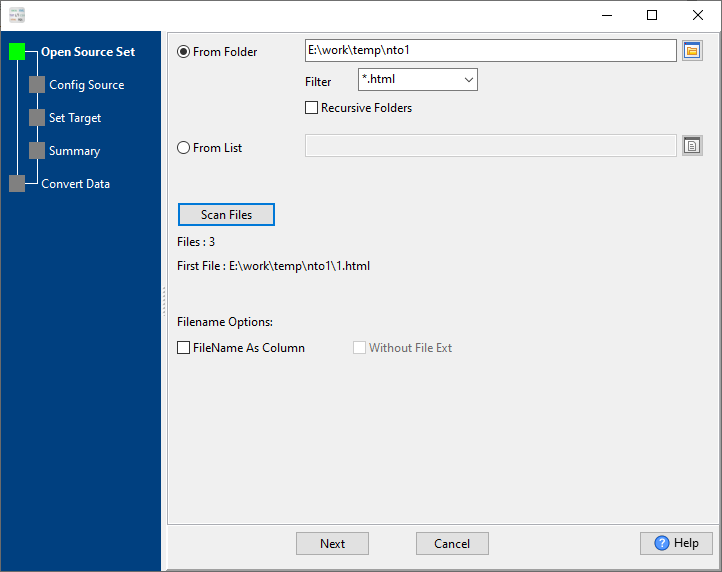
Convert multiple HTML files to corresponding CSV files (1 HTML → 1 CSV) in one go. Automatically scan folders (including subfolders) and preserve file naming conventions.

Learn More →

3. Merge Multiple HTML Files into One CSV

Combine data from multiple HTML files into a single unified CSV file—perfect for aggregating split datasets, monthly reports, or cross-source HTML tables.

Learn More →

CLI Mode & Automation (For IT Professionals)

Leverage Command Line Interface for automated conversion, scheduled tasks, and data pipeline integration:

  1. Complete setup in GUI for Single/Batch/Merge conversion and Save Session (preserves all settings).
  2. Generate script file: .bat (Windows) or .sh (Linux/macOS) with one click.
  3. Schedule tasks:
    • Windows: Use Task Scheduler to run .bat files on a custom schedule (daily/weekly).
    • Linux/macOS: Use Crontab to automate .sh files for recurring conversions.
  4. Run CLI commands directly for on-demand automation (supports all 3 conversion types).

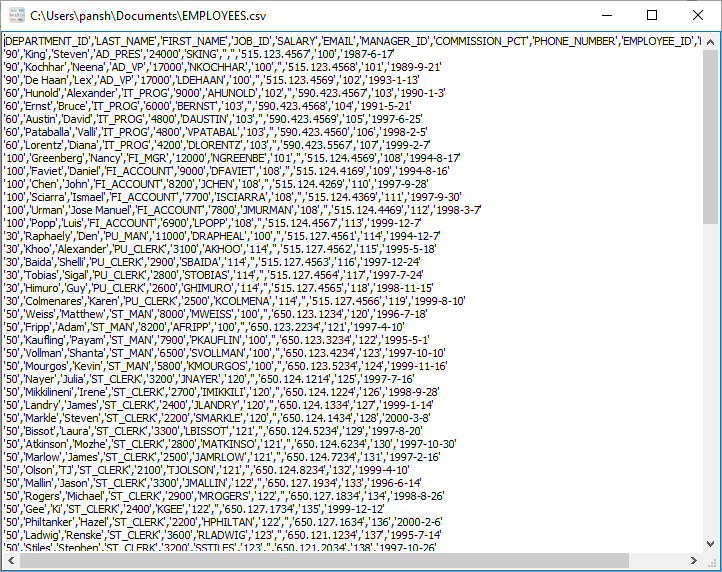
Example HTML-to-CSV Conversion Results

Sample employee HTML table:

DEPARTMENT_ID LAST_NAME FIRST_NAME JOB_ID SALARY EMAIL MANAGER_ID PHONE_NUMBER HIRE_DATE
90 King Steven AD_PRES 24000 SKING 515.123.4567 1987-06-17
90 Kochhar Neena AD_VP 17000 NKOCHHAR 100 515.123.4568 1989-09-21
60 Hunold Alexander IT_PROG 9000 AHUNOLD 102 590.423.4567 1990-01-03

Output CSV:

DEPARTMENT_ID,LAST_NAME,FIRST_NAME,JOB_ID,SALARY,EMAIL,MANAGER_ID,PHONE_NUMBER,HIRE_DATE 90,King,Steven,AD_PRES,24000,SKING,,515.123.4567,1987-06-17 90,Kochhar,Neena,AD_VP,17000,NKOCHHAR,100,515.123.4568,1989-09-21 60,Hunold,Alexander,IT_PROG,9000,AHUNOLD,102,590.423.4567,1990-01-03

Frequently Asked Questions (FAQ)

How long does it take to convert HTML to CSV?
DataFileConverter is optimized for speed—millions of rows are converted in under a minute. Small to medium datasets (100–10,000 rows) are processed instantly (few seconds).
Is it safe to convert HTML to CSV with this tool?
100% safe—all conversion happens locally on your device. No data is uploaded to online servers, so your sensitive information remains private and secure.
Does it work on Linux, Mac OS, and Windows?
Yes—DataFileConverter has native versions for Windows, Linux, and macOS with full feature parity across all platforms.
Can I convert HTML to CSV in the command line?
Absolutely—CLI mode is fully supported on all platforms. Save a GUI session, generate a script file (.bat/.sh), and run CLI commands for automation or scheduled tasks.
Can I batch convert HTML files to CSV files?
Yes—batch convert multiple HTML files to CSV (1:1) in one go, with support for folder scanning and recursive subfolder inclusion.
Can I merge multiple HTML files into one CSV?
Yes—the tool’s merge feature combines data from any number of HTML files into a single CSV file, with customizable column mapping for consistent output.
Does it support large HTML files?
Yes—supports HTML files over 4GB with zero performance issues, perfect for large datasets and enterprise-level conversion tasks.

Get Started with Withdata DataFileConverter

Transform your HTML tables to CSV with ease—no subscriptions, no online uploads, no hidden fees.

Download Now (Windows/Linux/macOS)

2026 Optimized: Fully updated for the latest OS versions and data processing needs!