Split your JSON files in minutes – no coding required! Download Now

Split JSON File Effortlessly | Withdata DataFileSplitter

Split large JSON files into smaller pieces on Windows, Linux & macOS – No coding required
Fast, local, and flexible JSON splitting by object count or column value | GUI & CLI support for automation

Why Split JSON Files with DataFileSplitter?

Working with oversized JSON files slows down workflows, clogs systems, and complicates data processing. Withdata DataFileSplitter solves this by letting you split big JSON files locally (no risky online uploads) in seconds—even millions of rows in under a minute.

How to Split JSON Files (2 Easy Modes)

Mode 1: Split JSON by Object Count

Ideal for evenly dividing large JSON arrays into smaller, manageable files (e.g., 1000 objects per file). Follow these 4 simple GUI steps—no programming skills needed:

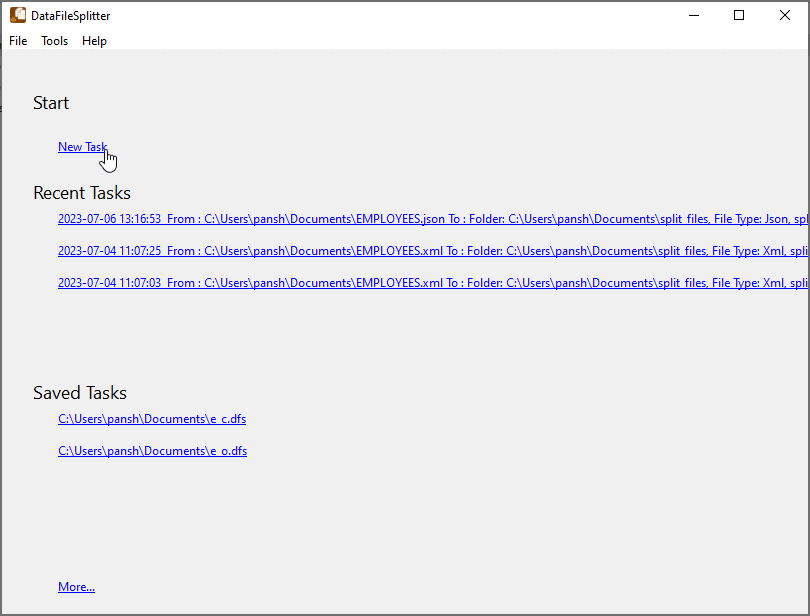
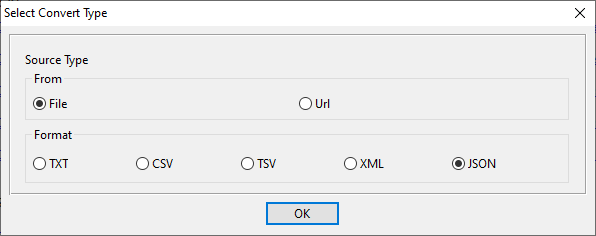
  1. New Task: Launch DataFileSplitter → Click *Start* → *New Task* → Select JSON 📷 as the file type
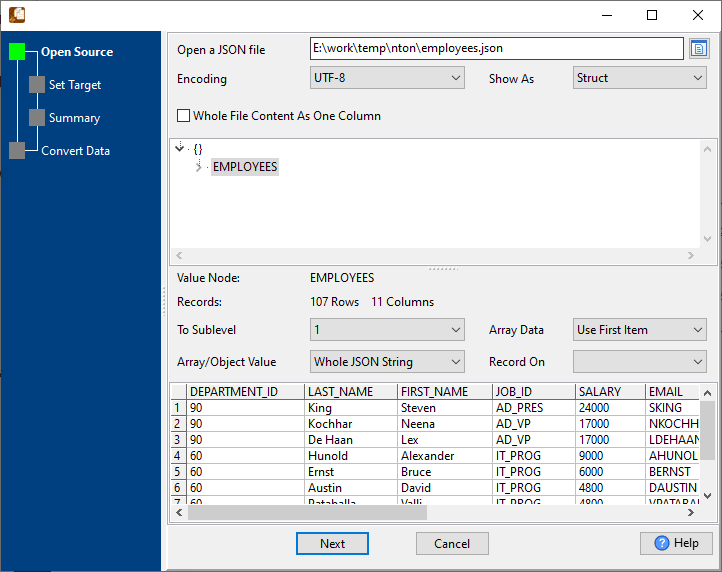
  2. Select Source: Choose your large JSON file (preview data structure and record count instantly) 📷
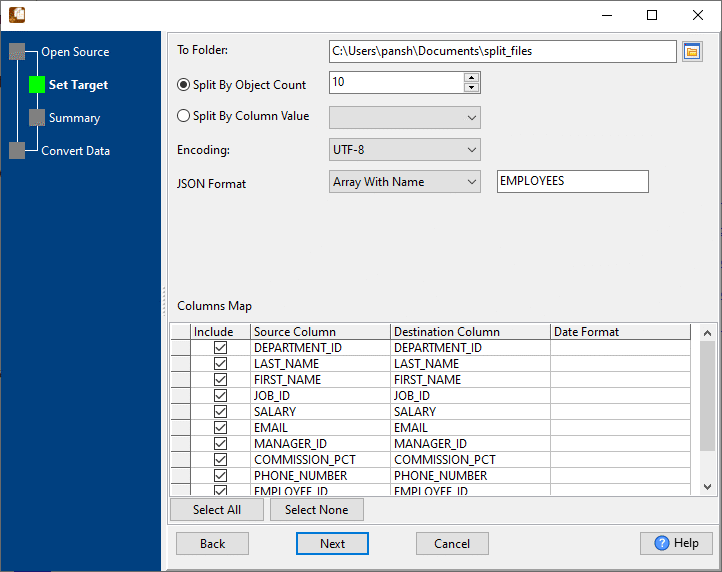
  3. Set Target: Choose output folder → Select *Split By Object Count* → Confirm encoding (UTF-8 default) and JSON format 📷
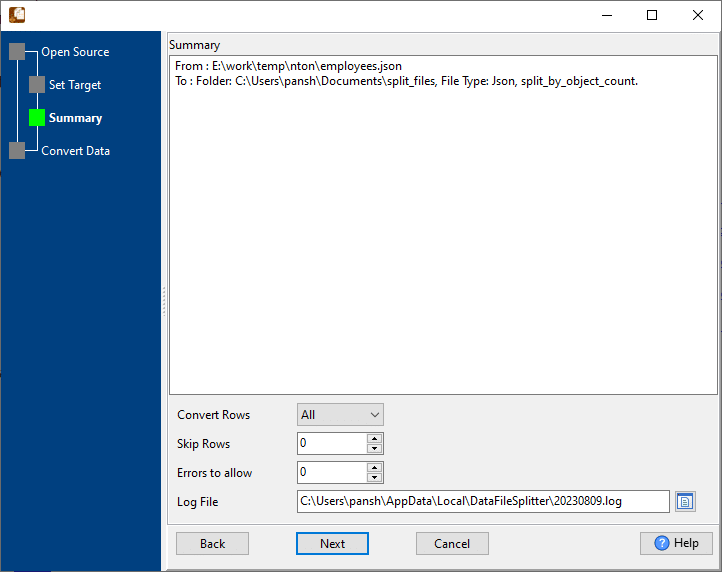
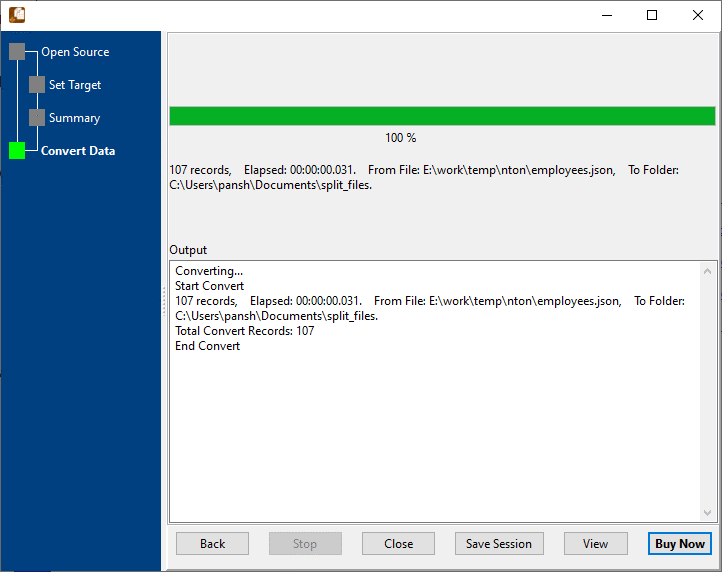
  4. Split: Review summary 📷 → Click *Start Convert* → Your JSON file is split into smaller files in seconds 📷

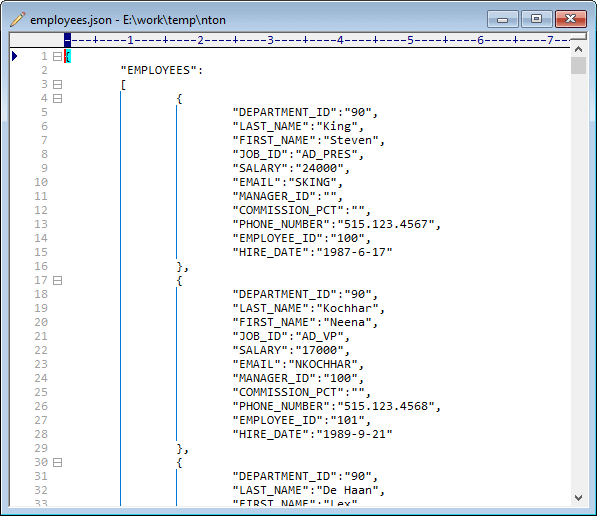
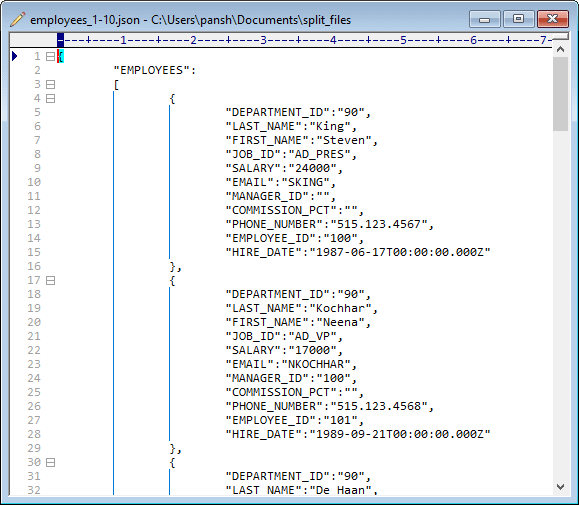
Example: A 107-record employee JSON file 📷 split into numbered files (employees_1-10.json 📷, employees_11-20.json) with original fields (DEPARTMENT_ID, SALARY, EMAIL, etc.) preserved.

Mode 2: Split JSON by Column Value

Group JSON data by a specific field (e.g., DEPARTMENT_ID, REGION, STATUS) for targeted data analysis. Exact same 4-step GUI process—simply switch to *Split By Column Value* in Step 3 📷:

CLI & Automation Support

For devs, data engineers, or scheduled workflows, DataFileSplitter’s Command Line Interface (CLI) works across Windows, Linux, and macOS.

  1. Save your JSON split session in the GUI (preserves all settings)
  2. Generate a .bat (Windows) or .sh (Linux/macOS) script
  3. Schedule automated splits:
    • Windows: Use the native Task Scheduler
    • Linux/macOS: Set up Cron jobs
  4. Integrate with data pipelines and streams for seamless end-to-end processing

Frequently Asked Questions

How long does it take to split a JSON file?
Blazing fast—millions of rows processed in under a minute. A 107-record JSON file splits in just 0.031 seconds (real test data).
Is my data safe with DataFileSplitter?
100% safe. All JSON splitting happens locally on your device—no data is uploaded to cloud or online services.
Does it work on Linux/macOS?
Yes! DataFileSplitter is fully supported on Windows, Linux, and macOS—same features and performance across all platforms.
Can I split JSON files via command line?
Absolutely. The CLI mode supports all split options (object count/column value) and is optimized for automation and scheduled tasks.
Does splitting alter my original JSON data?
No. The tool preserves the original JSON structure, formatting, and all data fields—only the file size is reduced.

Get Started Now

Split your first large JSON file in minutes—no coding, no setup headaches.

Download Withdata DataFileSplitter View Video Tutorial: Split JSON by Column Value View Video Tutorial: Split JSON by Object Count