The two Stack Overflow questions are years old and very busy: “Script to save varbinary data to disk” (121,094 views, 55 votes) and “How to dump a file stored in a sqlite database as a blob” (37,133 views, 53 votes). The answers are the same shape in both: write a loop, read the column row by row, write each value to a file, hope the extension is right. It works — once — and then it is a script nobody in the team wants to own.
There is a smaller category next door with even more traffic: “How do I get textual contents from BLOB in Oracle SQL” (695,117 views) and “How to query a CLOB column” (628,245). Those are about reading a value in SQL, and SQL is genuinely the right answer there. The problem starts when the value is a file — a PDF, a scanned page, a photo — and what you need is the file back on disk, or a look at it before you decide it is the one.
1. What “get it out” actually involves
| Step | What people do today | What goes wrong |
|---|---|---|
| Find the row | SELECT ... WHERE name = '...' |
you need to know which table/column holds the LOB |
| Read the value | dbms_lob.substr, substring, hex(), a client that renders (BLOB) |
the client shows (BLOB) or a wall of hex |
| Get the bytes out | a script (utl_file, bcp, psycopg2, sqlite3) |
encoding, row size, and the extension you have to guess |
| Check the result | open the file | half the time the extension is wrong, or the file is truncated |
A viewer removes three of those four steps: it lists the table, shows the value in a preview, and writes the file with a name and extension you choose.
2. The GUI route
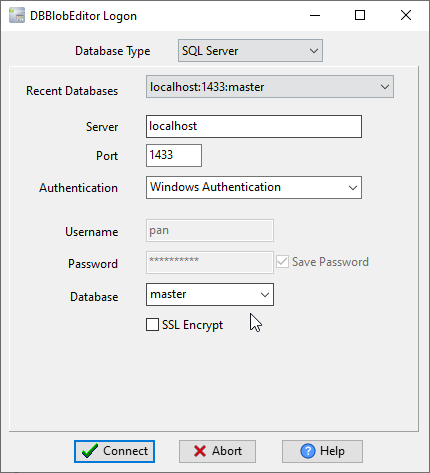
- Log On (toolbar, or File → Log On). Pick the database type — SQLite, Oracle, SQL Server,
PostgreSQL, MySQL, DB2 — and point it at the database (for SQLite, the .db file), then Connect.
- View/Edit Data opens the table grid: choose the table that holds the LOB column. Rows come up
with the LOB column marked as a LOB, not as text.
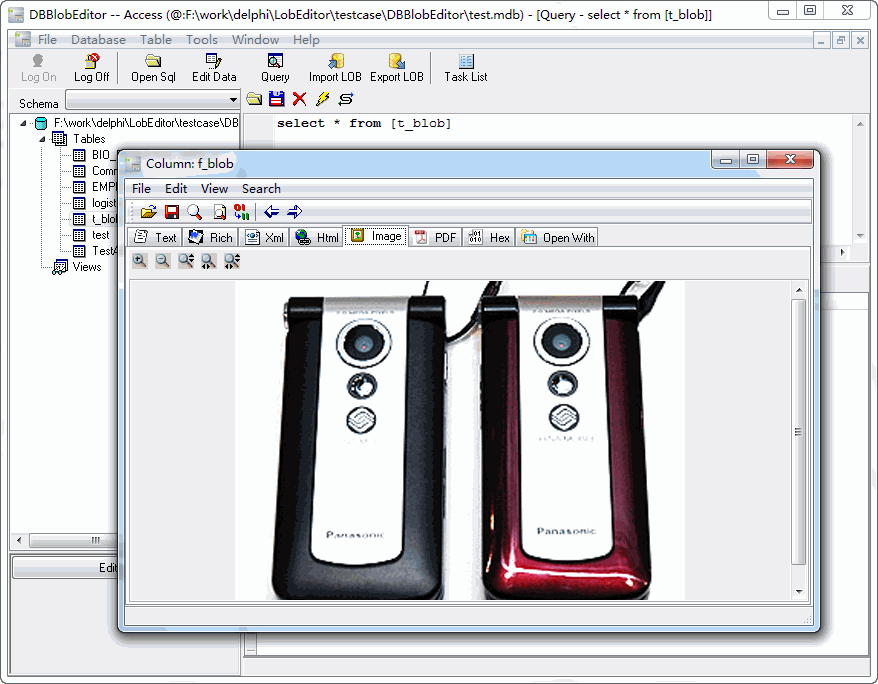
- Click the LOB cell and the preview opens: images render, PDF pages render, text and XML/JSON show
as text, audio and video get a player. This is the step that answers “is this the file I think it is?” without extracting anything.
- Export LOB (or Tools → Export LOB) writes the selected value to disk. Export Lob Task does
the same for a whole table or a query result — that is the “121k views” script, without the script.
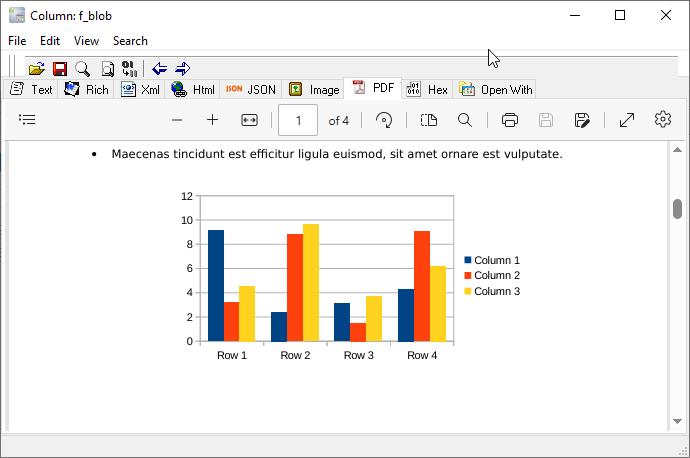
A PDF value looks like this in the same preview — the page itself, not a hex dump:
- Import LOB goes the other way: one file, or a folder into many rows, with the file name and
extension kept in the columns you choose.
Measured on a SQLite database with four rows (a PDF, a PNG, a text file, and a NULL):
| Step | Result |
|---|---|
| Log On + pick table | seconds; no client libraries to install |
| Preview a PDF row | renders in the preview pane (pdfium) |
| Export one row | one dialog: target folder + file name; the extension follows the detected type |
| Export a table | Export Lob Task: folder + naming pattern, one row per file, log line per row |
3. Where the SQL answers still win
- Text inside a CLOB —
dbms_lob.substr,cast(... as varchar),convert(...): if you need the
characters, not the file, SQL is faster than any GUI.
- One-off checks in a pipeline — a nightly job that extracts 200 files is a script, and should stay one.
- No desktop — on a locked-down server, a CLI is the only option.
This tool is for the opposite case: you have a database on your machine (or reachable from it), you need to look at what is inside a LOB column, and then get one file — or one table’s worth of files — out.
4. The three traps
(BLOB)in the grid is not an error. Most SQL clients show that for a binary column; it means the
client is not rendering it. A LOB-aware client shows the type and a preview.
- The extension is not stored in the database. A BLOB is bytes; the file name and type live in other
columns (or nowhere). On export you choose the name; the preview tells you what it is.
- NULL and empty are different. A NULL LOB exports nothing; a zero-length LOB exports an empty file.
The row count is the same, so check both when a batch looks short.
5. From the command line
For the scheduled case, the same program exports and imports without the window:
“ DBBlobEditorCmd export --db=sqlite:documents.db --table=documents --column=data --folder=out DBBlobEditorCmd import --db=sqlite:documents.db --table=documents --folder=in “
Both write a log line per row with the file name and byte count — which is the thing the hand-written scripts usually forget.
FAQ
Why does my client show (BLOB) instead of the data?
Because the column is binary and the client is not decoding it. The bytes are there; what is missing is a viewer that knows it is a PDF rather than a string.
Can I export a whole table of BLOBs at once?
Yes — Export Lob Task walks the table (or a query) and writes one file per row, using a naming pattern so the file names match the rows.
How do I know the file type if the database does not store it?
The preview: PDF renders as a page, an image renders as an image, text renders as text. If nothing renders, the value is either not a known format or it is truncated — which is itself useful information.
Does it work with Oracle and SQL Server as well?
Yes: Oracle, SQL Server, PostgreSQL, MySQL, MariaDB, SQLite, DB2 and Access, with the same Log On → View/Edit Data → Export LOB flow.
Can it write back into the database?
Import LOB does: one file into one row, or a folder into many rows. It does not change the table structure.
Getting the file out
DBBlobEditor opens a database, shows the LOB column with a preview (image, PDF, text, audio, video, hex) and exports what you select — one row or a whole table — on Windows, Linux and macOS. There is a 30-day trial, and the download page has the installers.