The all-in-one DBF to PostgreSQL converter for Windows, Linux, and macOS—designed to handle every DBF to Postgres use case with speed, ease, and security. Convert millions of rows in minutes, run in GUI or CLI mode, and automate repetitive tasks with scheduled jobs.
Transfer data from a single DBF table to an existing or new PostgreSQL table with step-by-step GUI guidance. Preview data before conversion, customize field mapping, set date formats, and define NULL handling—all with a few mouse clicks. Fast & Precise: 100+ records converted in milliseconds, with full error logging for peace of mind.
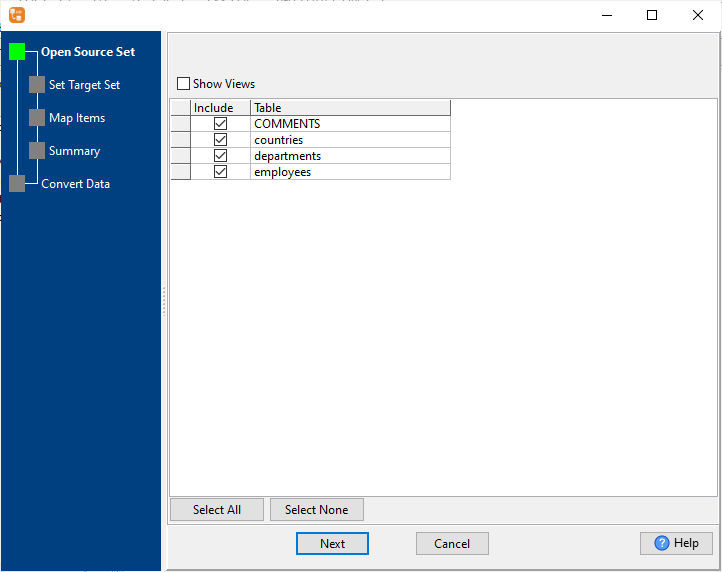
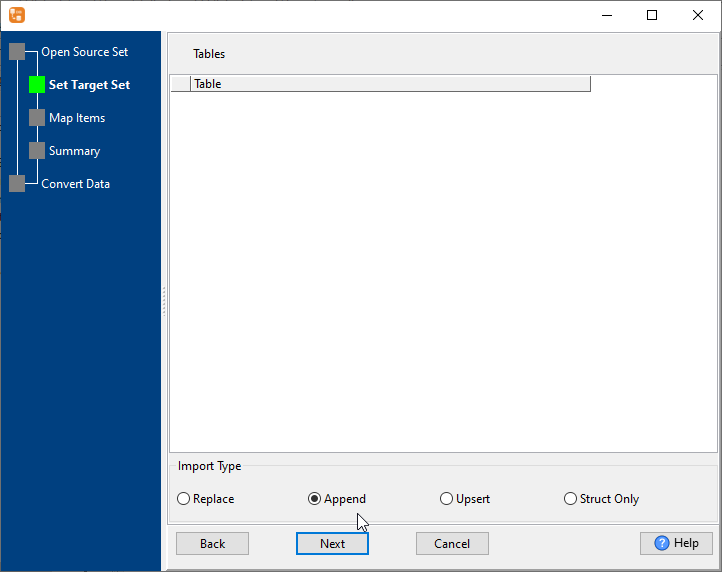
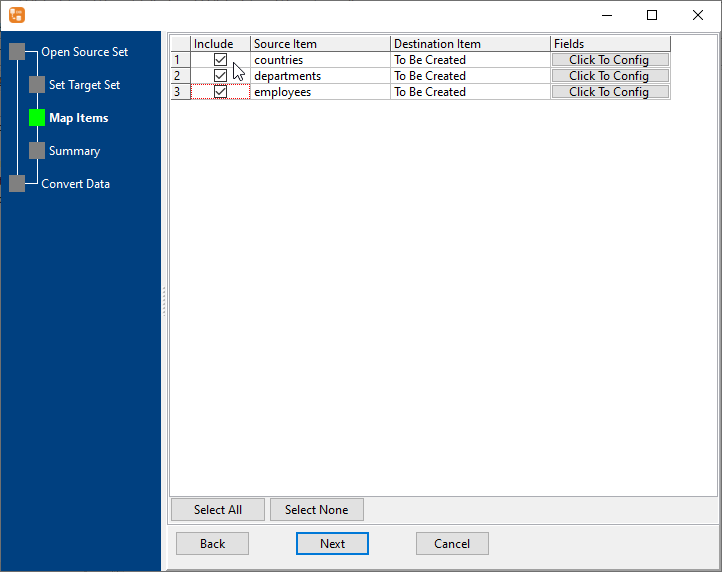
Convert multiple DBF tables to PostgreSQL in one go—no manual one-by-one transfer. Select all your source DBF tables, map to target Postgres tables (or auto-create new ones), and choose your import type (Replace/Append/Upsert/Struct Only). Ideal for bulk database migration with consistent results.
Combine data from multiple structurally similar DBF tables into a single PostgreSQL table—perfect for consolidating fragmented data. Select your similar DBF tables, map shared fields to the target Postgres table, preview merged data, and import in a single step. Eliminates the need for manual data aggregation.
Export filtered DBF data to PostgreSQL by running a custom DBF query. Write your SQL query to select specific rows/columns, preview the query results, and transfer the filtered data directly to your target Postgres table. Enables targeted data transfer without moving entire tables.
Complete end-to-end DBF to PostgreSQL migration—auto-create Postgres tables, copy all data, and generate Postgres indexes in one workflow. DBCopier automatically maps DBF data types to PostgreSQL-compatible types, so you don't have to rebuild your database schema from scratch.
Maintain real-time data consistency between DBF and PostgreSQL with flexible sync options: Full Sync (Replace) - Overwrite target Postgres tables with the latest DBF data; Incremental Sync (Upsert) - Update existing records and insert new ones—no full table overwrite. Ideal for keeping your Postgres database in sync with a live DBF data source.
Eliminate repetitive manual data transfers by automating your DBF to Postgres workflows: 1. Configure your task in the GUI 2. Save your session and generate a .bat (Windows) or .sh (Linux/macOS) script 3. Schedule the script with Windows Task Scheduler or Crontab. Set one-time or recurring jobs (hourly/daily/weekly) for hands-free data management.
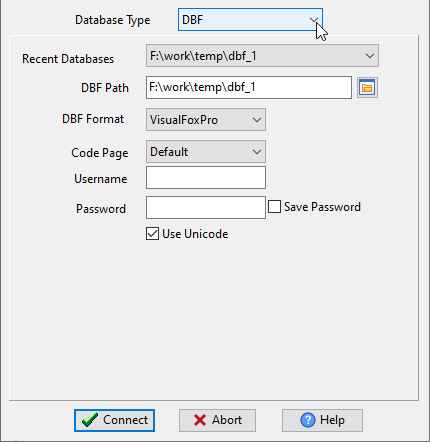
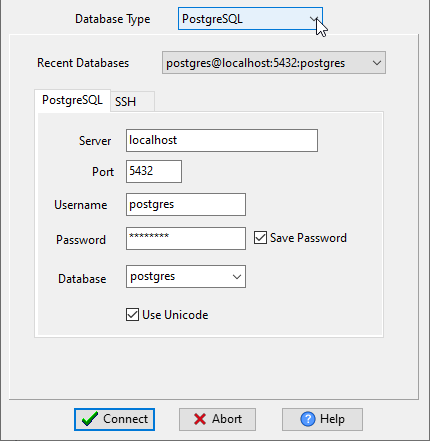
Log in to your DBF file (specify path, format e.g., VisualFoxPro, code page) 📷 and PostgreSQL database (server, port, username, password) 📷.
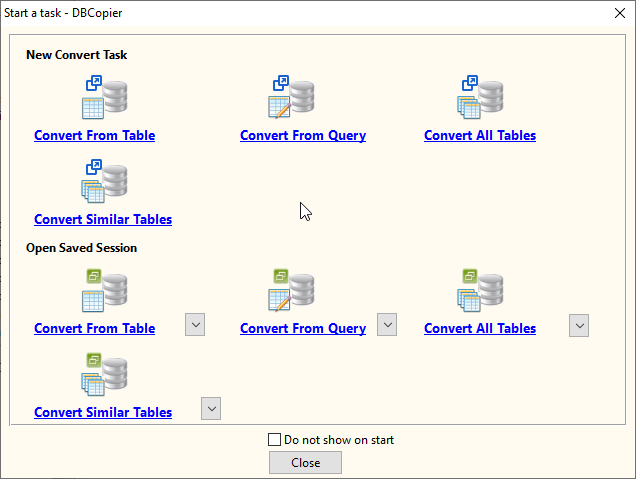
Choose from: Convert From Table, Convert From Query, Convert Similar Tables (Merge), Convert All Tables (Batch / Migrate / Sync). 📷
Map source DBF fields to target Postgres fields, customize date formats/NULL handling 📷, set import/sync type📷, and preview records📷.
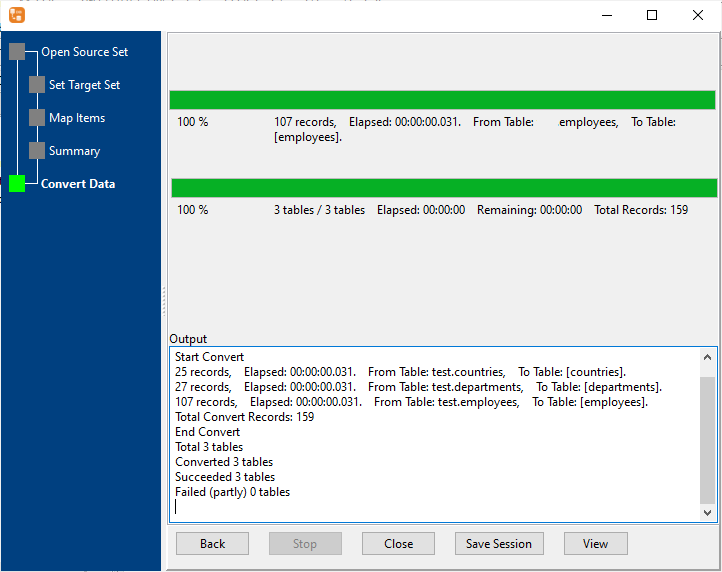
Click Start Convert—track progress in real-time, view total records transferred, and access detailed log files. 📷
Configure your task in the GUI, save your session, and run via command line for seamless automation.
Convert millions of rows in under a minute—no slow cloud-based processing or third-party servers.
All data processing happens on your local machine—no data privacy risks, no API calls, no cloud storage fees.
Use DBCopier on Windows, Linux, and macOS—same intuitive interface and full feature set across all platforms.
Point-and-click GUI guides you through every step—no SQL knowledge or Postgres schema expertise needed.
Every task generates a detailed log file with timestamps, record counts, and error messages for easy troubleshooting.
Automatically maps DBF data types to PostgreSQL-compatible types—no manual schema editing.
Withdata DBCopier is the most comprehensive, easy-to-use DBF to PostgreSQL converter on the market—built for developers, DB admins, and non-technical users alike. No hidden costs—just a powerful tool that does exactly what you need, when you need it.
Download Withdata DBCopier Now