Want to transfer data from HiperSix query results to Redshift table?
Try Withdata DBCopier, a HiperSix to Redshift converter for Windows, Mac, and Linux, Copy HiperSix query to Redshift, Easy and Fast.
- Can run in GUI mode, Step by Step, just a few mouse clicks.
- Can run in Command line, for Scheduled Tasks and Streams.
- Support Windows, Linux, and macOS.

Transfer data from HiperSix query To Redshift table
Login to HiperSix and Redshift -> Enter source HiperSix query -> Set target Redshift table -> Copy HiperSix query data to Redshift table
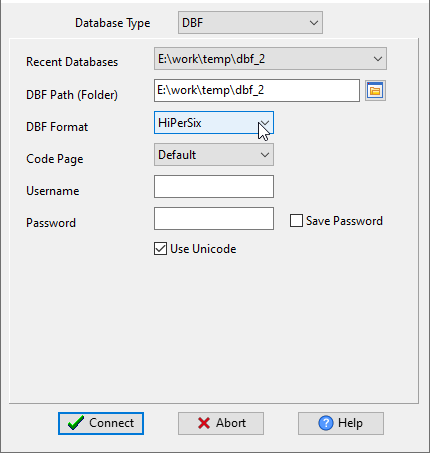
Choose source HiperSix database and logon.
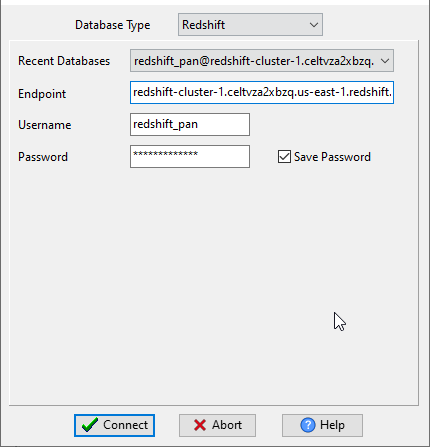
Choose target Redshift database and logon.
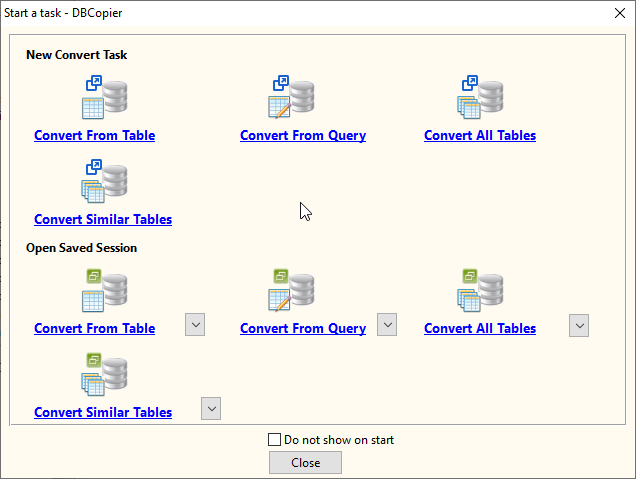
Click “Convert From Query” at task dialog.
then show the wizard.
1. Set a HiperSix query.
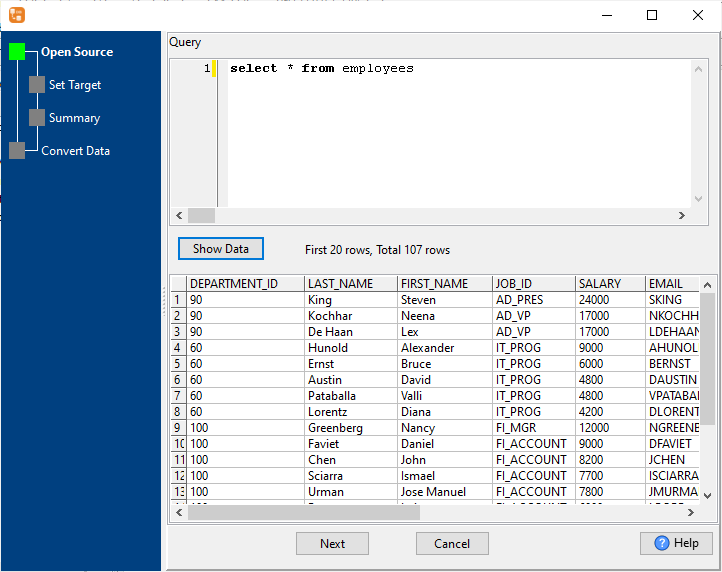
2. Select a destination Redshift table and config fields.
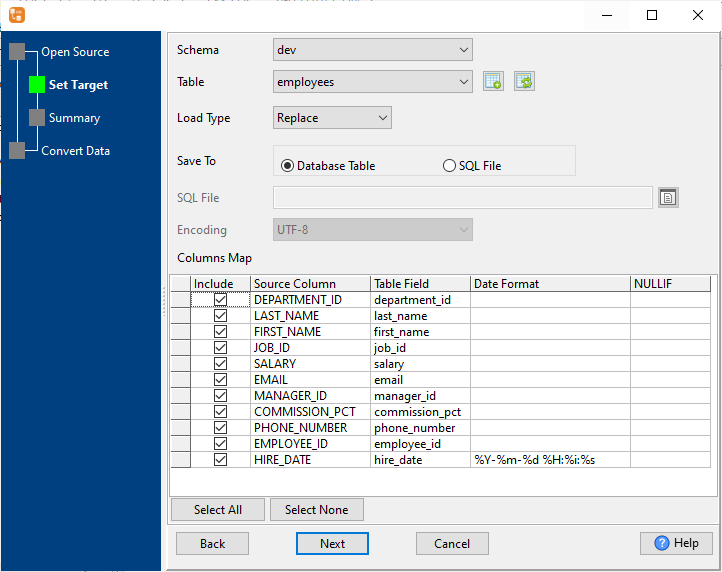
3. Preview data.
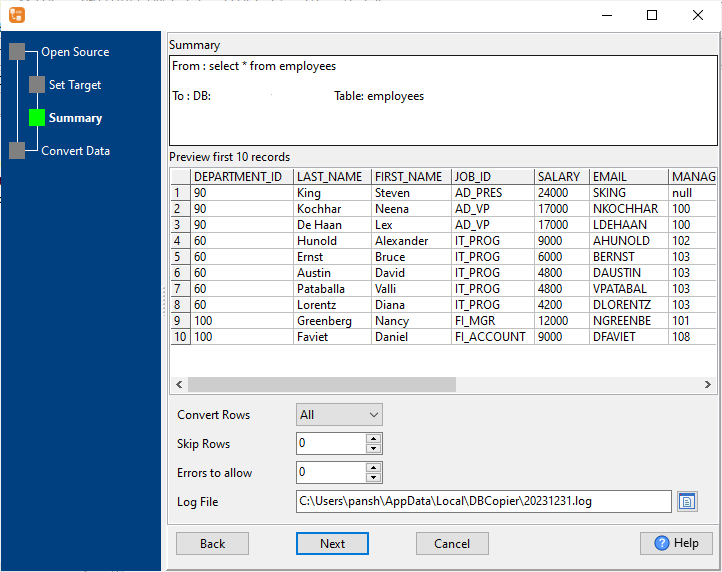
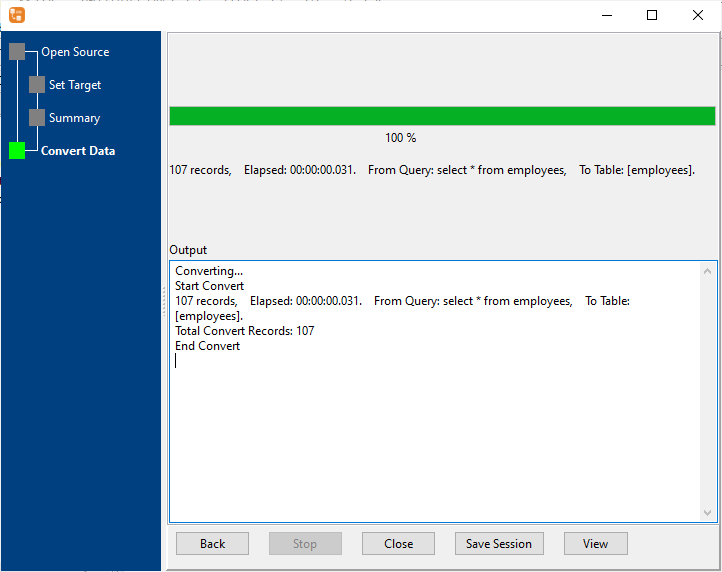
4. Transfer data from HiperSix query result to Redshift table.
More about HiperSix to Redshift converter
Download Withdata DBCopier
See also:
- Copy HiperSix table data to Redshift
- Merge multiple similar HiperSix tables to 1 Redshift table
- Batch copy HiperSix tables to Redshift
HiperSix → Redshift reference
Type mapping
| Value kind | in HiperSix | in Redshift |
|---|---|---|
| Int | Numeric(10,0) | integer |
| Bigint | Numeric(19,0) | bigint |
| Decimal | Numeric(p,s) | numeric(p,s) |
| Float | Float | double precision |
| Text | Character(n) | varchar(n) |
| Long text | Memo | varchar(max) |
| Date | Date | date |
| Datetime | (none) | timestamp |
| Boolean | Logical | boolean |
| JSON | (none) | super |
Dialect differences
Both HiperSix and Redshift are database servers, so the differences below are dialect-level: the same concept is spelled differently on each side.
| Property | in HiperSix | in Redshift |
|---|---|---|
| port | (file-based) | 5439 |
| identifiers | — | "double quotes" |
| row limit | (driver dependent) | LIMIT n |
| dates | Date (D) | timestamp, date |
| long text | Memo (M) | VARCHAR(MAX) |
Command line
| Side | Command |
|---|---|
| Redshift | UNLOAD to S3 |
| Redshift (load) | COPY from S3 |
No counterpart
- Redshift has no equivalent for Date and time – it has to be flattened or dropped.
- Redshift has no equivalent for JSON – it has to be flattened or dropped.
Convert your data online, free
Free in-browser converters for CSV, Excel, JSON, XML and SQL: Withdata Online Data Conversion. Large files, batch conversion or scheduling? See the offline desktop apps, or browse all data conversion tools.


