November 3, 2026 — Withdata Software announces DBToFile 3.1, a cross-platform desktop tool for exporting databases to files. This release adds a complete command line, a table filter above the database tree, quicker access to saved tasks, and more reliable file output.
What’s New in DBToFile 3.1
1. A Complete Command Line for Export Jobs
One command exports a table or a query result to a file, without saving a session first. Dry runs show what would be written, a run can be repeated from a pipeline, and a batch file or scheduled task gets a non-zero exit code when an export fails, so a broken job no longer looks like a clean one.
DBToFile export --from="MySQL:user:pass@host:3306/shop" --table=orders --to=csv --out=orders.csv
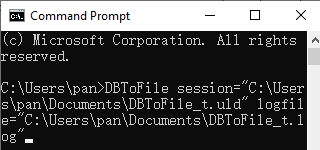
2. Table Filter and Saved Tasks
A filter above the database tree finds a table quickly in databases with hundreds of them. The Start Task dialog now shows saved sessions as quick buttons, so a repeated export is one click away.
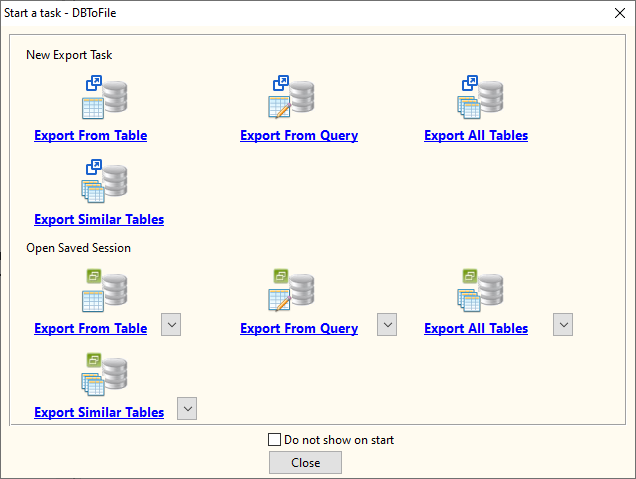
3. Native Linux Support
The Linux build now uses GTK3 and ships as native packages for common distributions, alongside the existing Windows and macOS builds. Exporting works the same way on all three platforms.
4. More Reliable File Output
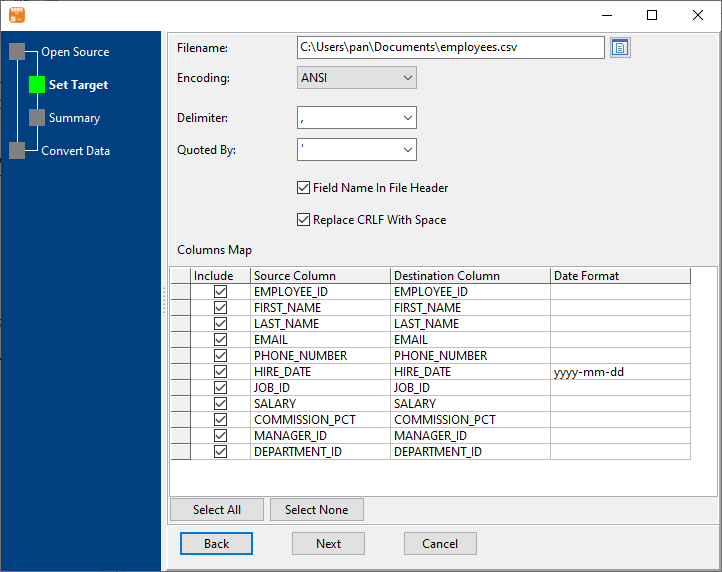
CSV files keep quoted values and line breaks intact, JSON writes proper true/false values, binary columns are written as base64, and the separator is taken from the output format. Excel sheet names are made valid automatically, fixed-width columns are sized per file, and a destination that cannot be written says so instead of failing silently.
About DBToFile
DBToFile exports database tables and query results to files, fast and locally, without coding.
- Output formats: CSV, TSV, TXT, fixed-width text, Excel, JSON, XML, HTML, YAML and SQL
- Export a table, several tables, a query result, or a whole database
- Supported databases: MySQL, Oracle, SQL Server, PostgreSQL, DB2, SQLite, Access, Redshift, Azure SQL, MariaDB, Percona, DBF and Visual FoxPro
- Field mapping, column map and export options; save and load sessions for repeated exports
- Batch export, command line, and scheduled tasks for automation
- Cross-platform: Windows, Linux, macOS
- Fully local offline processing; no data uploaded to cloud servers
Upgrade Today
DBToFile 3.1 is ready for download: https://www.withdata.com/db-to-file/download.html. Existing users may update directly. New users can download a free trial to try the command line export and the improved file output.
Withdata Software continues optimizing DBToFile for real-world database export scenarios based on user feedback.
Convert your data online, free
Free in-browser converters for CSV, Excel, JSON, XML and SQL: Withdata Online Data Conversion. Large files, batch conversion or scheduling? See the offline desktop apps, or browse all data conversion tools.