November 1, 2026 — Withdata Software announces BigTextFileSplitter 4.4, the tool that cuts a very large text file — a log, a CSV, a JSON dump — into parts you can actually open. This release is mostly the Linux build catching up with the Windows one: it runs on current GTK3 desktops and installs from the apt and dnf repositories. Two things a user notices come with it: a split that fails now says so with an exit code instead of pretending it worked, and the Linux dialogs no longer have controls sitting on top of each other.
What’s New in BigTextFileSplitter 4.4
1. It Runs on Current Linux Desktops (GTK3)
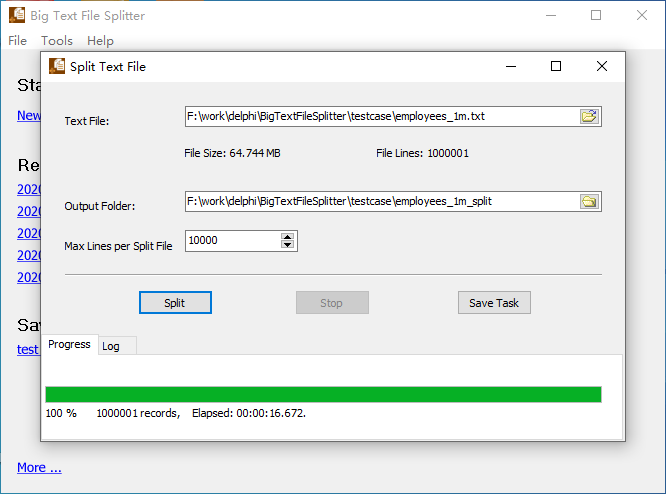
Current Linux desktops ship GTK3 only, so the GTK2 build either refused to start or opened with a window whose panels were the wrong size. 4.4 is built with the GTK3 widget set, uses the same fonts and spacing as the Windows build, and is delivered through the same apt and dnf repositories as the other Withdata tools — an update is sudo apt upgrade rather than a download and a copy.
2. A Failed Split No Longer Looks Like a Successful One
A split used to exit with 0 even when nothing was written — a missing source file, an unwritable destination, a bad setting. That is invisible in a window and actively misleading in a scheduled task: the job reports success and the parts are simply not there. 4.4 returns a non-zero exit code on failure, so a script or a task scheduler can tell the two apart.
3. Cleaner Dialogs on Linux
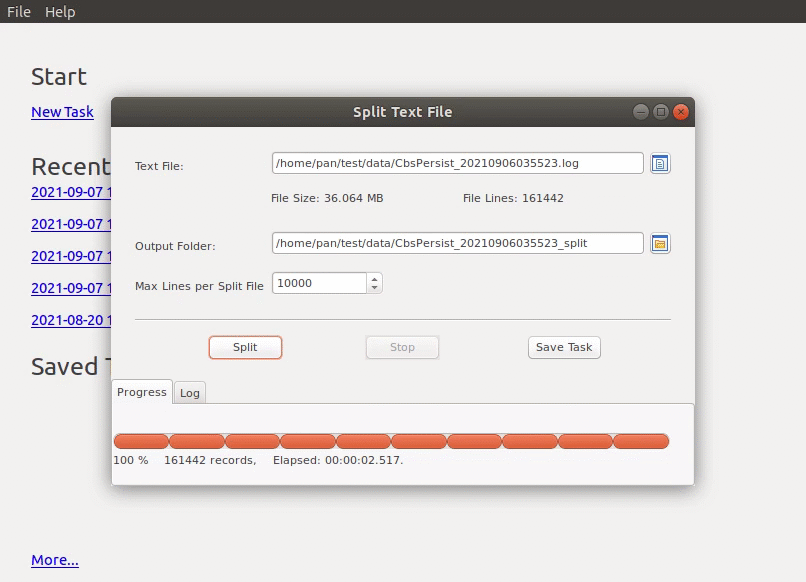
Several controls had drifted into each other after the move to GTK3 — the Filter and Recursive fields overlapped, the Symbol tab’s radio buttons were cramped, and the Start-a-task dialog drew its checkbox on top of a button. All three are laid out properly now, and the tab pages switch without redrawing the whole window.
4. Smaller Things
- The command line reports what it can actually do, instead of listing options that this version does not implement.
- Combo boxes on GTK3 take the value the user picked, not the first entry in the list.
About BigTextFileSplitter
BigTextFileSplitter splits one large file into many smaller ones without loading the whole file into memory.
- Split by line count, by file size, or into a fixed number of parts
- Split at a separator or at a line that starts or ends with a given text, and optionally keep the header on every part
- Preview the first lines, choose the encoding, and see the parts before writing them
- Batch mode: a whole folder of files in one run, with a filter and subfolders
- Save a split as a task, run it again later, or run it from the command line and a scheduled task
- Windows 10/11, Linux (
.deb,.rpm,aptanddnfrepositories) and macOS (universal, Intel and Apple Silicon)
Availability and Pricing
BigTextFileSplitter 4.4 is available now for Windows, Linux and macOS. A 30-day trial is free and needs no registration; a single-user licence costs US$59.95 and does not expire.
- Download: https://www.withdata.com/big-text-file-splitter/download.html
- What’s new: https://www.withdata.com/big-text-file-splitter/news.html
- Product page: https://www.withdata.com/big-text-file-splitter/
Convert your data online, free
Free in-browser converters for CSV, Excel, JSON, XML and SQL: Withdata Online Data Conversion. Large files, batch conversion or scheduling? See the offline desktop apps, or browse all data conversion tools.


