Want to migrate from SQLite to HiperSix?
Try Withdata DBCopier, a SQLite to HiperSix converter for Windows, Mac, and Linux, Migrate SQLite to HiperSix, Easy and Fast.
- Step by Step, just a few mouse clicks.
- Create HiperSix tables with auto mapping data types. Create HiperSix indexes.

Migrate from SQLite to HiperSix
Login to SQLite -> Login to HiperSix -> Select tables to migrate -> Migrate from SQLite to HiperSix
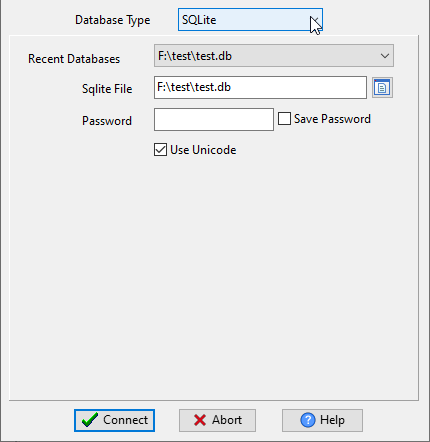
Choose source SQLite database and logon.
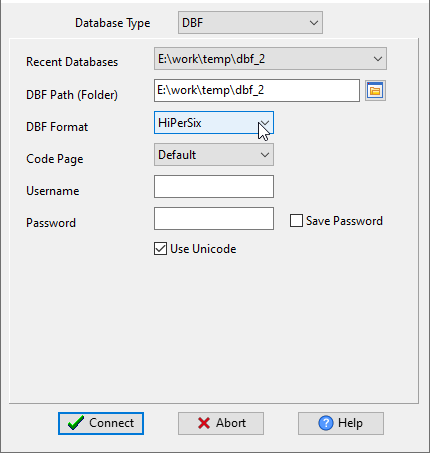
Choose target HiperSix database and logon.
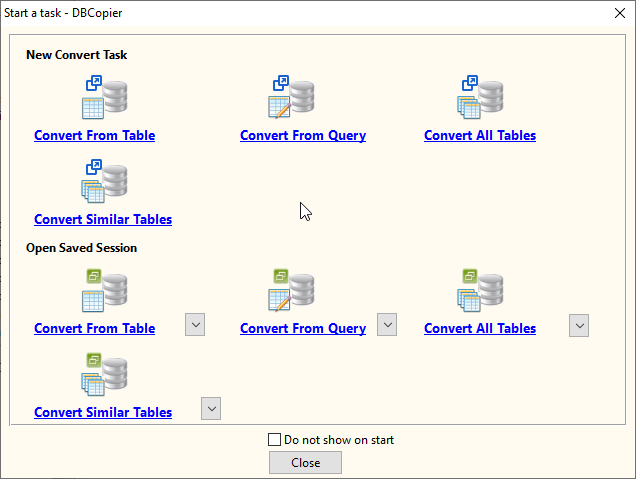
Click “Wizard – Import All Tables” at task dialog.
then show the wizard.
1. Open source SQLite.
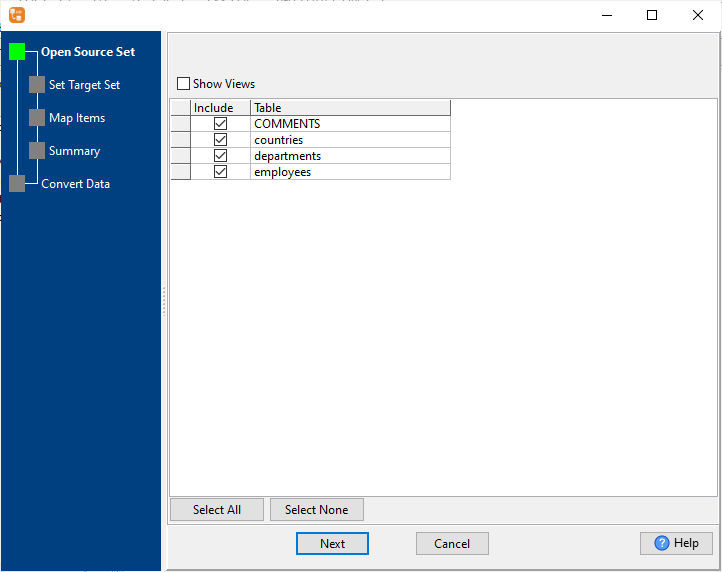
2. Set “Import Type”.
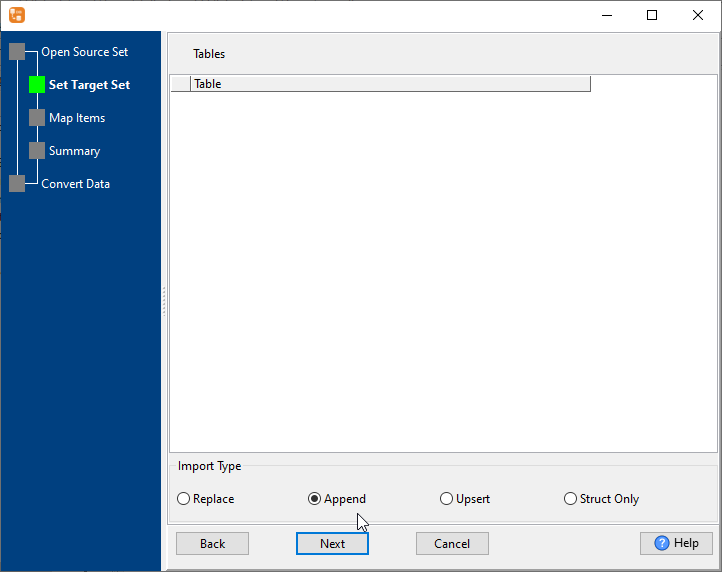
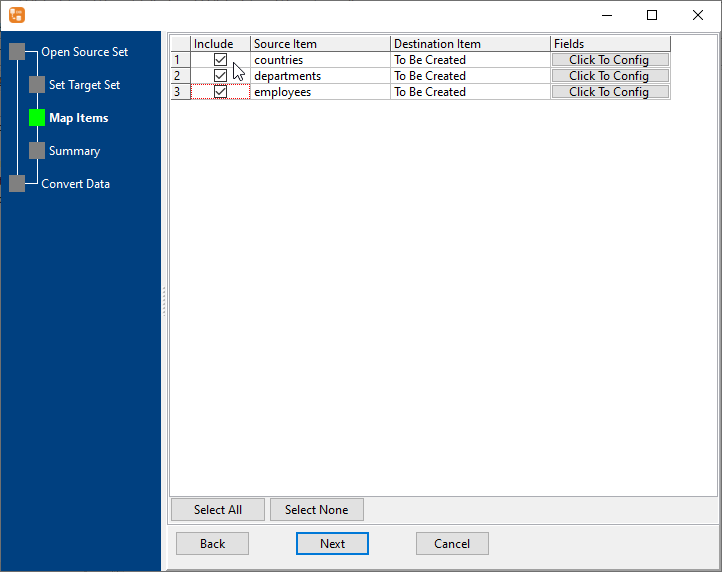
3. Select HiperSix tables to migrate.
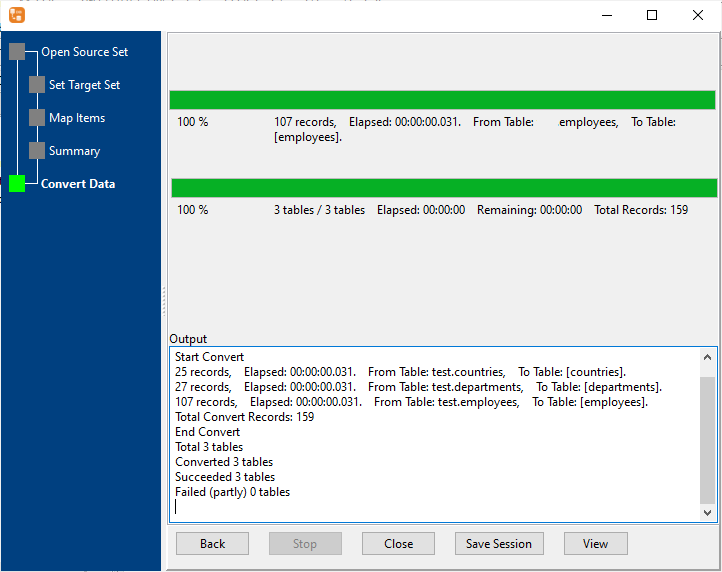
4. Migrate from SQLite to HiperSix.
Create HiperSix tables. Copy SQLite data to HiperSix. Create HiperSix indexes.
FAQ
More about SQLite to HiperSix converter
Download Withdata DBCopier
See also:
SQLite → HiperSix reference
Type mapping
| Value kind | in SQLite | in HiperSix |
|---|---|---|
| Int | INTEGER | Numeric(10,0) |
| Bigint | INTEGER | Numeric(19,0) |
| Decimal | NUMERIC | Numeric(p,s) |
| Float | REAL | Float |
| Text | TEXT | Character(n) |
| Long text | TEXT | Memo |
| Date | TEXT | Date |
| Datetime | TEXT | (none) |
| Binary | BLOB | (none) |
| Boolean | INTEGER | Logical |
Dialect differences
Both SQLite and HiperSix are database servers, so the differences below are dialect-level: the same concept is spelled differently on each side.
| Property | in SQLite | in HiperSix |
|---|---|---|
| identifiers | "double quotes" or [brackets] | — |
| row limit | LIMIT n | (driver dependent) |
| dates | TEXT (no date type) | Date (D) |
| long text | TEXT | Memo (M) |
| binary | BLOB | — |
Command line
| Side | Command |
|---|---|
| SQLite | sqlite3 .dump |
| SQLite (load) | .import (sqlite3) |
No counterpart
- SQLite values of kind Date and time have nowhere to go in HiperSix.
- SQLite values of kind Binary have nowhere to go in HiperSix.
- SQLite values of kind JSON have nowhere to go in HiperSix.
Convert your data online, free
Free in-browser converters for CSV, Excel, JSON, XML and SQL: Withdata Online Data Conversion. Large files, batch conversion or scheduling? See the offline desktop apps, or browse all data conversion tools.