xBase to PostgreSQL Converter | Fast, Secure Local Migration

Cross-platform tool to batch convert, merge tables, sync data, and automate xBase (DBF) to PostgreSQL tasks — works on Windows, Linux, macOS

Core xBase to PostgreSQL Features

Copy xBase Table Data

Directly migrate full xBase table data (schema + records) to PostgreSQL with automatic field mapping. Preserve data types and Unicode support.

Batch Convert Tables

Convert multiple xBase tables to PostgreSQL in one go — eliminate repetitive manual work and save hours of migration time for large databases.

Import Query Results

Filter xBase data with custom queries first, then import only the results to a new or existing PostgreSQL table for targeted migration.

Merge Similar Tables

Combine structured xBase tables (matching columns) into a single PostgreSQL table — ideal for unifying fragmented xBase data.

Migrate & Sync Data

Complete end-to-end migration plus ongoing data sync to keep PostgreSQL up-to-date with changes in your xBase files.

GUI + CLI Support

Zero-code step-by-step GUI for all users, plus CLI mode for dev/ops workflows to integrate with scripts and pipelines.

Batch Convert xBase to PostgreSQL

1. Connect to xBase & PostgreSQL Databases

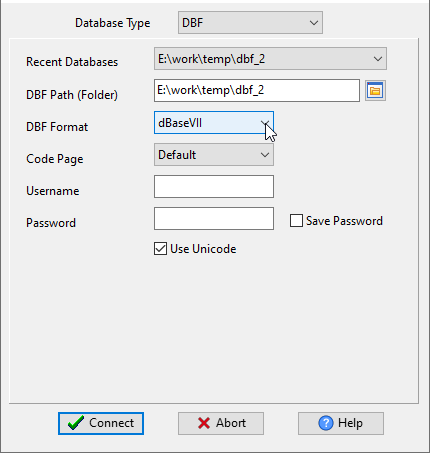
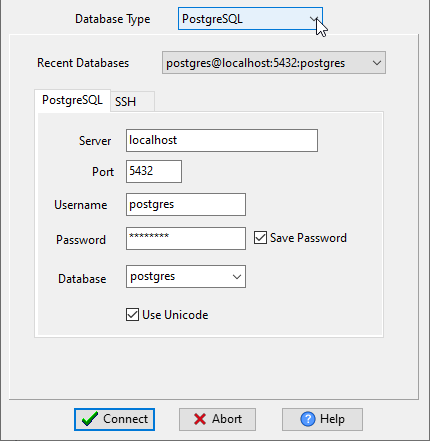
Launch Withdata DBCopier, select xBase (DBF) as source: specify file path, code page, and encoding settings. 📷 For PostgreSQL target: enter server address, port (default 5432), username, password, and target database name. 📷 Save connection profiles for future use.

2. Select Batch Conversion Mode

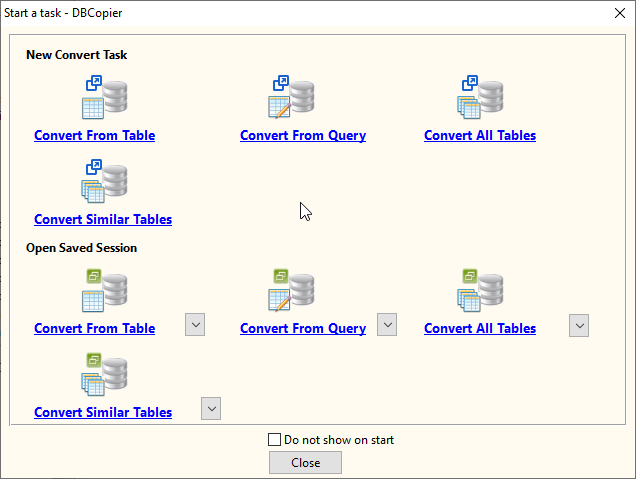
From the task menu, choose "Batch Convert Tables" option to enable bulk processing of multiple xBase tables at once. 📷

3. Choose Source xBase Tables

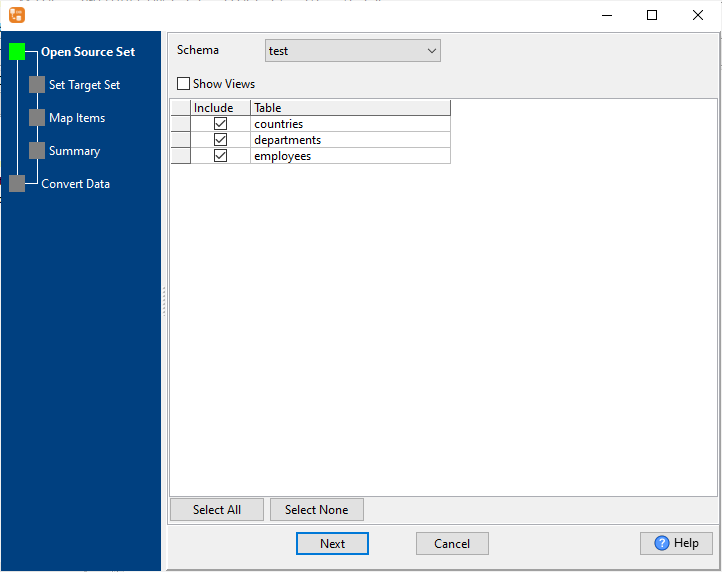
Select all xBase tables you want to convert — use "Select All" for full database migration, or manually pick specific tables. Supports 1000+ tables in a single batch operation. 📷

4. Set Migrate/Sync mode.

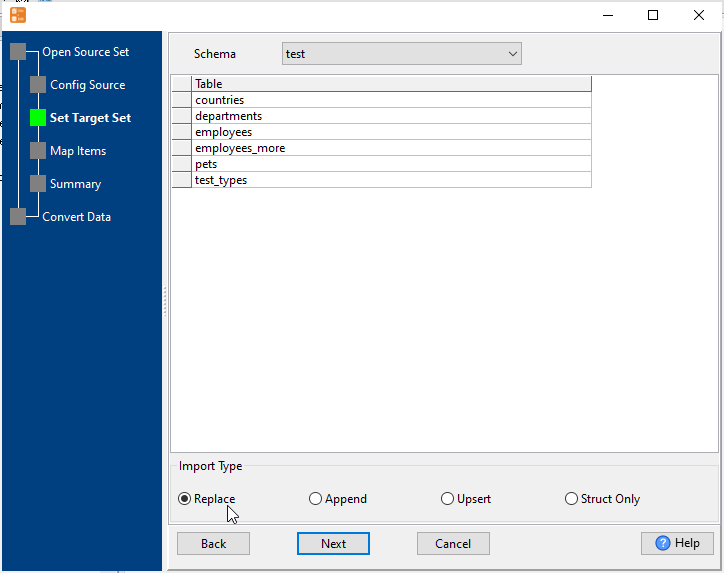
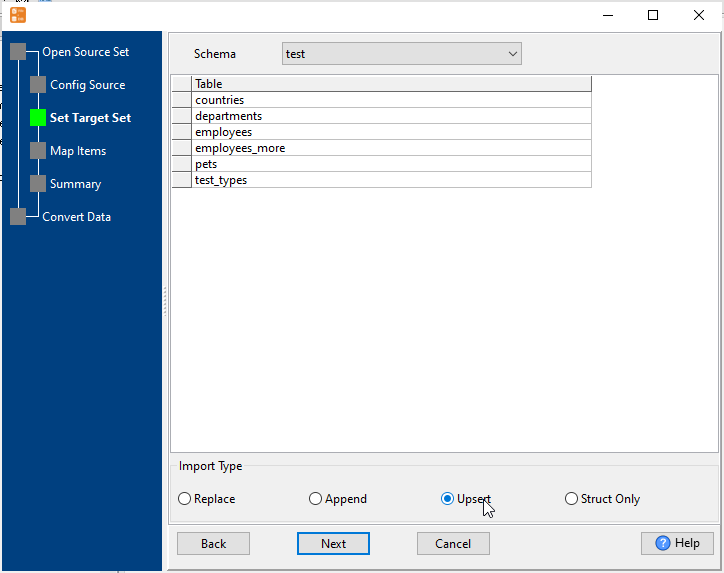
Set "Import Type" to "Struct Only" to create tables without coping data. Or "Replace/Append/Upsert", to do a synchronization. 📷

5. Configure Table Mapping & Settings

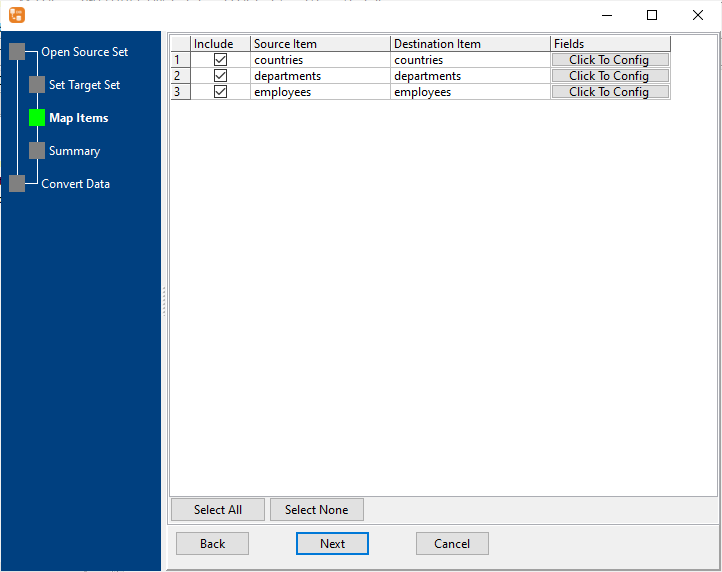
Map tables and fields (automatic or manual), define data type conversions, date formats, and NULL value handling. Apply rules to all tables or customize per table. 📷

6. Run Batch Conversion & Monitor Progress

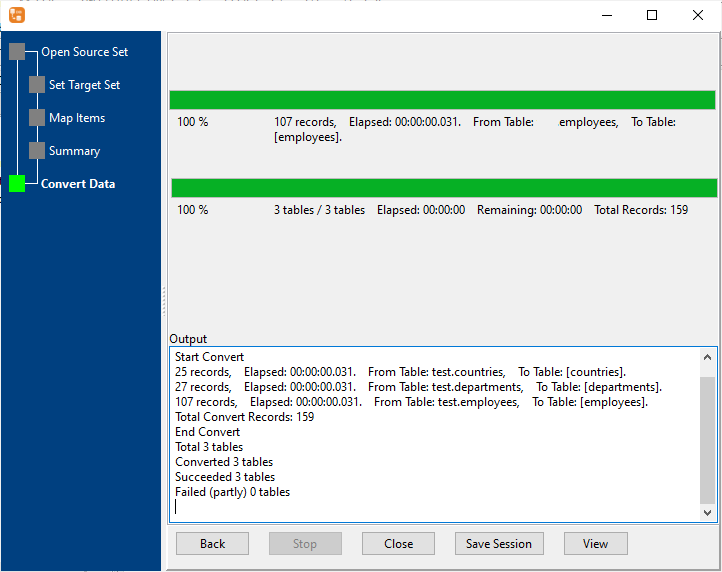
Initiate batch conversion — track real-time progress for each table (success/failure status, record count, elapsed time). View detailed logs and export conversion reports for audit. 📷

Automate & Customize Your Migration

Schedule Recurring xBase to PostgreSQL Tasks

Turn one-time conversions into automated workflows with these simple steps:

  1. Save your conversion session (all settings, field maps, table selections are stored).
  2. Generate platform-specific scripts: .bat (Windows) or .sh (Linux/macOS).
  3. Schedule tasks: Use Crontab (Linux/macOS) or Windows Task Scheduler to trigger scripts hourly/daily/weekly.

No manual intervention required — your PostgreSQL database stays up-to-date automatically.

Batch Copy xBase Tables to PostgreSQL

Optimize migration of large xBase databases with batch processing:

Batch conversion reduces migration time by up to 80% compared to manual processing.

Sync xBase Data to PostgreSQL

Keep your PostgreSQL database in sync with xBase files:

Ideal for scenarios where xBase files are still in use and PostgreSQL needs to stay current.

Frequently Asked Questions

How long does xBase to PostgreSQL conversion take?
DBCopier is optimized for speed — millions of rows are converted in under a minute. Small/medium tables (10k–100k records) take seconds.
Is DBCopier safe for sensitive xBase data?
Yes — all conversions run locally on your machine. No data is sent to cloud servers or third-party systems.
Can I convert xBase to PostgreSQL on Linux/macOS?
Absolutely — DBCopier has native versions for Windows, Linux, and macOS (GUI + CLI for all platforms).
Does DBCopier support dBaseVII and other xBase formats?
Yes — we support all major xBase (DBF) formats (including dBaseVII) with custom code page and Unicode support.
Can I preview data before converting?
Yes — the GUI wizard lets you preview sample records to validate field mapping and data accuracy before running the full conversion.

Get Started with xBase to PostgreSQL Conversion Today

2026 Optimized — works with the latest PostgreSQL and xBase/DBF versions

Available for Windows (32/64-bit), Linux (Debian/Ubuntu/RHEL), macOS 10.15+