Withdata Software

Producing high-quality database tools

Main menu

Skip to primary content
Skip to secondary content
  • Withdata Software
  • Blog
  • Categories
  • Tags

Post navigation

← Previous Next →

Notes about Import Unicode data from Excel to Oracle

by Shiji Pan

Posted on February 26, 2012 by Shiji Pan

1. Download FileToDB from here.

2. Check “UseUnicode” box on Oracle logon window.
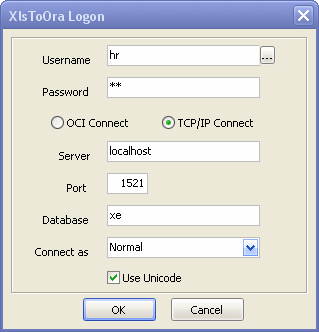
logon Oracle

3. Create your field as “NCLOB”, not “CLOB”.

  • Facebook
  • Twitter
This entry was posted in XlsToOra and tagged Excel, import, Oracle, Unicode by Shiji Pan. Bookmark the permalink.

Recent Posts

  • Unload to CSV for Databases
  • Use Cases for Dumping to CSV
Withdata Software. ©2004 - 2025 All rights reserved.

