DataFileConverter » Use cases » RDF and JSON-LD to a table
Download DataFileConverter Free Trial » Buy DataFileConverter Now »
The situation
Linked-data files are easy to get hold of and awkward to read. A vocabulary published as Turtle, a dataset in N-Triples or N-Quads, an RDF/XML export, a JSON-LD block from a web page - they are all graphs, and a graph does not paste into Excel, does not load into a table, and cannot be sorted by column.
Most converters stop at CSV and JSON, which leaves semantic formats to a SPARQL query or a library - both fine if you are building an application, more work than you wanted if you simply have to look at the data or load it into a table.
What you do
- Choose the semantic file as the source: Turtle (TTL), TriG, N-Triples, N-Quads, N3, RDF/XML, RDF/JSON or JSON-LD.
- Pick the destination you actually want - CSV, Excel, TSV, JSON or SQL.
- Preview the result: the triples are laid out as rows and columns.
- Convert, then open it, sort it, or load it into a database.
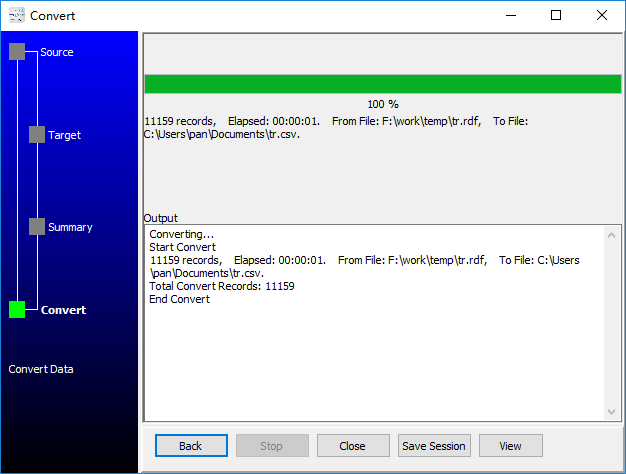
The result is a flat table with one row per subject and columns for the predicates - which is exactly what makes it usable in a spreadsheet or a relational database. Everything runs locally; nothing is uploaded.
What it will not do
- It is not a triplestore or a SPARQL endpoint. It reads a file and writes a file. It does not let you query across a graph, and it does not do reasoning or inference - no materialising implied triples.
- Flattening loses the graph. That is the point, and it is also the cost: statements that do not fit the row/column shape, or subjects with very different predicate sets, come out sparse. Check the preview.
- It does not resolve prefixes into a vocabulary. It uses what the file contains; the columns are named after the predicates in the source, not after a canonical vocabulary you choose.
Related
Converting in the browser: RDF to CSV. Guides: RDF to CSV, TTL to CSV, N-Triples to CSV, N-Quads to CSV. RDF tools overview: RDF conversion tools.