DataFileSplitter » Use cases » Split an Excel workbook or table export
Download DataFileSplitter Free Trial » Buy DataFileSplitter Now »
The situation
Two everyday versions of the same problem. An Excel workbook has arrived with every region's numbers stacked on one sheet, and each region should get its own file. Or a database export produced one giant .sql file - millions of INSERT statements - and it has to go back in somewhere that will not take it in one piece.
In both cases the file is structured, and the split has to respect that structure rather than cut through it.
What you do
- Excel: choose the workbook and the sheet, pick the column that identifies the group (region, branch, owner), and split. Each value becomes its own file.
- SQL export: choose the
.sqlfile and split by record count - the statements are kept intact and each part is a runnable script. - Open the Excel parts directly, or run the SQL parts with your usual client.
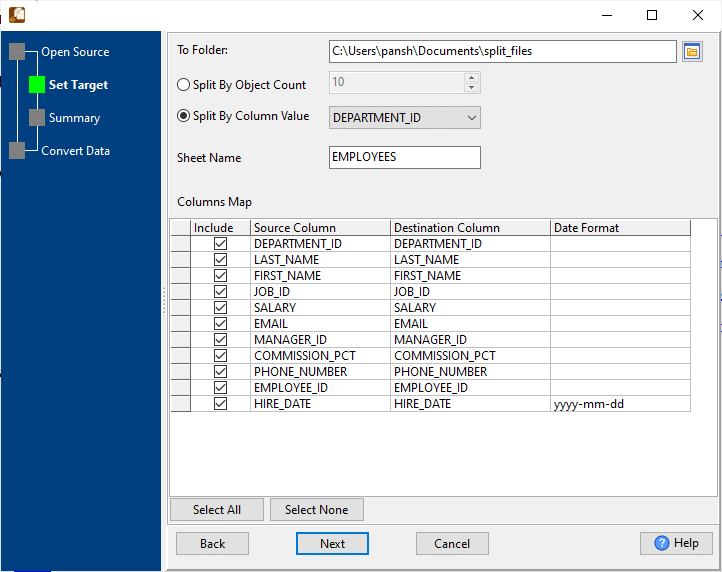
The split follows the structure of the file: rows stay whole rows, statements stay whole statements, and the parts come out as ordinary files that open and run on their own. The source file is never modified.
What it will not do
- It does not write back to Excel formats you can edit as a workbook. It splits what is in the file; check the output format you need for the parts before you start.
- It does not connect to a database. A table export is a file to it. To export from a live database, use DBToFile; to put the parts back, FileToDB.
- It does not change the SQL. The
INSERTstatements are the ones that were in the file - no rewriting, no filtering. - It is not an archive splitter. For cutting a plain text file or log into equal byte-sized pieces, use BigTextFileSplitter.
Related
Splitting by value: split by column value. Splitting by count: split by record count. Exporting a database to a file: DBToFile. Loading the parts: FileToDB.