DBCopier » Use cases » Keep a table in sync on a schedule
Download DBCopier Free Trial » Buy DBCopier Now »
The situation
One table - orders, stock, readings, a price list - has to be current in a second database every morning. It is not the whole database, and it is not a one-off migration: it is the same copy, again and again, and the target must not end up with yesterday's rows twice.
Writing that by hand means a staging table, a delete and an insert, or a merge statement that is easy to get wrong.
What you do
- Set up the copy once: source table, target table, column mapping. Choose update / upsert as the write mode, so existing rows are updated instead of duplicated.
- Save the settings as a session.
- Run it from the command line on a schedule - Windows Task Scheduler, cron, or your own pipeline. Each run reads the source and applies the difference.
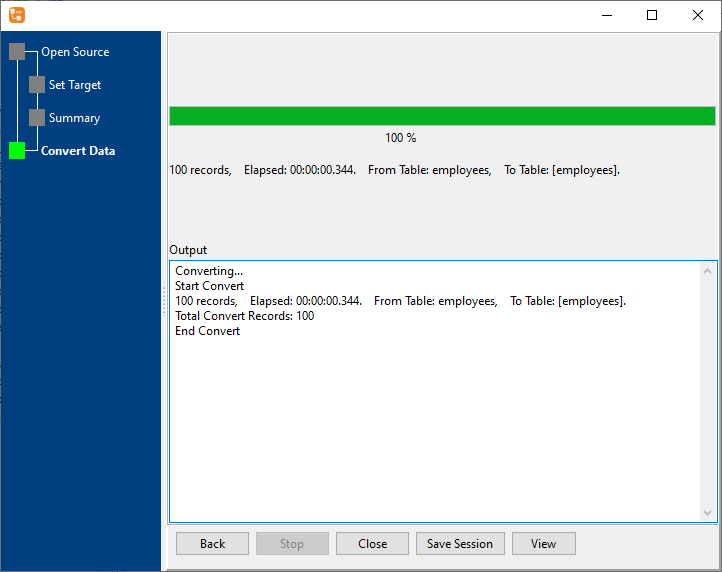
Because it connects directly to both databases, there is no intermediate file to clean up and no place for the data to sit. The run produces a log, so a failed night is visible the next morning.
What it will not do
- It is not real-time replication. There is no trigger, no log reader and no change-data-capture. The target is as current as the last run.
- It does not delete rows that disappeared from the source unless you choose a mode that does (delete-and-insert). Decide which you want before scheduling.
- A match column has to be chosen. Upsert needs a key - primary key or a unique column. Without a reliable one, rows will be inserted rather than updated.
- Scheduling is the operating system's job. DBCopier only needs to be installed, licensed and reachable on the machine that runs the task.
Related
The write mode: table to table. From a query instead: query to table. Copying on a schedule with the sample script: scheduled task, command line. Across engines: supported conversions.