DBToFile » Use cases » More rows than Excel can hold
Download DBToFile Free Trial » Buy DBToFile Now »
The situation
The table is big. A spreadsheet holds about a million rows in one sheet, so the export either fails partway, arrives truncated, or arrives with a second, hidden sheet that nobody opens. The same thing happens in reverse: an .xlsx is the only format the reader will accept, but the data does not fit in one.
What is needed is an export that is complete and that an ordinary tool can still read.
What you do
- Open the table (or a query, if you only need a range of it), and choose the output format deliberately rather than by habit.
- For data this size the practical formats are CSV / TSV / TXT - plain text, no row limit, opened by spreadsheets, BI tools and loaders alike - or JSON / XML when the reader is a program.
- Pick the destination folder and file name and run. Progress is shown while it writes, so a long export is not a mystery.
- If the reader insists on Excel, export the table in parts - a query over a key range per file - instead of one impossible sheet.
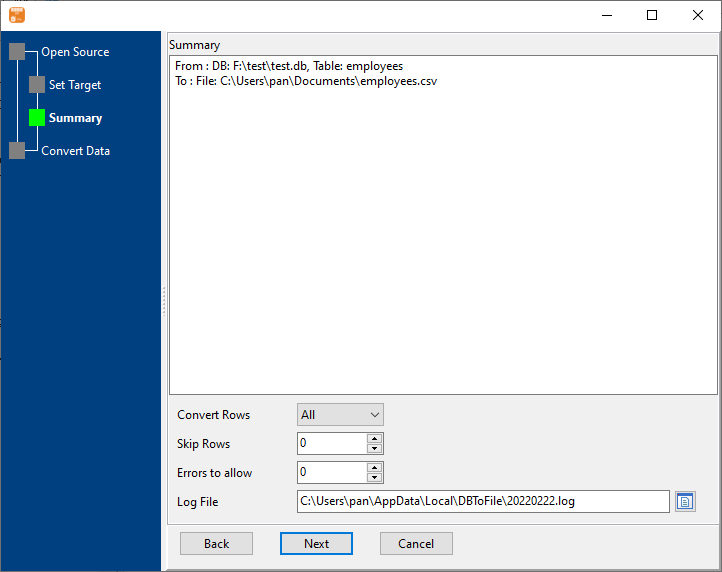
The summary step shows what is about to be written, so the shape of the output is known before a long run starts. Exports run locally - for a multi-gigabyte text file that is also the fast route, since nothing is sent anywhere.
What it will not do
- It does not split a table into several Excel files by itself. There is no "N rows per file" option. Splitting is done by exporting several queries, or by splitting the text file afterwards with BigTextFileSplitter.
- No format makes a spreadsheet hold more than it can hold. If the reader needs Excel specifically, the answer is more than one file - there is no single-file trick.
- CSV loses type information. Dates, leading zeros and large numbers become text unless the reader is told otherwise. For an exact round-trip, JSON or XML is the better carrier.
- Opening a large CSV in a spreadsheet is still slow. The export is fast; the program that opens it may not be.
Related
The export itself: table to file, query to file. Many tables at once: tables to files. Splitting a giant text file after export: BigTextFileSplitter. Viewing one that is too big for an editor: BigTextFileViewer. Formats: supported conversions.