Open JSON file
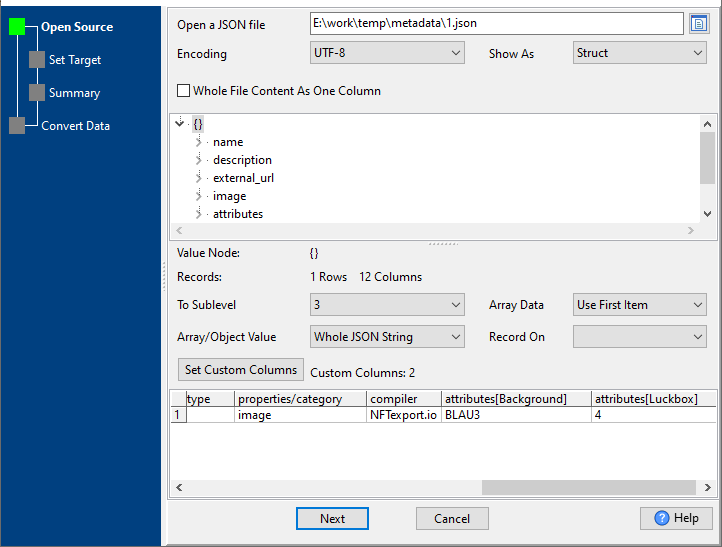
Open a JSON file: open a JSON file to load data.
Encoding: choose the JSON file encoding.
Show As: Struct / File, "Struct" shows tree view, "File" shows content.
Whole File Content As One Column: True to load whole file content as the only column, False will not.
Node Tree: when "Show As" is "Struct", the node tree shows.
Value Node: show the node name choosed in node tree.
Records: show the child node count of "Value Node".
To Sublevel: the sub-level child nodes of "Value Node" to load. An example.
Array Data: Use First Item / Flat Array Items, for array data, "Use First Item" only load array[0], "Flat Array Items" load all array as a string.
Array/Object Value: Whole JSON String / [ARRAY]/{OBJECT}, for performance.
Record On: array or object child of "Value Node", may have more than 1 record to load. An example.