MongoToDB » Use cases » Keep a table in sync
Download MongoToDB Free Trial » Buy MongoToDB Now »
The situation
The application writes to MongoDB and will keep doing so, but the reporting, the BI tool or an old internal system only speaks SQL. A one-off copy goes stale within a day, and re-running a plain insert then doubles every row that has not changed.
What is needed is the same mapping, repeated, with the rows refreshed rather than appended.
What you do
- Set the migration up once: the collection, the destination table, the field mapping - mapping onto the columns of a table that already exists, or letting the table be created the first time.
- Choose update / upsert as the load type so that a document already present is refreshed and only new documents are inserted.
- Save it as a session and run it from the command line on a schedule - Task Scheduler, cron or your pipeline.
- Read the log after each run: it reports what was read and what was written.
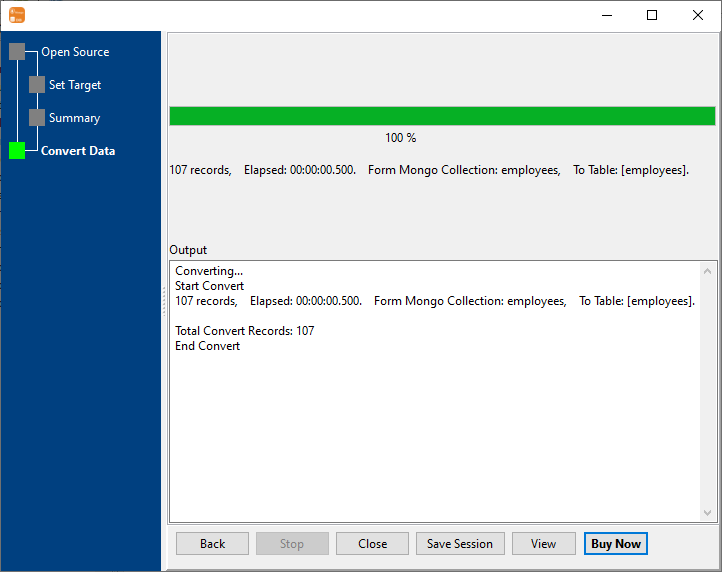
Because the whole thing is one saved task, "make the reporting table catch up" stays one command - and the same task can be used to initialise the table in a fresh environment, so the setup pays for itself twice.
What it will not do
- It is not change data capture. There is no oplog tailing and no triggers. The table is as current as the last run; between runs the two sides differ.
- It does not delete rows for you by default. A document removed from the collection does not remove its row unless the load type says so - pick the mode deliberately, because "replace" is not the same as "upsert".
- Upsert needs a key. Matching uses the column or columns you nominate. Without a reliable key - the MongoDB
_idmapped to a column is the usual answer - rows will be inserted rather than refreshed. - Scheduling is the operating system's job. MongoToDB runs the task when it is called; Task Scheduler or cron decides when, and handles the retries.
Related
The modes: collection to table, query to table. A one-off move instead: migrate MongoDB to SQL. Going back the other way: DBToMongo. Headless runs: command line, sessions.