mssql-cmd » Use cases » Interactive SQL
Download mssql-cmd Free Trial » Buy mssql-cmd Now »
The situation
Command-line clients are precise and unforgiving. A forgotten quote, a missing semicolon, a flag in the wrong order - each is a new attempt, and each attempt is typed again from memory. When you are exploring an unfamiliar schema, the flag you need is the one you cannot remember.
What is missing is not the power of the command line but the feedback: seeing the objects, seeing the SQL, seeing the result.
What you do
- Start
mssql-cmd- the text interface opens in the terminal. connect user:password@host:1433/database.- Browse the objects: tables, views and procedures in a searchable list, so you find the name instead of guessing it.
- Write SQL in the built-in editor. It highlights syntax as you type, and the result comes back as a table in the same window.
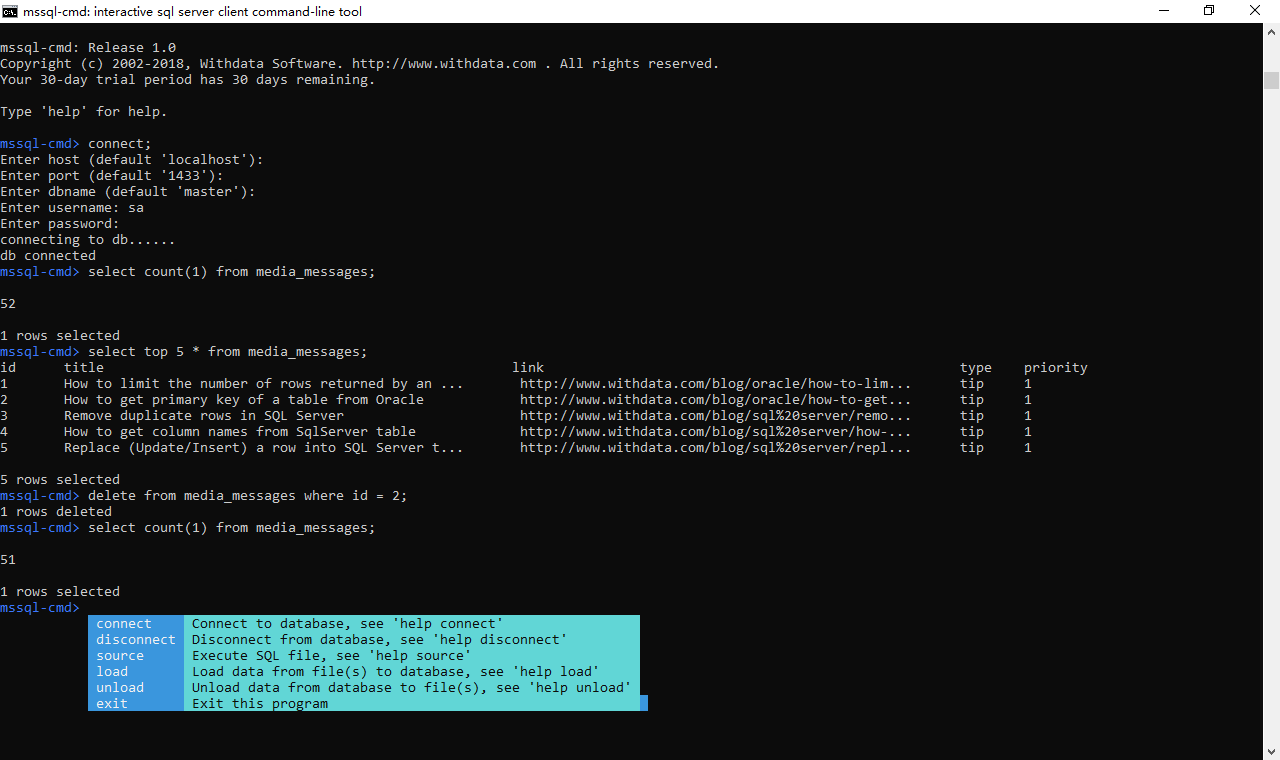
The interface is driven from the keyboard - arrow keys, Enter, Esc - so it works over SSH and in any terminal, including the ones that cannot open a window at all. Long running imports and exports show a progress bar instead of leaving you wondering whether anything is happening.
What it will not do
- It is not a graphical SQL client. There are no diagrams, no result formatting beyond the grid, and no mouse. It is a text interface for people who are working in a terminal anyway.
- It does not validate your SQL for you. Syntax highlighting marks the shape of the statement; the database is still the one that decides whether it is valid.
- It does not store your queries as a library. Scripts are files you keep - see scripts - and sessions of connection settings, not a saved-query catalogue.
- It does not run unattended by itself. For that, the non-interactive mode is the one to use: from a shell script.
Related
The mode itself: interactive mode. The result view: viewing results. Non-interactive: shell scripts, batch mode. Connecting first: nothing installed, connecting.