SQLDumpSplitter » Use cases » Migration and consolidation
Download SQLDumpSplitter Free Trial » Buy SQLDumpSplitter Now »
The situation
A database has to move - to a new server, to a cloud platform, or into a consolidated instance that will replace three older ones. The plan is a dump and restore, and the dump is enormous. That leaves one long, all-or-nothing import: if it fails at 80%, you start again, and the maintenance window is rarely long enough to find that out twice.
Consolidating several databases is the same problem multiplied: each dump has to land in the same target, and a failure in any one of them stalls the whole cut-over.
What you do
- Split each dump by table, so the migration becomes a series of table-sized steps rather than one job.
- Migrate in dependency order - reference tables first, then the big transactional ones - and verify each table as it lands.
- For the largest tables, split by row count as well and load them in chunks, so a failure costs one chunk instead of the whole table.
- Keep the split files: if something has to be re-run, the pieces are already there and the order is already decided.
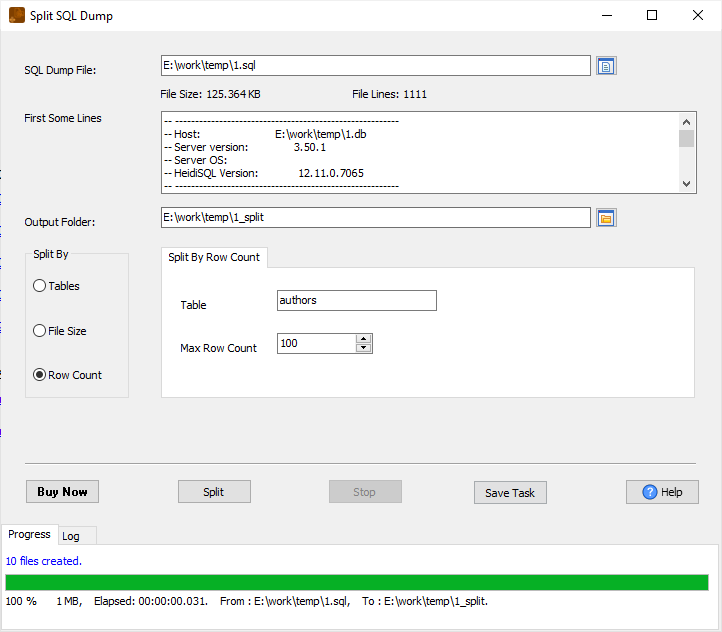
Because each file is split along SQL statement boundaries, every part is valid SQL that runs on its own - which is exactly what makes the migration restartable. The original dump is never modified, and the encoding is preserved.
Where the split stops
Be clear about what this does and does not cover:
- Schema differences are yours to handle. SQLDumpSplitter splits a file; it does not translate a MySQL dump into a PostgreSQL one. If source and target differ, adjust the SQL (or convert it) before or after the split.
- It is not a live migration tool. It works on a dump file. To copy table data directly from one running database to another - with no dump file in the middle - use DBCopier.
- It is not incremental. There is no change tracking or CDC. The split reflects the dump you gave it; changes made after the dump are not in the files.
- No database connection, no import. It never opens one. You run the parts with your usual client.
Related
Splitting: by table, by row count, by file size. Copying directly between live databases: DBCopier. Exporting a live database to a dump in the first place: DBToFile.