Tool to Copy Azure data to MongoDB in MacOS
Sometimes you need to copy Azure data to MongoDB, you can use Withdata DBToMongo as Azure to MongoDB Copier (Converter / Transferor).
"Azure to MongoDB" tool - DBToMongo
Works GREAT in 2026.
Support all MongoDB deployment types: standalone, replica set, sharded cluster, and MongoDB Atlas.
Can run in GUI mode, Step by Step, just a few mouse clicks.
- Query to Collection - Copy data from Azure query to MongoDB collection
- 1 to 1 - Copy data from Azure table to MongoDB collection
- n to 1 - Copy data from multiple Azure tables to 1 MongoDB collection
- n to n - Batch copy data from Azure tables to MongoDB collections
Can run in CLI (Command Line Interface), for Scheduled Tasks and Streams, for Automation.
Download Withdata DBToMongo
Copy Azure data to MongoDB in GUI
Start Withdata DBToMongo.
Login to Azure.

Login to MongoDB.

Query Results to Collection
Click "Convert From Query" at task dialog.
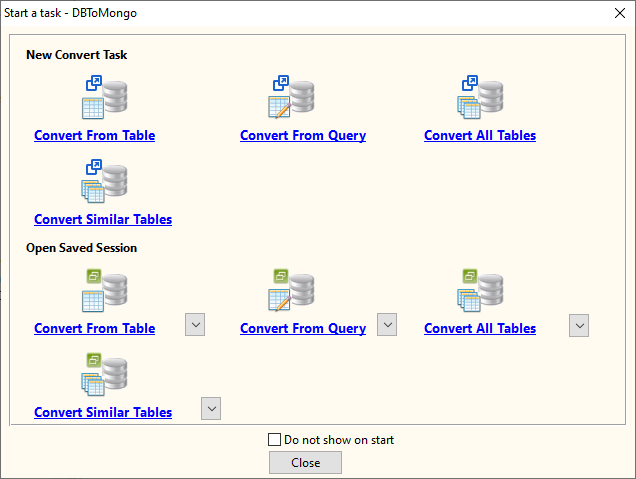
then show the wizard.
1. Enter source Azure query.
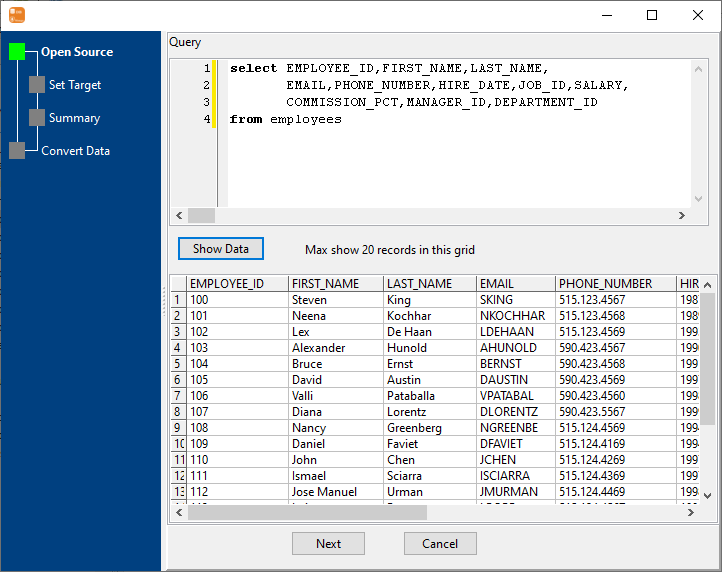
2. Choose destination MongoDB collection and config fields.

3. Set rows options.

4. Export Azure query results to MongoDB collection.

Click "View", See MongoDB collection data.

1 Table to 1 Collection
Click "Convert From Table" at task dialog.
then show the wizard.
1. Choose source Azure table.

2. Choose destination MongoDB collection and config fields.
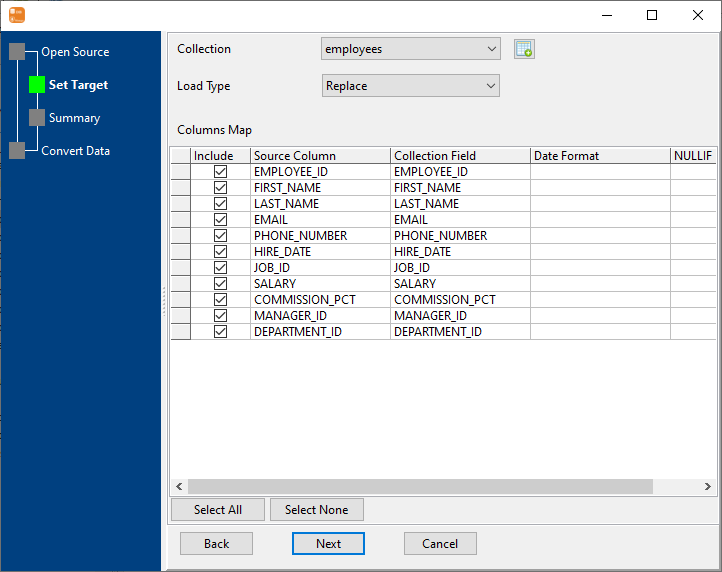
3. Set rows options.

4. Copy Azure table data to MongoDB collection.

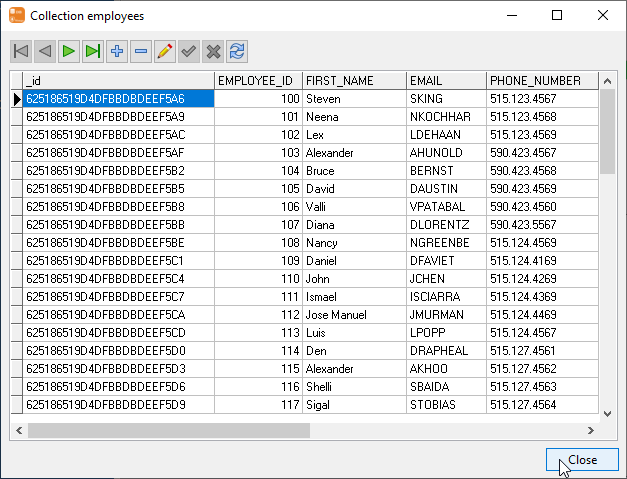
Click "View", See MongoDB collection data.
N Tables to 1 Collection
Click "Convert Similar Tables" at task dialog.
then show the wizard.
1. Select source Azure tables.

2. Choose a destination MongoDB collection and config fields.
3. Set rows options.

4. Copy data from Azure to MongoDB.

Click "View", See MongoDB collection data.
N Tables to N Collections
Click "Convert All Tables" at task dialog.
then show the wizard.
1. Select source tables.

2. Target collections, choice "Import Type".
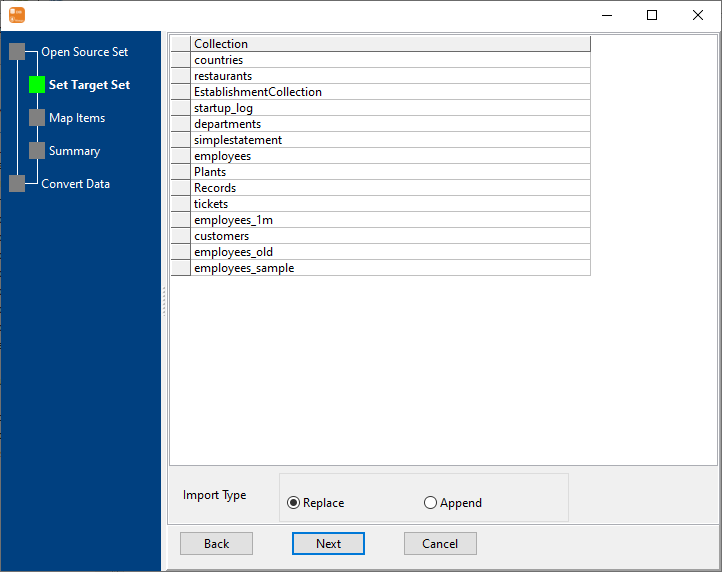
3. Map Azure tables to MongoDB collections.

4. Summary.

5. Batch copy Azure data to MongoDB.

Click "View", See MongoDB collection data.
Repeat "Azure to MongoDB" in CLI
After coping Azure data to MongoDB in GUI, and Saving "Azure to MongoDB" session, then you can:
Schedule task for "Azure to MongoDB"
After coping Azure data to MongoDB in Command Line, then you can schedule and automate "Azure to MongoDB" conversion task by:
- Save session and create .bat (Windows) or .sh (Linux/macOS) file for "Azure to MongoDB" conversion.
- Set scheduled task: On Linux/macOS, use Crontab. On Windows, use scheduled task.
FAQ
How long does it take to copy Azure data to MongoDB?
Is it safe to copy Azure data to MongoDB using DBToMongo?
Can I copy Azure data to MongoDB in command line?
Can I batch copy data from Azure tables to MongoDB collections?
Download Withdata DBToMongo