BatchImageConverter » Use cases » Compress photos for an upload
Download BatchImageConverter Free Trial » Buy BatchImageConverter Now »
The situation
A scan of a document, a photograph of a receipt, a set of images for a supplier portal - and the other end has a limit: 5 MB per file, 10 MB per email, 2 MB per page. The photos are 8 MB each because that is what a modern camera produces.
The limit is not negotiable. The files are, and one folder of them usually has to be dealt with at once, not one photo at a time.
What you do
- Choose the folder of images.
- Set the output format (JPEG or WebP for photographs), the dimensions if they can be smaller, and the compression level.
- Run it, then check one or two files: if they are still too large, lower the quality a step and run it again.
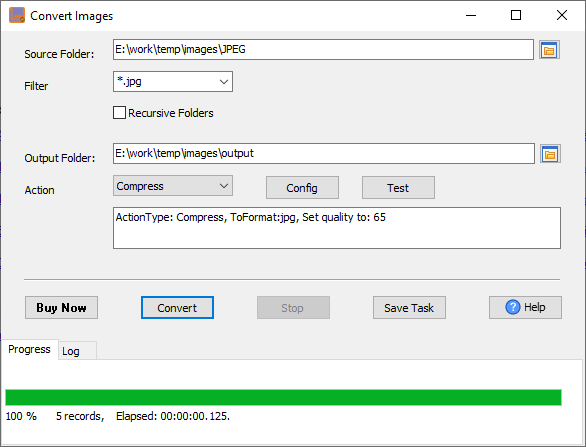
Reducing the dimensions usually does more for file size than the quality setting - a 4000-pixel photo shown at 1600 pixels has more detail than the page can use. For a given size limit, the combination of both gets there without the image looking compressed.
What it will not do
- It does not guarantee a target file size. You set a quality and a dimension; the resulting size is whatever the image content produces. Check a sample before running the whole folder.
- JPEG and WebP compression is lossy. The file gets smaller by discarding detail, and the quality setting decides how much. Keep the originals, and use PNG when a lossless output is required.
- It is not an editor. No cropping, redaction, rotation or annotation - compressing a document scan does not hide anything that was visible in it.
- It does not upload. It writes smaller files; sending them is your step.
Related
Resizing a whole product catalogue: prepare photos for a shop. Converting formats: batch convert images. Doing the same job on a schedule (for a folder that fills up every day): scheduled task.