BatchImageConverter » Use cases » Prepare product photos for a shop
Download BatchImageConverter Free Trial » Buy BatchImageConverter Now »
The situation
The photos arrive from a photographer, from a phone, or from the supplier's own site: five hundred files, all different sizes, some of them 4000 pixels wide and several megabytes each. The shop needs them at one size, compressed enough to load quickly - and it needs the file names left alone, because that is how each image is matched to a product.
Doing it one by one in an image editor is an afternoon per hundred, and the result is never uniform: a few images at the wrong size, a few names changed, a directory that no longer matches the product list.
What you do
- Point BatchImageConverter at the folder of photos - sub-folders are included, so a folder per product range works as it is.
- Set the output: the format (JPG or WebP for the web), the dimensions, and the compression level. The aspect ratio is locked, so nothing is squashed.
- Run it. Every image is written at the new size, in one pass, with its name unchanged.
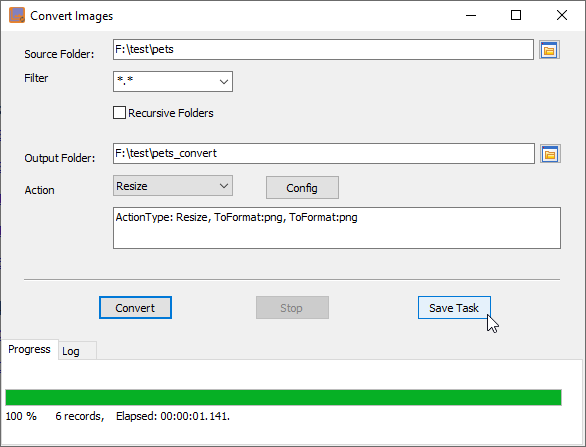
The whole folder is processed locally - nothing is uploaded to a conversion service, which matters when the photos are of products that have not launched yet. Set it up once and save the session, and next season's photos are the same task with a different folder.
What it will not do
- It is not a photo editor. No cropping, retouching, background removal, colour correction or watermarks. It converts, resizes and compresses.
- It does not rename files intelligently. Names are kept, which is the point - but it will not generate SKU-based names for you.
- It does not upload to the shop. It writes files to a folder; feeding them into the shop is your step.
- Converting to a lossy format loses quality. A JPEG or WebP is a re-encode, not a copy - keep the originals if you may need the full detail later.
Related
Converting a folder of images: batch convert images. Compressing instead of resizing: compress photos for an upload. Repeating the same job every season: saved session, scheduled task.