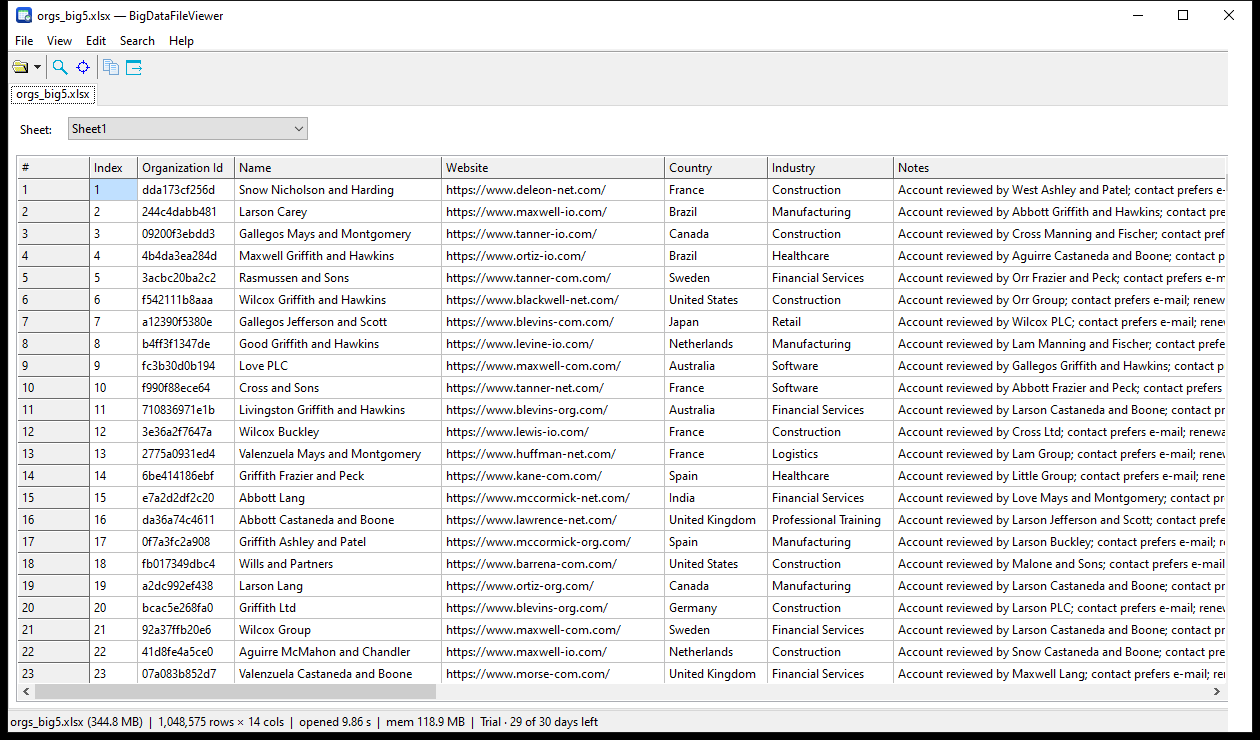
What it opens
- Delimited text: CSV, TSV, TXT (delimiter and header row detected, both can be changed)
- Excel .xlsx / .xlsm — choose the worksheet; numbers and dates are shown the way Excel formats them
- JSON / JSON Lines — a JSON viewer for files of any size: pick the record array from a structure tree, then read it as a grid; optionally expand nested objects into columns
- XML — an XML viewer that handles 700 MB documents: pick the record node the same way; attributes and child elements become columns
What you can do with a 12-million-row file
- Scroll, or type a row number in Go to row, or press Ctrl+Home / Ctrl+End
- Find a value in the whole file, browse the hits and jump to one
- Copy a selection, a whole column, a whole row or the whole page as TSV
- Export the current view as CSV or TSV
- Auto-fit the columns, hover a clipped cell to read it in full
- Open several files in tabs and reload them from the recent-files list
What it does not do
- It is a viewer: no editing, no sorting, no filters
- Formulas are not calculated — the cached value stored by Excel is shown
- Legacy .xls / .xlsb and password-protected workbooks are not supported (it says so, and suggests saving as .xlsx)
Try it, then buy it
Version 1.0. Free for 30 days with no limits; after the trial the free version keeps opening files up to 100 MB and 1,000,000 rows.
Download the free trial
Buy a license — 45.00