BigTextFileViewer » Use cases » Read the tail of a huge log
Download BigTextFileViewer Free Trial » Buy BigTextFileViewer Now »
The situation
The log has been appended to for months and it is 12 GB. What you care about happened an hour ago, at the end. Opening from line one means scrolling through eleven gigabytes of history to reach the part that matters - and loading it all to get there is exactly what makes the file slow to open.
It applies to plenty of other files too: the end of a capture file, the last records of an export, the bottom of a file that is still being written by another process.
What you do
- Open the file.
- Use Go To Position and choose from the end - or jump by byte offset, or by percent of the file.
- The character at that position is highlighted, so you can see exactly where you landed, and the surrounding lines are painted as the chunk loads.
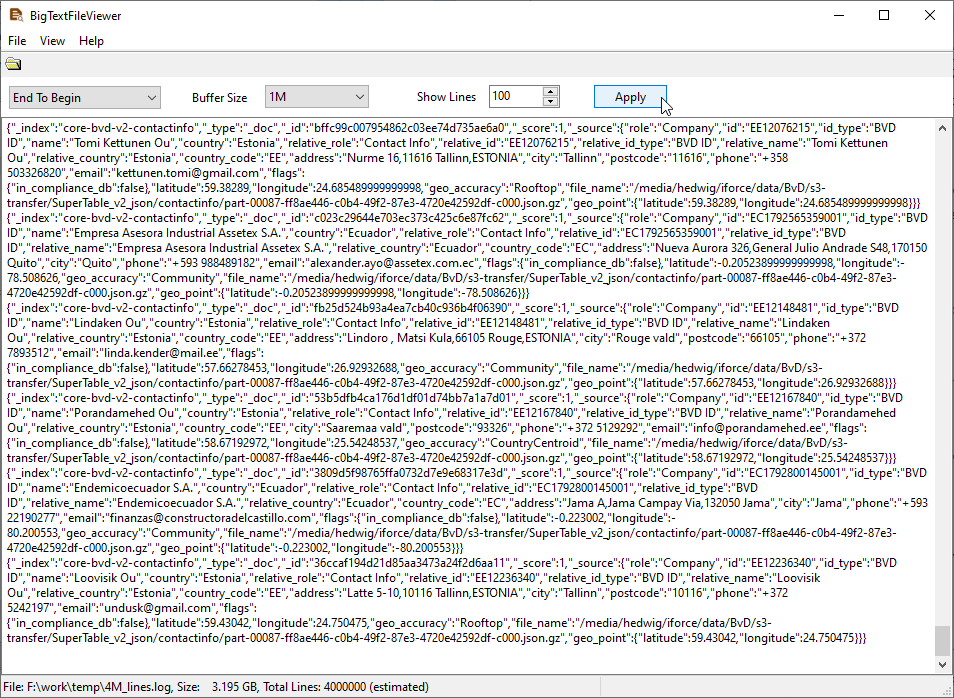
Because the viewer seeks to a position instead of reading from the start, jumping to the end of a 12 GB file is immediate. Loading is paused and resumed as you move, and memory use stays low regardless of the file's size.
What it will not do
- It is not a live tail. It shows the file as it is on disk at the moment you open that region; it does not follow the file as new lines arrive. To watch a growing log, use Tail4win.
- It does not filter by time. Jumping is by position, not by timestamp - the viewer does not parse the log's format. Jump to roughly the right place and search from there.
- It does not edit or truncate. Read-only. To keep only the tail, split the file and keep the last part instead.
Related
Guide: view a large LOG. Following a log while it is still being written: Tail4win. Keeping only the last part of a file: BigTextFileSplitter.