DBToFile » Use cases » Export as SQL inserts
Download DBToFile Free Trial » Buy DBToFile Now »
The situation
A CSV cannot go everywhere. If the receiving side is a database you only reach through a SQL client, or a build step that seeds a test database, or a deployment that has to load a small reference table, the portable format is a text file of INSERT statements.
Writing those by hand is not an option, and a dump tool that exists only for the database you are leaving is not always available - especially when the source is Access, DBF or SQLite.
What you do
- Connect to the source database and open the table (or a query, to export only some rows).
- Choose SQL as the output format.
- Choose the destination folder and file name, then run.
- Take the
.sqlfile to the other side and run it in the target database's client.
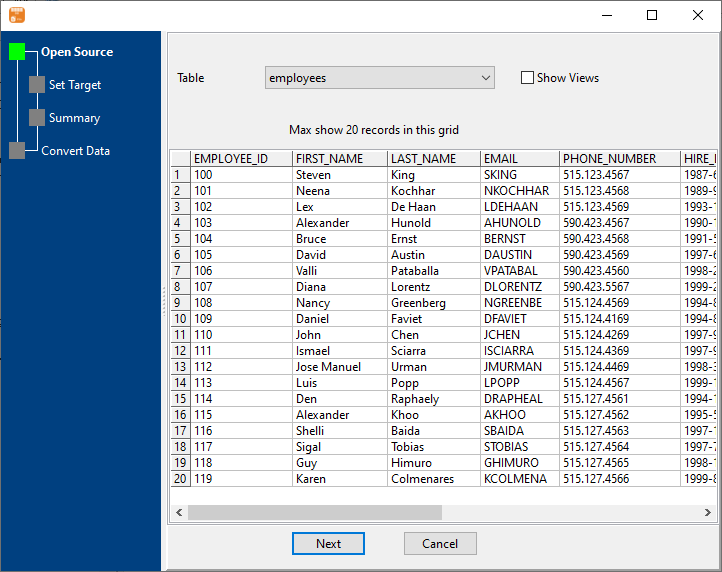
The same mechanism reads Access, SQL Server, Oracle, MySQL/MariaDB, PostgreSQL, SQLite, DB2 and DBF, so a table can be moved out of a database whose own tooling offers no scriptable export at all. Several tables at once is tables to files, and several similar tables merged into one file is similar tables to one file.
What it will not do
- It exports data, not the full schema. You get the rows as
INSERTstatements. Indexes, foreign keys, triggers, views and permissions are not scripted - check what the target already has, or create the table first. - It does not translate SQL dialects. The file is written for the target you choose; moving between very different engines can still need edits for data types and identifier quoting.
- It is not a backup. A file of inserts restores rows into one table; it does not restore a database to a point in time.
- Large tables make large files. Every value is written out as text, so a several-gigabyte table produces a several-gigabyte script. Export in parts with a query if that is a problem.
Related
Only part of the table: query to file. Many tables: tables to files. Formats and databases: supported conversions. Every morning instead of once: on a schedule. Getting the rows in on the other side: FileToDB.