DBToFile » Use cases » Export on a schedule
Download DBToFile Free Trial » Buy DBToFile Now »
The situation
Something downstream reads a file, not a database: a report in a spreadsheet, a BI import, an upload to another system, or a colleague who opens the same CSV every morning. The data is in a table, and it changes during the day.
Somebody has to export it again, every day, at the right time - and that "somebody" is the reason the file is occasionally a day old.
What you do
- Set the export up once: open the table, choose the output format (CSV, Excel, JSON, XML, HTML, SQL, TXT/TSV), pick the destination folder and file name.
- Click Save Session so the whole configuration is stored.
- Run the session from the command line and give that command to Windows Task Scheduler, cron, or your pipeline.
- Run it once by hand and open the file, to be sure the format is what the reader expects.
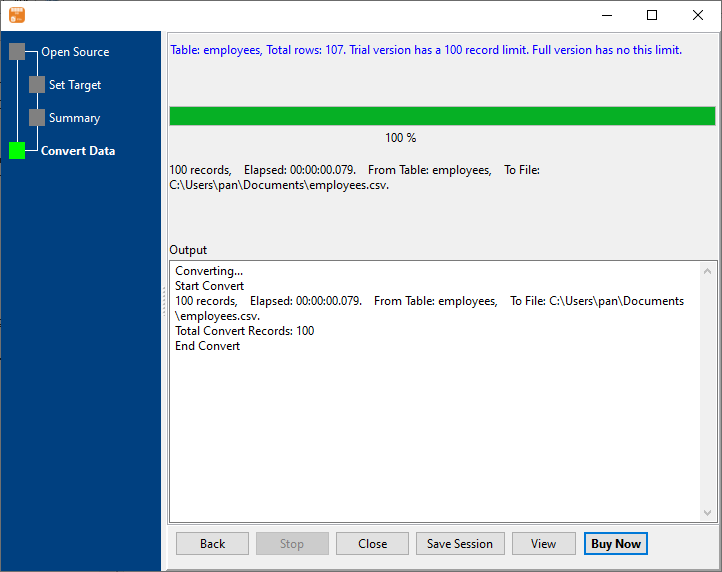
The same session exports the same table the same way every time, and the file is overwritten in place, so the reader never has to look for a new name. Windows, Linux and macOS are all supported, and the export runs on the machine that holds the credentials - nothing is uploaded to a cloud service.
What it will not do
- It is not a scheduler. DBToFile runs the export when it is called. The timing, the retries and the "only if the source is up" logic belong to Task Scheduler, cron or the script around it.
- It does not deliver the file. It writes to the folder you name. Emailing it, uploading it or copying it somewhere else is a separate step - a shared or synced folder is the usual answer.
- It does not format a report. The output is data: a header row and rows. Totals, colours and pivot layouts are the reader's job.
- A failure only shows in the exit code and the log. There is no built-in alerting, so a missed export is noticed when someone looks.
Related
Doing it headless: command line, saved setup: sessions. The export itself: table to file, query to file, many tables at once. Formats and databases: supported conversions. Not sure the file will fit: more rows than Excel can hold.