FileToDB » Use cases » Import from a URL
Download FileToDB Free Trial » Buy FileToDB Now »
The situation
The data is published, not delivered: a partner exposes a CSV at a fixed address, an internal server serves a fresh export every night, a public body publishes its dataset at a URL that never changes. The manual version of the job is browser, "Save as", choose the folder, then load the copy - every single day, and the download folder slowly fills with dated files nobody deletes.
What you do
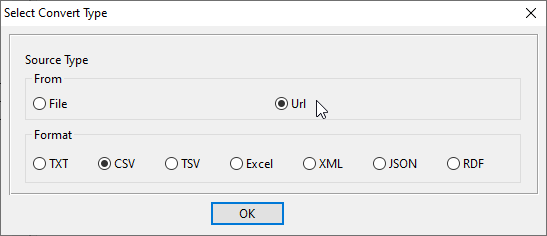
- Open the URL as the source: FileToDB can read a single URL, or a list of them.
- Choose the format (CSV/TSV/TXT, JSON, XML, HTML table and the rest) and check the preview - the content is fetched and shown before anything is written.
- Connect to the database and map the columns to the destination table.
- Save the task as a session and run it from the command line on a schedule, so the database is refreshed without a browser or a download folder.
One run is one fetch and one load: nothing is stored on disk between the two, so there is no stale copy to pick up by mistake and no cleanup to do afterwards. Several addresses at once is the group of URLs, which works the same way as a folder of files.
What it will not do
- It does not log in for you. A page behind a login, a token-protected API or a site that needs a session cookie is not something it can fetch by itself. Use an address that is reachable directly.
- It does not render JavaScript. If the address returns a page whose table is drawn by scripts, there is nothing to read - what arrives is what you get.
- It does not keep a history. Each run replaces what it loads according to your mapping; it does not archive yesterday's version.
- It creates a table, not a schema. Only the columns come from the fetched file - indexes, primary keys, constraints and defaults are not created for you.
Related
An HTML table at that address: import HTML tables. Many addresses: folder to table. The basic mode: file to table. Repeating it unattended: sessions, command line.