FileToDB » Use cases » Load data for vector search in PostgreSQL
Download FileToDB Free Trial » Buy FileToDB Now »
The situation
An internal search feature or assistant keeps its knowledge in PostgreSQL and finds nearest neighbours with pgvector. The application embeds a text column, stores the vectors in a vector column and builds the index - that part is the application team's job, and it is the part they have already solved.
What keeps landing on a data person's desk is getting the rows in. The material arrives as exports - a catalogue as CSV, a policy list as Excel, a glossary as JSON or XML - and it has to become rows in a table with predictable column names before anything can be embedded. As the exports change, the load has to run again.
What you do
- Point FileToDB at the file or the folder - CSV/TSV/TXT, Excel, JSON, XML, HTML table and the rest - and check the preview of what will be written.
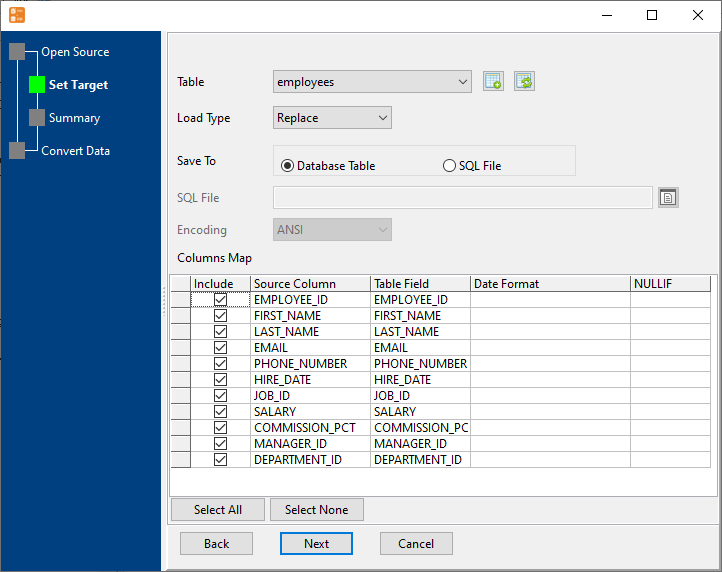
- Connect to PostgreSQL, choose the destination table and map each source column to a table column. If the table does not exist yet, it can be created from the file's columns.
- Load. Rows are streamed rather than held in memory, so the size of the export is a matter of patience rather than RAM.
- Re-run the same job when the exports refresh: save it as a session, or call it from the command line or a scheduled task.
Where this fits
FileToDB stops at the rows. Adding the vector extension, turning a text column into an embedding, and building the index are the application's steps - pgvector, another extension, or an in-house index. This tool's job is to make the source data land as complete, correctly named columns, so the indexing step has something to work with.
What it will not do
- It does not create embeddings or a vector index. It writes the columns it reads; the vector column and its index are the application's work.
- It does not install or configure pgvector. It creates a table, not an extension.
- It does not extract text from PDFs or Word documents. The source has to be a data format - CSV, Excel, JSON, XML, HTML and the rest. A scanned PDF is not in its lane.
- It does not chunk long text. If a field is too long for the model, chunking is a decision the pipeline makes.
- It creates a table, not a full schema. Only the columns come from the file - indexes, primary keys, constraints and defaults are not created for you.
- It does not clean the values. There is no transformation step beyond the field mapping.
Related
All scenarios: FileToDB use cases. The basic import: file to table. A whole folder: folder to table. The same job for MongoDB: prepare data for a vector search app. Shaping the data as JSONL first: JSONL for a RAG pipeline. Repeating it: sessions, command line.