DataFileConverter » Use cases » JSONL for a RAG pipeline
Download DataFileConverter Free Trial » Buy DataFileConverter Now »
The situation
An internal assistant, a search feature or a fine-tuning job reads its data as JSONL: one JSON object per line, one record after another, so the pipeline can stream them. The records themselves already exist - one file per month, per region or per product line, as Excel workbooks, CSV exports, or JSON and XML dumps.
Getting those files into one line-delimited stream, with the same keys in the same form, is the step in between - and it is the step that turns into a throwaway script nobody wants to maintain. It is also a job that repeats: the exports refresh, and the pipeline has to be fed again.
What you do
- Point DataFileConverter at the file or the folder - Excel, CSV/TSV/TXT, JSON, XML and more. Nested data inside a cell or element is parsed into JSON structure instead of being left as a string.
- Choose JSONL as the destination, so every record is written as its own line, and check the preview of the mapped columns before anything is written.
- Run it in batch over the whole folder at once. Column names become JSON keys and values keep their type.
- Re-run the same job when the exports refresh: save it, or call it from the command line or a scheduled task.
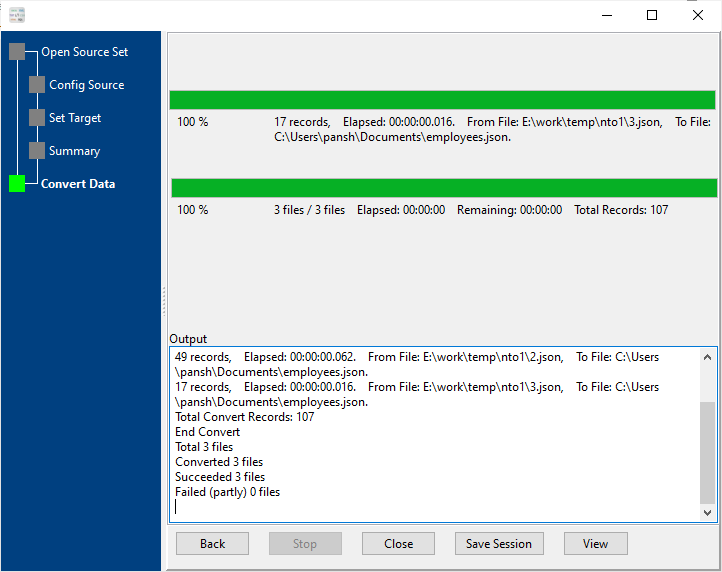
The conversion runs on your own machine: the exports do not have to be uploaded to a converter website before they can be embedded.
Where this fits
DataFileConverter stops at the JSONL file. Chunking the text, choosing which field becomes the embedding, calling the embedding model and writing into the vector store are the pipeline's steps. This tool's job is to deliver well-formed JSONL that the next stage can read line by line.
What it will not do
- It does not create embeddings or vectorise anything. It writes JSONL; the pipeline embeds.
- It does not chunk the text. If a record is too long for the model, chunking is a decision the pipeline makes.
- It does not call the embedding API. It writes a file; uploading or posting it is your step.
- It does not extract text from PDFs or Word documents. The source has to be a data format - Excel, CSV, JSON, XML and the rest. A scanned PDF is not in its lane.
- It does not validate against a schema. Whether the JSONL satisfies the pipeline's expected shape is checked afterwards.
- It does not shard an output that is too big to stream. If a single JSONL file gets unwieldy, BigTextFileSplitter can split it while keeping every line valid.
Related
All scenarios: DataFileConverter use cases. JSON for an application: Excel to JSON for an app. Combining many exports: merge JSON and XML files. Splitting the result: split JSONL records. Loading it into MongoDB for vector search: prepare data for a vector search app. Loading it into a relational database: FileToDB.