Save to HTML file
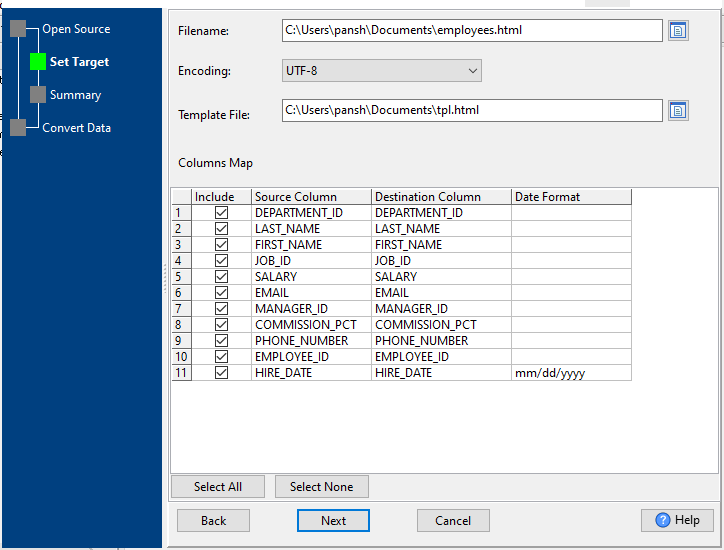
Filename: the name of HTML file to save data to.
Encoding: file encoding.
Template File: a html template file, like this:
<html>
<style type="text/css">
body { text-align: center;}
table { width: 90%;  border-collapse: collapse; }
caption {  font-weight: bold;  font-size: 24px;  text-align: left;  color: #333;}
thead {	background-color: #333;	color: white; font-size: 0.875rem; text-transform: uppercase; letter-spacing: 2%;}
td,th { padding: 8px; border: 1px solid black; text-align: left; }
</style>
<body>
<table>
<caption>{TableCaption}</caption>
<thead>
{TableHeader}
</thead>
<tbody>
{TableContent}
</tbody>
</table>
</body>
</html>
Tag {TableCaption}, {TableHeader} and {TableContent} will be replace by real table name and table data.
Select All: select all columns.
Select None: select none columns.