mssql-cmd » Use cases » The same commands everywhere
Download mssql-cmd Free Trial » Buy mssql-cmd Now »
The situation
Instructions travel badly between platforms. A procedure written against one operating system's database client has to be rewritten for another: different quoting, different environment variables, a different way of asking for a password, a different tool altogether. In a team where developers use macOS, CI runs on Linux and somebody's laptop is Windows, that is three sets of instructions to keep in step - and three places to get it wrong.
What you do
- Use one command syntax everywhere:
mssql-cmd dsn="user:pass@host:1433/db" task=unload table=employees datafile=emp.csv quit=y. - Write your runbooks, scripts and CI steps against that syntax. The same line works on Windows, Linux and macOS.
- Keep the same TUI experience too - connecting, browsing objects and editing SQL look and behave the same on every platform, so a screenshot in a ticket means the same thing to everyone.
- Move the file, not the knowledge: copy the binary to whichever machine needs it, and the instructions are already correct.
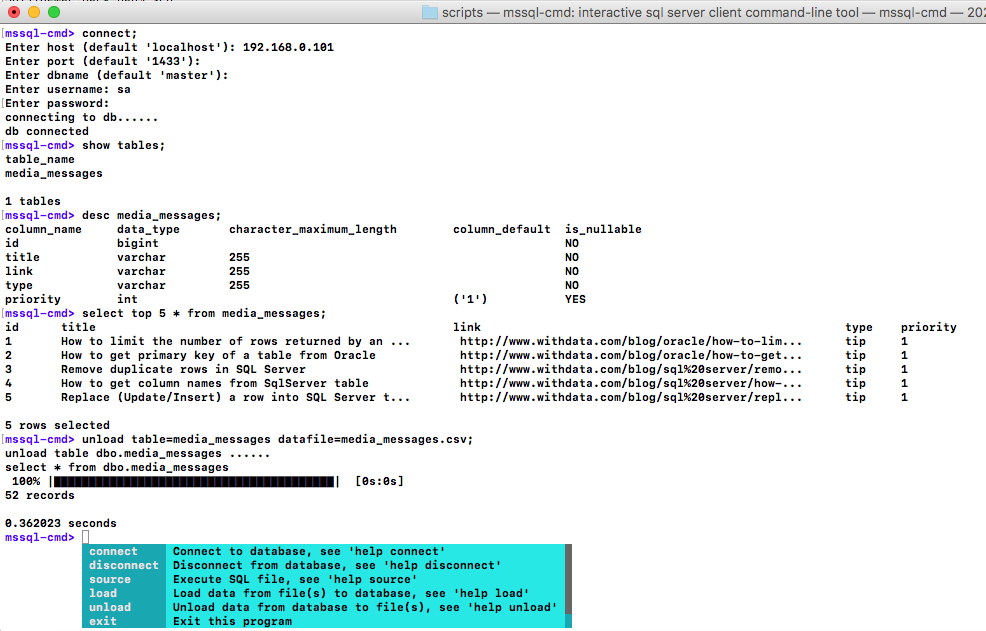
The screenshots on this site are the same tool on different systems, not different tools - see multiple platforms for the per-platform detail. Secure connections are supported on all of them, so the database's SSL and authentication requirements do not change the picture either.
What it will not do
- It does not standardise the shell around it. Windows batch files and POSIX shell scripts still differ - what is common is the mssql-cmd command itself, not the file that calls it.
- It does not remove the database's own quirks. SQL Server's SQL dialect, privileges and limits are the same on every operating system.
- It does not carry its dependencies with every build. Each platform gets its own binary from the download page; you copy the right one for the machine.
- It does not synchronise anything between machines. Two people running the same command against the same database are just two clients - as with any other tool.
Related
The mode: multiple platforms. Scripting: shell scripts, batch mode. Installing nothing: portable copy. Interactive use: a terminal interface.