TTSBatchConverter » Use cases » Voiceovers for videos
Download TTSBatchConverter Free Trial » Buy TTSBatchConverter Now »
The situation
A channel or a course publishes in batches: forty short videos, each with a script, all needing narration. Recording them by voice takes a session per video and a quiet room; a per-video cloud service costs money per character and sends the scripts somewhere else.
What is needed is the same voice, the same pace and the same output format across all forty files - and the ability to redo them when one script changes.
What you do
- Put the scripts in a folder - one text file per video, named after the video.
- Choose the voice and the speech rate once. It applies to every file in the run.
- Convert to MP3 and import the audio into the editor.
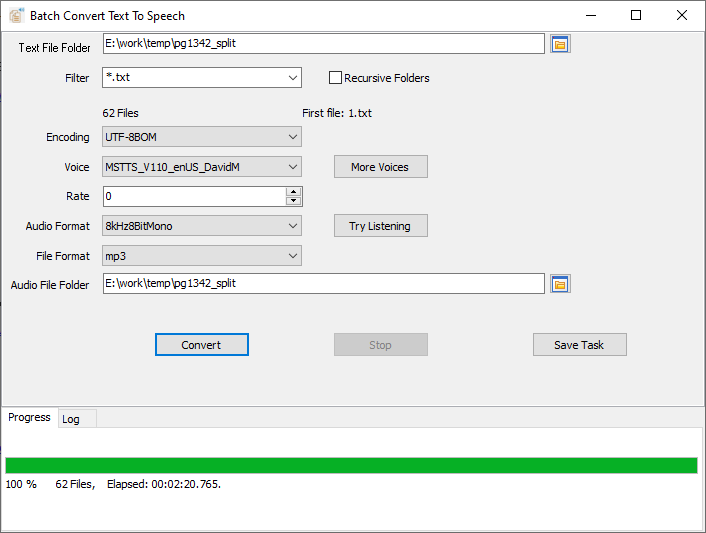
Because the settings are chosen once and applied to the whole folder, the narration sounds consistent across the series - which is exactly what a per-file conversion does not give you. Save the setup as a session, and the next batch is one click; change one script and re-run only that file.
If the filenames and texts live in a spreadsheet instead, the same job can be driven from a CSV or TSV: one column with the output file name, one with the text.
What it will not do
- It is not an AI voice service and not a voice clone. It uses the voices installed on the system (and any you add yourself). There is no celebrity voice, no cloning from a sample, and no cloud API.
- It does not edit audio. No background music, ducking, de-essing, trimming or loudness normalisation - import the MP3s into an audio editor for that.
- It does not put the audio into the video. No muxing and no rendering; it produces the voiceover files, the editor places them.
- Windows only (Windows 10 and 11).
Related
Driving it from a spreadsheet (a name column and a text column): convert text files to speech. A whole folder of documents: listen to a folder of documents. Adding voices: add voices.