BigTextFileViewer » Use cases » Check a data file before importing
Download BigTextFileViewer Free Trial » Buy BigTextFileViewer Now »
The situation
A file is about to be imported into a database, converted to another format, or sent to a colleague - and you do not know what is in it. Does the CSV have a header row? Is it comma or semicolon separated? Is the encoding going to produce mojibake? Does the SQL dump start with a CREATE TABLE you did not expect?
Finding out by importing it is expensive: the import takes time, may load the wrong data, and on a production database it may be hard to undo. A quick look first is the cheap way to catch all of it.
What you do
- Open the file - it appears immediately, whatever its size.
- Column-based files (CSV, TSV) are laid out as a table, so the header row and the delimiter are visible at a glance.
- Each file type gets its own view: JSON is shown as structure, XML as markup, SQL as statements, logs as lines.
- Spot something unexpected? Jump to the line number, or search for the row that looks wrong.
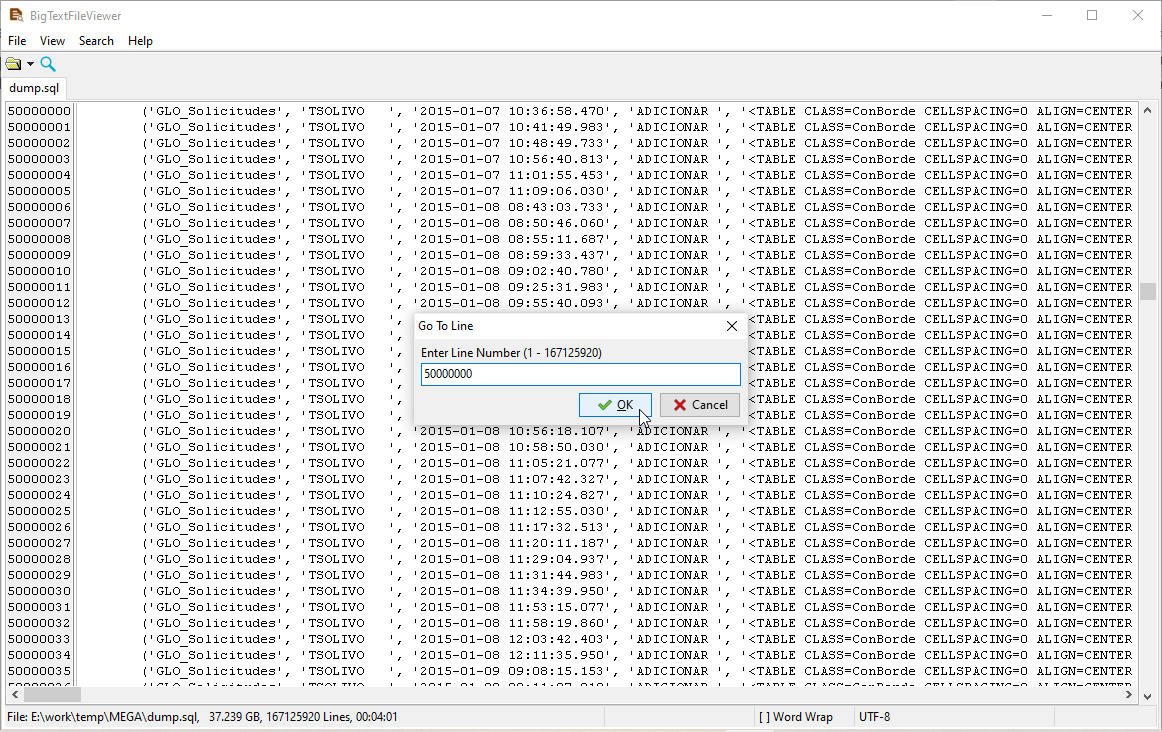
Everything is local: a file with customer data does not have to be uploaded anywhere just to be looked at. The file is opened read-only, so checking never changes what will be imported.
What it will not do
- It does not import or convert. It only shows you the file. Loading a file into a database is FileToDB; converting between formats is DataFileConverter.
- It does not validate the format. It shows the text and, for column-based files, a table view - it does not tell you whether the CSV is RFC 4180 compliant or the SQL will parse on your server.
- It does not check constraints or types. Whether a column fits the destination schema is something the import step (or your database) decides, not the viewer.
- Text files only, and no OCR for scanned documents.
Related
Loading the file into a database: FileToDB. Converting it to another format: DataFileConverter. Guides: view a large CSV, view a large JSON, view a large XML.