BigTextFileViewer » Use cases » Open a file the editor refuses
Download BigTextFileViewer Free Trial » Buy BigTextFileViewer Now »
The situation
An ordinary text editor loads the whole file into memory before it shows anything. That is why a 5 GB log freezes the editor, why a large CSV takes minutes to appear, and why Notepad simply says the file is too large. The machine is not broken and the file is not corrupt - the editor's approach is the problem.
The file may not even be that large by modern standards: a log that ran for a month, a database export, a feed capture. It only has to be bigger than the editor is willing to hold.
What you do
- Drag the file onto the window, or use Open and pick it.
- The first screen appears immediately - the viewer reads the file in chunks and paints only what is on screen.
- Scroll, and further chunks load as you go. Loading can be paused and resumed, so a huge file never blocks you.
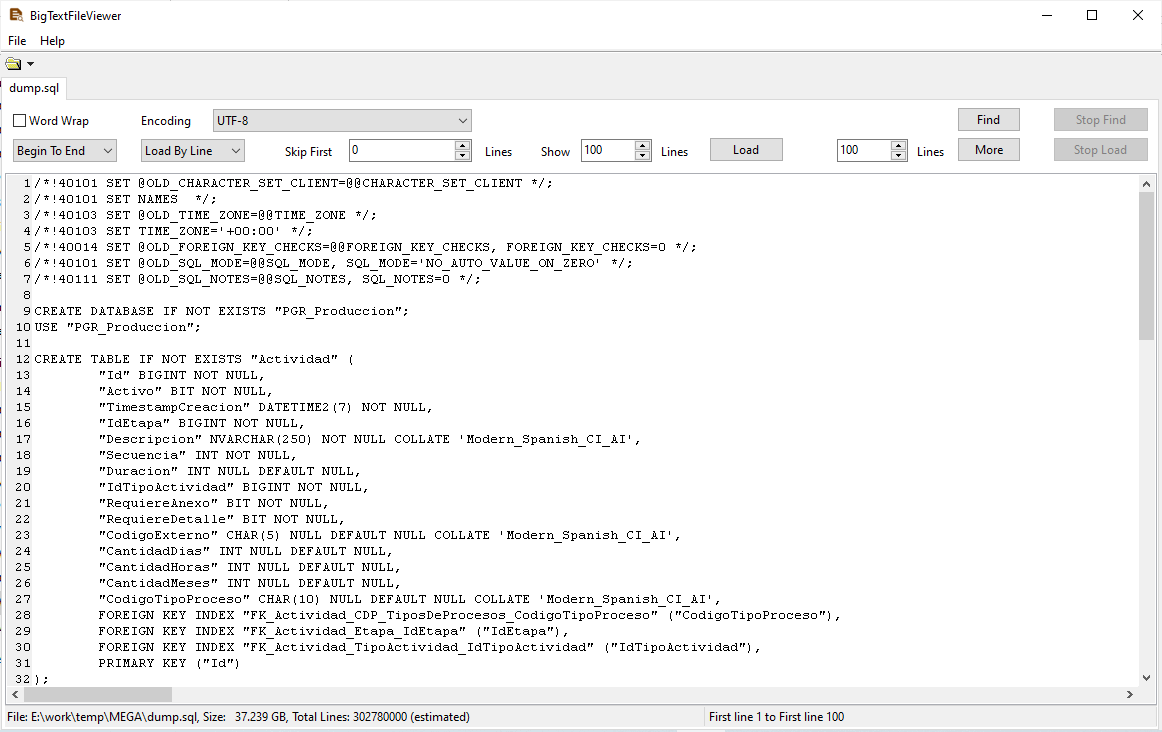
There is no practical size limit - the viewer has been tested with files over 100 GB - and it typically uses under 100 MB of RAM, so a machine with 4 GB can open a file far larger than its memory. The file is opened read-only and is never modified.
What it will not do
- It does not edit. This is a viewer: you can read, search and navigate, but there is no saving a changed file. If you need to cut the file down first, use BigTextFileSplitter.
- Text files only. TXT, CSV, TSV, LOG, JSON, XML and SQL. It is not a hex editor and does not open binary formats.
- No OCR. A scanned or image-only document has no text to read.
Related
Guides for specific file types: view a large TXT, view a large LOG, view a large CSV, view a large JSON. Cutting the file into pieces: BigTextFileSplitter. Converting it to another format: DataFileConverter.